AI Communications







See the technologies, features, and rollout steps that separate AI contact centers that scale from AI pilots that stall.
Running a contact center means navigating relentless trade-offs: customers expect fast, personalized service, while leadership expects reduced costs and provable ROI. At the same time, agents are balancing hybrid work, disconnected tools, and shifting compliance demands.
Contact center AI (CCAI) helps address these trade-offs by unifying intelligence, automation, and voice on a single platform that scales with your business. An AI contact center helps you deliver better experiences while controlling costs and complexity.
But implementing a modern contact center powered by AI often requires reimagining the entire customer journey: how people connect with you, how agents solve problems, and how conversation data fuels decisions across the business. Here are best practices for equipping your agents with AI.
Key takeaways
- AI contact centers unify intelligence across voice, digital channels, and workflows, resolving customer issues faster while cutting costs
- Voice-first AI handles routine requests autonomously and passes rich context to agents when complex issues need human expertise
- Contact center AI (CCAI) succeeds when it’s built into the platform, not bolted onto legacy systems as an afterthought
- AI contact center success requires integration with existing systems, AI-assisted workflow training, and targeted pilots
- ROI shows up in lower handle times and labor costs more than in feature counts
What is an AI contact center and why does it matter now?
AI contact center software, also called contact center AI or CCAI, embeds artificial intelligence across your entire interaction lifecycle—greeting customers, routing them, coaching agents, and surfacing insights you can act on. A true AI contact center weaves intelligence directly into voice, digital channels, and back-end workflows instead of tacking AI onto legacy systems.
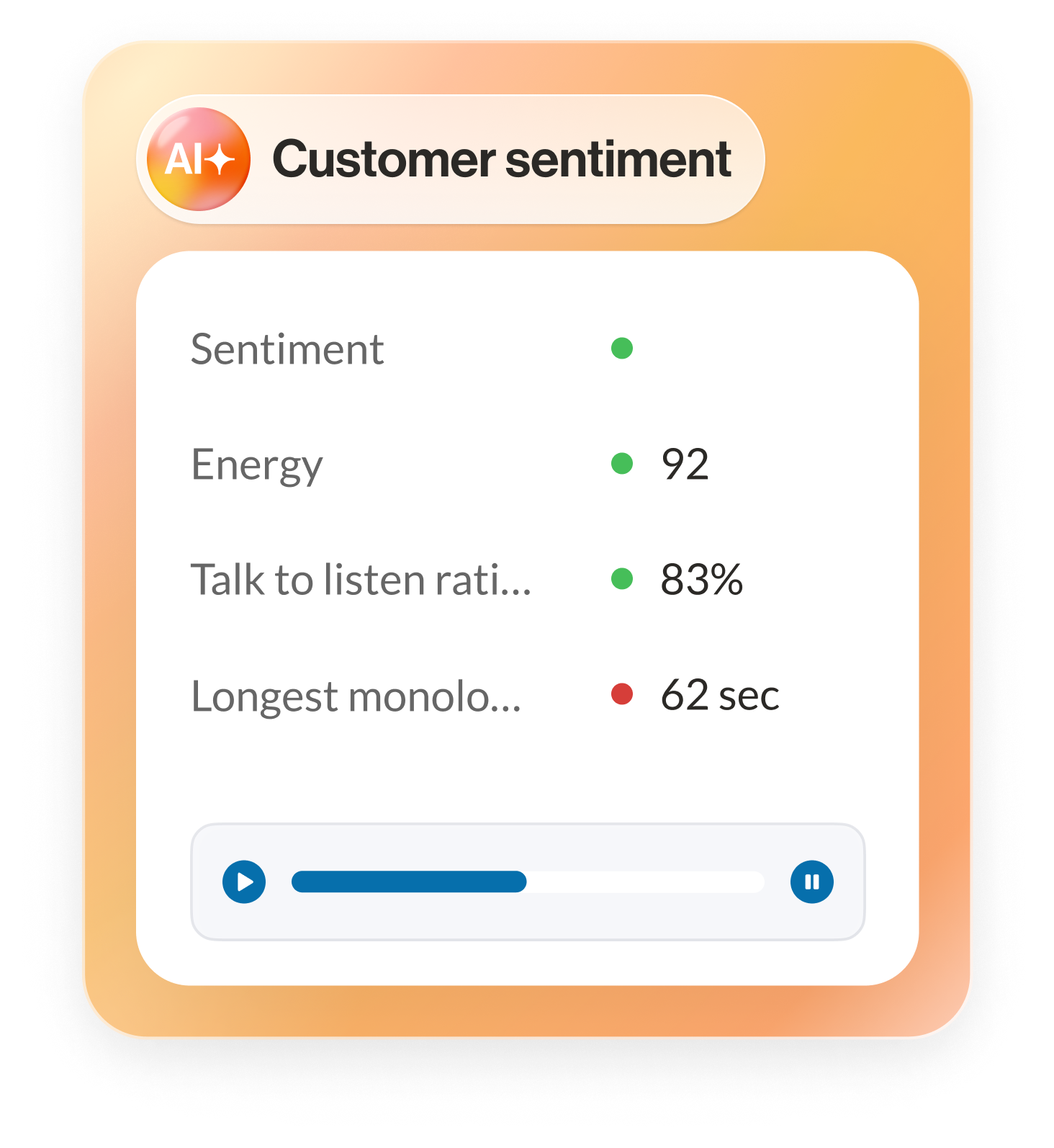
This allows you to:
- Use voice-first AI to understand what callers want in their own words and route them intelligently
- Offer AI-powered self-service that resolves issues rather than just collecting information
- Give agents real-time guidance, suggested responses, and knowledge during live interactions
- Monitor sentiment and compliance automatically
- Turn conversation data into insights that drive action across product, marketing, and operations
These capabilities matter because today’s customers expect instant, personalized experiences. In fact, loyalty now hinges on how well you meet their top priorities: 66% want their preferences remembered, 52% value relevant recommendations, and 47% expect past interactions to carry forward.
Compliance demands are also intensifying across healthcare, financial services, and the public sector. In a recent PwC survey, 85% of global CEOs reported that compliance complexity has increased over the past three years. Contact center AI helps you handle these pressures systematically instead of chasing them one incident at a time.
Demand itself rarely holds steady, either. Most contact centers ride seasonal swings in call volume, and the number of agents you need rises and falls with them. On legacy on-premises systems, scaling to match those swings is slow and expensive: every added seat means more hardware and software licenses you pay for all year, even through the quiet months.
An AI contact center flexes the other way. It runs on cloud infrastructure, so you add or remove agent capacity in minutes instead of waiting on your provider to reconfigure the system. And because AI absorbs routine volume through self-service and automation, a busy season doesn’t force you to grow your team in lockstep with demand. You get a system sized for your current operation, with the flexibility to scale up or down as that business changes.
How does an AI contact center work?
An AI contact center combines several technology layers into a single, unified architecture. You don’t need to be a data scientist to understand it, but you do need a clear sense of how the components connect so you can evaluate vendors and build a roadmap that fits your environment.
Gartner estimates that conversational AI will reduce contact center agent labor costs by $80 billion in 2026, with automated interactions climbing to 10% of all agent conversations, up from just 1.6% a few years earlier. That shift only pays off when the underlying architecture is built for it.
At a high level, an enterprise-ready AI contact center typically includes:
- Voice and digital channels: Cloud telephony, email, SMS, chat, social, and messaging apps that customers already use
- Voice-first AI and conversational interfaces: AI receptionists and virtual assistants that greet customers, capture intent, and either resolve issues or pass rich context to agents
- Routing and orchestration: Intelligent engines that match customers to the right resource, queue, or workflow based on intent, profile, and live conditions
- Agent desktops and workspaces: Unified interfaces that surface context, recommended actions, and AI-powered responses during the conversation
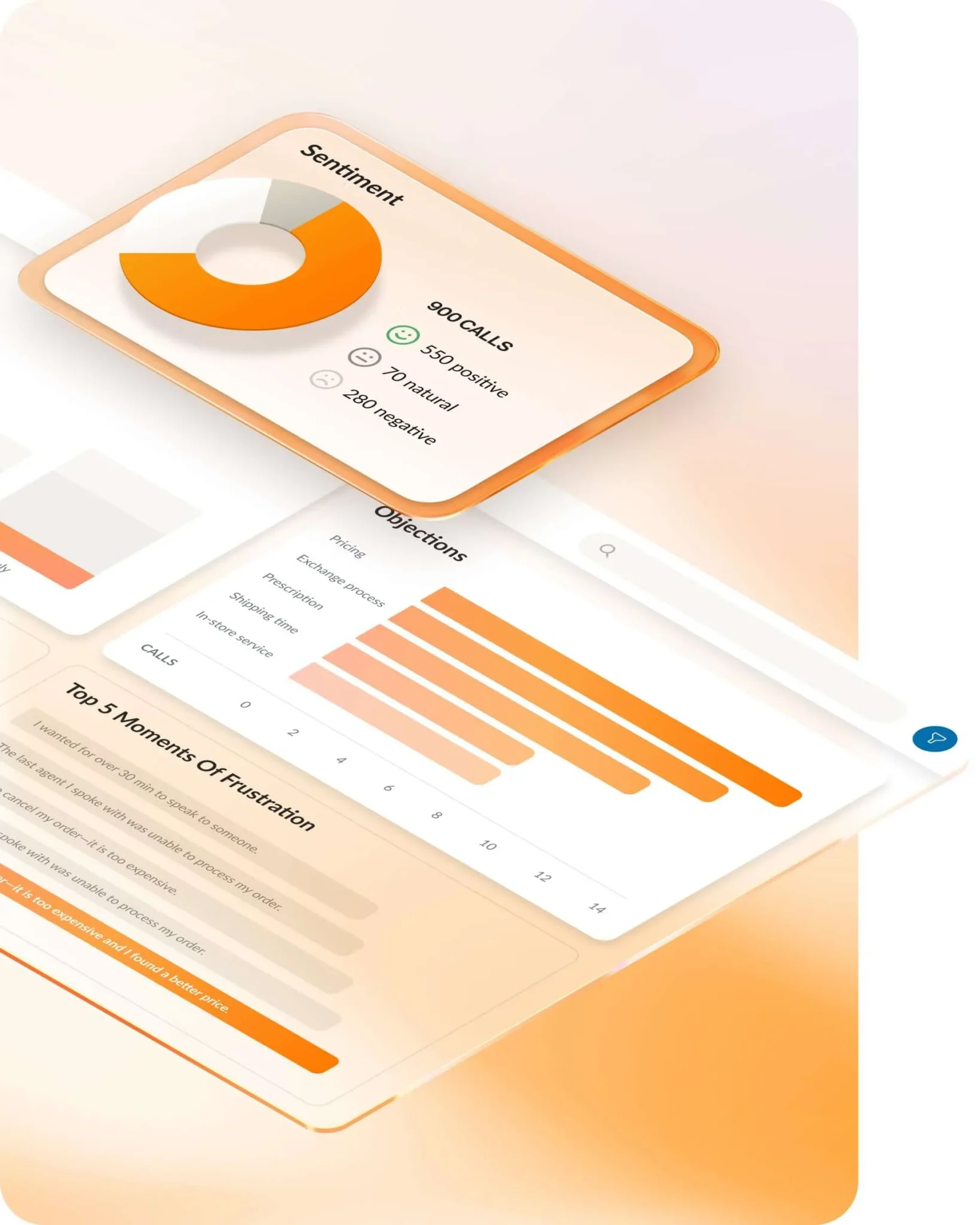
- Analytics and conversation intelligence: Real-time transcription, summarization, sentiment analysis, and trend detection across all interactions
- Automation and workflows: Integrations and low-code tools that trigger actions in customer relationship management (CRM) platforms, ticketing, workforce management, and back-office systems
The key is that all of these run on a reliable, secure, cloud-native platform. If your AI solution can’t deliver consistently high-quality audio, low latency, and predictable uptime, it’s more likely to damage your customer experience than streamline operations.
A converged, cloud contact center unifies communications, contact center, and analytics on a single infrastructure. RingCentral is one example, combining RingEX, RingCX, and conversation intelligence across a single global network.
5 key benefits of AI contact centers
If you’re a contact center or CX leader, stakeholders will measure you on operational efficiency, customer experience quality, and compliance risk. AI can help you move the needle on those metrics in ways you can track and explain.
The right AI contact center software delivers five critical benefits:
1. Reduced handle times without sacrificing quality
Voice-first AI captures caller intent, authenticates customers, and collects key details before an agent joins the conversation. AI tools auto-summarize calls, generate disposition notes, and suggest wrap-up actions. This reduces talk time and after-call work, helping you control costs while keeping interactions thorough and compliant.
The performance gap between agent handling and automation is measurable. DigitalApplied’s 2025 benchmarks put average time-to-resolution at 11.4 minutes for human-handled calls versus 1.9 minutes for calls an AI system resolves on its own. In a 2026 report, RingCentral found that businesses using AI agents reported higher productivity and improved employee and customer experience.
2. Improved first-contact resolution
AI-powered routing understands customer intent and agent skills, matching customers to the resource most likely to resolve their issue the first time. AI virtual assistants can handle common requests on their own, shrinking case backlog and freeing human agents for higher-value work.
3. Higher agent productivity and lower burnout
Agents burn out when they’re stuck toggling between systems instead of talking to the customer in front of them. Agent-assist tools change that by putting guidance directly inside the interaction.
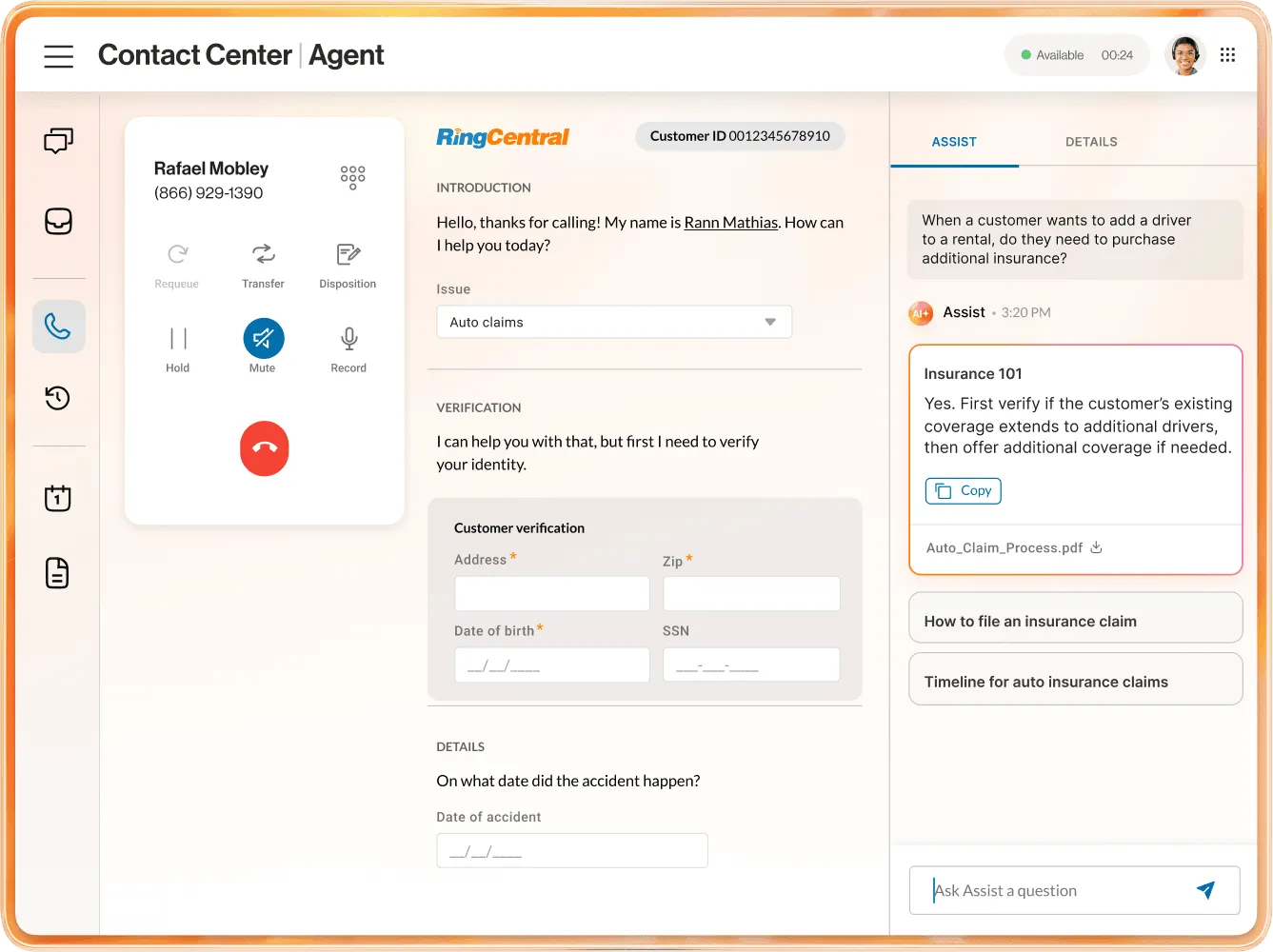
RingCX’s AVA Agent Assist, for example, surfaces relevant knowledge articles the moment a customer raises a topic, suggests next-best actions based on what’s happening in the conversation, and generates call summaries automatically once the interaction ends.
That combination—real-time guidance plus automated summarization—is what reduces administrative overhead. It’s not a single feature, but the two working together that allows agents to focus on the customer instead of the software.
4. Better compliance visibility and risk management
AI can monitor up to 100% of customer interactions for key phrases, disclosures, and policy adherence, helping supervisors quickly spot patterns like recurring non-compliant language or missed verification steps. This allows them to coach proactively instead of waiting for an audit or complaint.
5. Stronger insights across the business
Connecting your AI contact center with unified communication as a service (UCaaS) platforms and conversation intelligence turns customer conversations into actionable insight. You can identify recurring product issues, pricing objections, and competitor mentions across channels, then use that data to guide product, marketing, and sales strategy.
What AI technologies power contact centers today?
AI contact centers vary widely in capability. To choose the best one, focus on the AI building blocks that impact your daily operations.
Keep these three core categories in mind as you evaluate solutions and build your roadmap.
1. Conversational AI and natural language processing (NLP)
Conversational AI and natural language processing (NLP) let customers speak or type naturally and receive accurate, helpful responses. Instead of callers going through traditional interactive voice response (IVR) menus, advanced NLP understands phrases like “I need to update my payment method.”
In an AI contact center, conversational AI and NLP power:
- AI receptionists: As voice-first front doors, AI receptionists greet callers in natural language, understand customer needs, and either resolve requests or route them to the best resource. These AI systems can handle tasks like account updates, order status, and appointment scheduling without involving a human agent.
- AI virtual assistants: Some AI virtual assistants are customer-facing, but others are there to support your employees. They understand natural language as well as employee needs and requests. As a result, they can often recommend resources, record and transcribe meetings, or even balance daily schedules and tasks.
- Multilingual support: The ability to understand and respond in multiple languages allows you to serve global customers without staffing every skill set around the clock.
Context is what separates legacy chatbots from modern conversational AI. Advanced NLP retains earlier details, understands intent even when customers don’t use your internal terminology, and tailors responses using CRM data or prior interactions. The result is smoother experiences and fewer escalations.
2. Intelligent routing and automated workflows
Legacy routing simply distributed calls evenly or sent them to the next available agent. Modern AI contact centers transform routing into dynamic optimization that balances customer needs, agent skills, and live conditions.
AI-powered routing weighs factors like:
- Customer intent: What the customer actually needs, based on what they tell your AI receptionist or virtual assistant
- Customer profile and value: Account type, lifecycle stage, recent purchases, or open cases from your CRM
- Agent skills and performance: Language, product expertise, certifications, and historical resolution rates
- Real-time conditions: Queue lengths, wait times, service level agreements (SLAs), and agent availability across locations and channels.
Automated workflows extend this intelligence across your systems. Take a billing dispute: When a customer calls about a disputed charge, RingCX can route the call based on account value, pull the open case from your CRM, and flag it for the agent before the conversation begins.
Once the agent resolves it, a Workflow Studio customization can trigger a follow-up email confirming the resolution and update the CRM record automatically—no manual data entry required. That’s the difference between a dialer that just connects calls and a platform that removes the repetitive work around each one.
3. Predictive analytics and sentiment analysis
While conversational AI handles the moment, predictive analytics analyzes your historical and live data to anticipate what comes next. Sentiment analysis, in turn, reveals how customers feel during and after each interaction.
These capabilities help you:
- Spot at-risk customers in real time. When sentiment drops or escalation signals appear, supervisors step in. AI can also dynamically adjust the experience, including prioritizing the interaction in the queue.
- Improve coaching and quality management. AI reveals patterns across every Interaction, such as phrases that drive successful resolutions or trigger negative sentiment. This allows you to coach agents with objective data instead of reviewing small call samples.
- Forecast demand more accurately. AI can combine historical volumes, seasonal patterns, and sentiment trends to help you plan staffing and self-service strategies with greater confidence.
When you integrate these analytics with your broader environment, you gain insight into how customer conversations intersect with internal communications. You can then uncover process issues, knowledge gaps, or policy changes that impact both agents and the teams supporting them.
Key features to look for in AI contact center software
Not every platform that claims “AI contact center” capability delivers the same value. Before you sign a contract, evaluate vendors against these criteria:
Omnichannel coverage
Your AI should follow the customer across voice, chat, SMS, email, and social.
Platforms that treat certain channels as an afterthought create fragmented context, which means agents start every interaction from scratch. That shows up as repeat contacts and lower CSAT, the exact metrics leadership holds you accountable for.
AI-first architecture
A platform’s underlying design determines whether AI is native or added on top of an older system. AI bolted onto legacy infrastructure tends to lead to latency issues, inconsistent data access, and slower feature releases.
A platform built AI-first, like RingCX, embeds intelligence into every workflow instead of layering it on as a module. If you choose the bolt-on version, your IT team inherits the maintenance burden, and you end up back in the market re-evaluating vendors instead of scaling what you already bought.
Agent assist depth
Evaluating “agent assist” comes down to what the tool actually does. Does it surface knowledge in real time? Suggest next steps mid-call? Generate summaries automatically?
The depth of these capabilities determines whether agents adopt the tool or ignore it. When a shallow tool goes unused within a quarter, you’ve spent budget on a rollout with no adoption to show for it.
Quality assurance and analytics coverage
Some platforms sample a small percentage of interactions for quality review. Others, like RingCX with AVA Supervisor Assist, analyze 100% of interactions.
That distinction matters when you’re trying to catch compliance risk or coaching opportunities before they become patterns. A sampled review misses the violation that turns into a regulatory fine or a lawsuit, not just a missed coaching moment.
Deployment speed
A platform that takes months to configure delays every benefit you’re trying to capture. Ask vendors for a realistic implementation timeline based on your environment, not the timeline they show in a demo.
Every month you spend in implementation is a month you’re not hitting the handle time or cost targets you used to justify the purchase to your CFO.
Integration depth
Your AI contact center is only as useful as the systems it connects to. Confirm the platform integrates natively with your CRM platform, ticketing system, and workforce management tools, rather than requiring custom middleware for every connection.
Custom middleware becomes one more system your team maintains and one more point of failure when an integration breaks and context stops transferring to agents.
Business continuity and uptime
Ask what happens to your contact center when your building goes dark. A natural disaster, a power outage, or an office you can’t get into shouldn’t take customer service down with it. Legacy on-premises systems stop the moment the site they run in is compromised. A cloud-native platform keeps running, so customers still reach you and agents log in from home or a backup location using any stable internet connection while you manage the disruption.
Confirm the vendor’s uptime commitment and redundancy setup before you sign, not during your first outage. Every hour your contact center is down is revenue you don’t recover and customers who move on. On-premises hardware makes recovery slower, since service remains unavailable until you replace the affected hardware.
How to implement an AI contact center solution successfully
Choosing an AI contact center solution is only half the battle. The real challenge is implementing it in a way that preserves operations, maintains agent trust, and delivers on your business goals.
RingCentral’s 2026 Agentic AI Trends research found 40% of organizations ended up discontinuing or pausing one or more AI initiatives after execution difficulties. Structured rollout can reduce this risk, with integration, workflow readiness, and governance acting as the deciding factors in AI success.
Use the implementation framework below to guide your AI journey:
Step 1: Assess business needs and readiness
Before you evaluate features or pricing, clarify what you’re trying to solve. Map your current-state experience from first contact through resolution and follow-up. Involve leaders from operations, IT, compliance, and the frontline to see the full picture.
Once you establish a baseline, define clear success metrics and a realistic timeline. For example, you might target reducing average handle time in one queue by deflecting a set volume of low-complexity contacts to AI receptionists.
Finally, align these goals with executive sponsors so you secure support when you prioritize resources.
Step 2: Integrate with existing systems and data sources
AI performs only as well as the data and context it has access to, which makes integration planning critical to your AI contact center strategy. You don’t need to integrate everything immediately, but you should identify the systems that matter most for customer experience and agent productivity.
Prioritize these integration areas:
- CRM and customer data platforms
- Ticketing and case management
- Workforce management
- Knowledge bases and content repositories
Step 3: Train staff and manage change
Your AI contact center will underperform if your people don’t trust it or understand how to use it. Change management is what converts AI capability into stronger KPIs and a better customer experience.
To ensure a smooth AI rollout, start with these essential steps.
- Involve agents early. Explain how AI removes busywork instead of replacing it. Ask where AI could help most.
- Design role-specific training. Supervisors need to interpret AI-driven insights and coach from them. Agents need to work with AI suggestions while staying authentic. Admins need a different depth than either group.
- Start with pilots. Launch AI in one or two queues, such as an AI receptionist for routing or an AI virtual agent to create meeting summaries for select teams. Gather feedback, refine workflows, and build internal champions before you scale.
- Establish feedback loops. Encourage agents and supervisors to flag AI errors, suggest improvements, and share wins. This helps you tune models and reinforce adoption continuously.
3 AI trends that contact center leaders should pay attention to
AI contact centers are already transforming how you design and operate customer experiences. The next few years will push this further, moving from assisted workflows to increasingly autonomous capabilities that keep you in control.
Three shifts matter most for CX and IT leaders:
1. Agentic AI that takes multi-step actions
Agentic systems can carry out sequences such as identity verification, inventory checks, order updates, and confirmation emails according to defined policies and guardrails. This dramatically expands the range of issues AI resolves while keeping humans in the loop for exceptions and high-stakes decisions.
2. Predictive and proactive engagement
Modern AI platforms analyze behavioral and operational data to anticipate customer needs. Instead of reacting to inbound volume, your contact center can notify customers about delays, suggest self-service paths, or schedule callbacks before frustration builds.
3. Deeper convergence across unified communications, contact centers, and analytics
The line between internal collaboration and external engagement continues to blur. Agents, subject matter experts, and field teams collaborate in real time during live interactions, supported by AI that routes information and orchestrates participation across enterprise systems.
RingCX: An AI contact center built for scale
Most contact center AI gets added to a platform after the fact, patched onto call routing that wasn’t designed for it. That’s where the trade-offs creep back in: latency, inconsistent context, features that lag behind the roadmap. You end up managing the AI vendor and the platform vendor as two separate relationships, and neither one owns the whole experience.
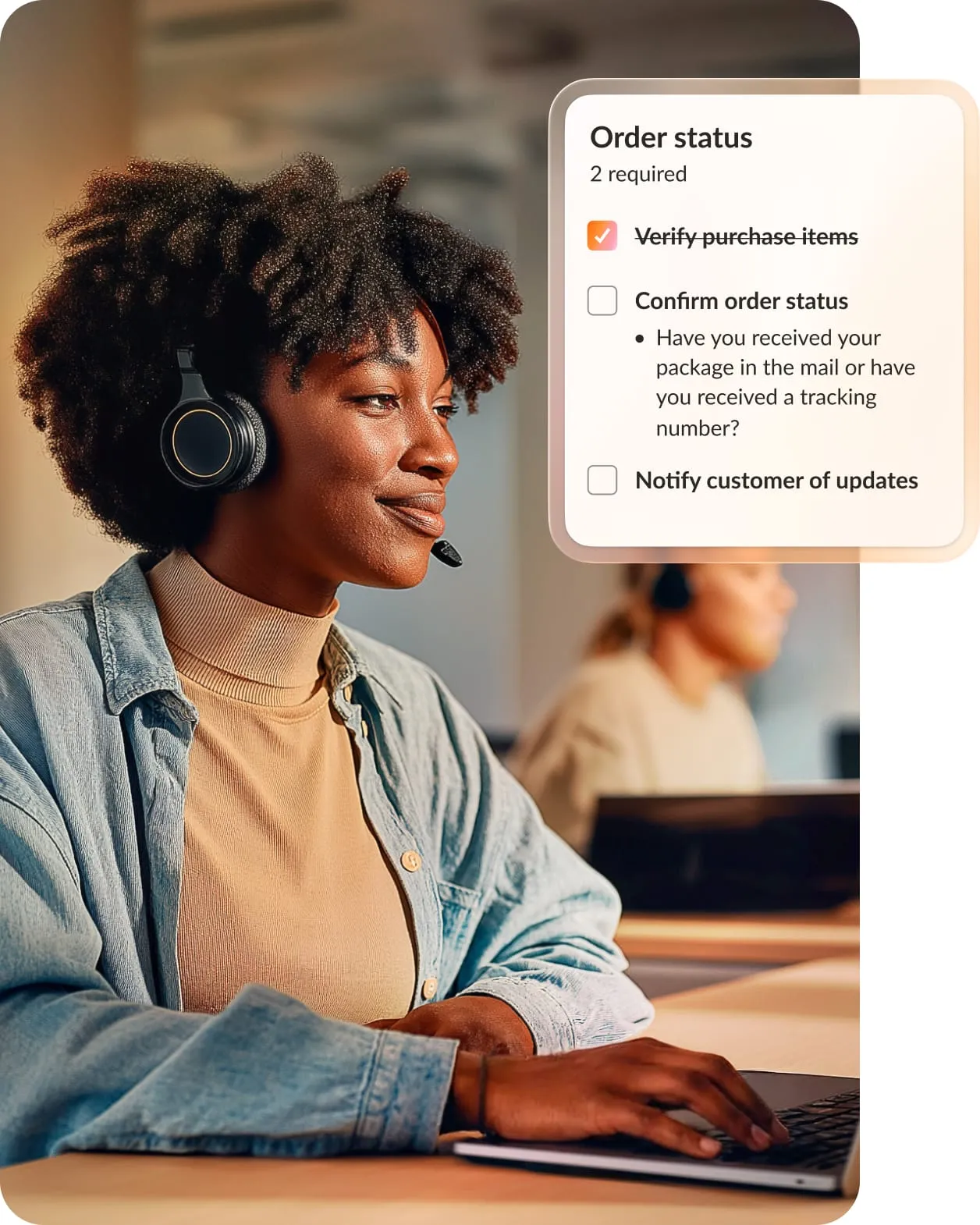
RingCX combines voice-first AI, intelligent routing, conversation intelligence, and agentic automation on a single cloud-native platform built AI-first from the ground up. That architecture choice shows up in what your team actually gets:
- AVA Agent Assist surfaces knowledge and next-step suggestions in real time. Agents stop digging through tabs mid-call, which means shorter handle times and fewer transfers you have to explain in a quarterly business review (QBR).
- AI Quality Management analyzes 100% of interactions, not a sample. You catch compliance risk and coaching opportunities before they become patterns, instead of finding out about them in a customer complaint or an audit.
- One omnichannel workspace handles voice, chat, SMS, email, and social. Agents work every channel from a single interface instead of toggling between disconnected tools, so customers don’t have to repeat themselves when they switch from a chat to a call.

- RingCX runs on the same infrastructure as RingEX. You get visibility across internal and external conversations from one platform, so your IT team isn’t maintaining integrations between two disconnected systems.
- AI is native to every workflow, not bolted on as a module. Feature releases, data access, and latency behave the way you’d expect from software designed with AI as the foundation, not retrofitted onto legacy call routing.
For a team evaluating whether to consolidate vendors or add another point solution, the value comes down to simplicity: RingCX gives you one platform to manage, one roadmap to track, and one system your agents, supervisors, and IT team all work from. That’s fewer moving parts to justify to leadership and fewer places for context to get lost between the customer and the person trying to help them.
Build your AI contact center roadmap
An AI contact center changes the economics of customer experience. By embedding intelligence across the full interaction lifecycle, from voice AI that understands intent to real-time agent guidance and conversation analytics, you close the gap between what customers expect and what your budget allows.
Ready to see how contact center AI works in your environment? Request a personalized RingCX demo and share your specific challenges with the RingCentral team.
FAQs about AI contact centers
What is an AI contact center?
An AI contact center is customer service software that uses AI to resolve routine requests automatically and support agents on complex ones. It handles what a traditional setup leaves to scripted menus or manual effort: interpreting what a customer wants in plain language, routing them to the right resource, guiding agents during the conversation, and analyzing interactions afterward to improve the next one.
How is AI used in a contact center?
AI powers voice-first self-service, intelligent routing based on intent and agent skill, real-time agent guidance during live calls, automated call summaries, and sentiment analysis across every interaction. It also drives predictive staffing and compliance monitoring at scale.
What’s the difference between a call center and a contact center?
A call center handles customer interactions over the phone alone, while a contact center manages them across voice and digital channels like chat, SMS, email, and social messaging. Compared to a call center, an AI contact center goes further, embedding intelligence across those channels to automate routine requests and guide agents in real time.
What’s the difference between an AI contact center and a traditional contact center?
A traditional contact center relies on manual routing, agents working without in-the-moment guidance, and quality checks based on sampled calls. An AI contact center automates routing decisions, surfaces recommendations during the interaction itself, and can monitor 100% of interactions instead of a small sample.
How much does an AI contact center cost?
Cost varies by platform, deployment scope, AI capabilities, integrations, and whether you pay per agent seat, per resolution, or per minute. This means two AI contact centers can have very different total costs, so it’s important to ask the vendor about your specific setup and needs.
Updated Aug 09, 2026