AI Communications








Running an SMB (small-to-medium-size business) is as challenging as it is rewarding — and one of the biggest hurdles is keeping operating costs under control.
Software is often a major expense. A $10 or $20 monthly subscription might seem small, but with multiple users and add-ons, those costs can quickly add up to hundreds or even thousands each month.
The good news? SMBs now have more choice than ever. There’s a growing range of affordable paid solutions built for small teams that can handle everything from sales and marketing to accounting, payroll, and collaboration within one app, as well as powerful free tools.
The smartest approach is to mix and match — using free tools where they deliver enough value, and investing in paid business solutions where they save time, improve efficiency, or help you grow faster.
In this guide, we’ll show you the best free and budget-friendly business software to streamline your operations and keep costs in check without sacrificing performance.
- 4 paid and free business software options for communication
- 4 free business software tools for sales
- 4 free business software alternatives for marketing
- 3 free business software tools for project management
- 3 free business software choices for accounting/payroll
- 2 free business software options for HR
- What software tools do small businesses need?
🔍 Are you thinking about purchasing a new communication tool and unsure how to get started? Here’s a checklist to help you pick the right one for your business.
Paid and free business software: Communication
Whether free or paid, collaboration tools are essential for keeping teams connected, especially when working across different locations. The best platforms combine chat, video calls, file sharing, and project updates in one place, making communication seamless and efficient.
We’ll look at some of the top communication and collaboration software options — from powerful free tools perfect for small teams to premium solutions worth the investment when you need advanced features or scalability.
1. RingCentral RingEX
If you want one app to handle calls, texts, video meetings, team chat, and even fax, RingEX is the powerhouse to beat. It’s built for businesses that don’t just need a video call link — they need every conversation and every message in one place.

RingEX doesn’t just connect your team, it makes them smarter. The built-in AI assistant takes notes during calls, summarizes meetings, and even helps rewrite messages so they’re clear and professional. That means less scrambling, fewer follow-ups, and more time getting things done.
For businesses looking to extend this unified experience to customer communications, RingCentral’s Customer Engagement Bundle can be added to RingEX as an optional add-on. It brings together calls, texts, and queue management in a single, unified workspace, enabling teams to deliver faster and more personalised customer engagement.
Why teams love it:
- HD video
- File sharing and collaboration
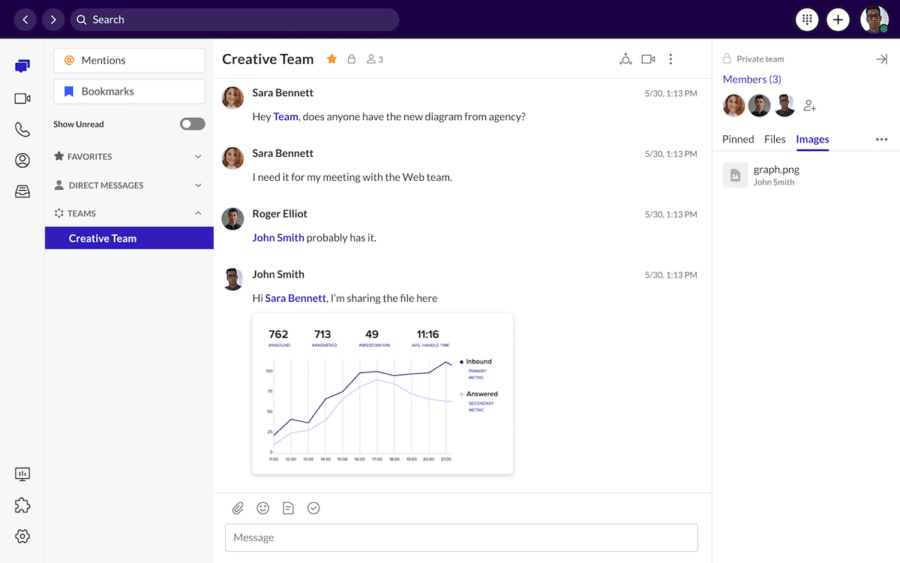
- Screen sharing in online meetings
- Unlimited meeting durations
- And more…

2. Slack
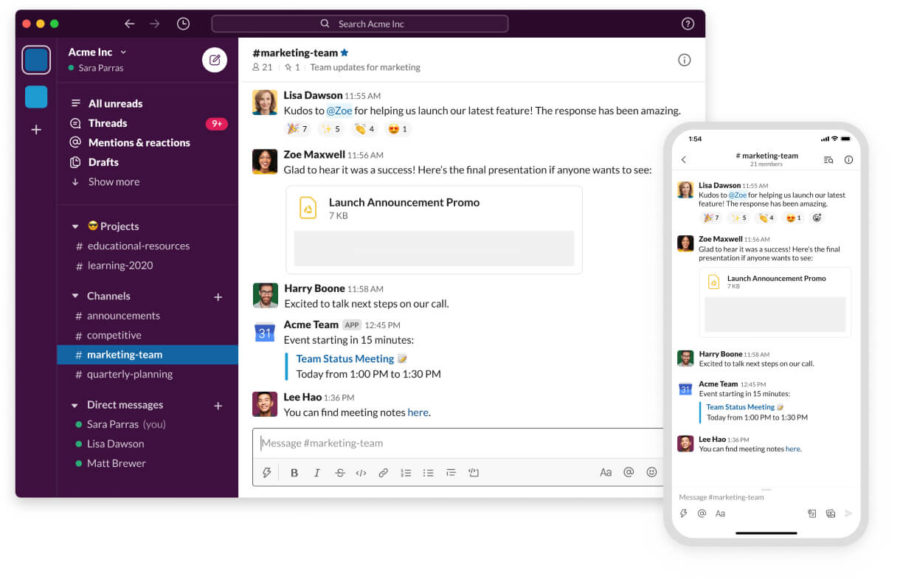
Slack is a popular B2B messaging application. Its interface is similar to other messaging applications (WhatsApp or Facebook Messenger, for example), but it offers business-friendly features to streamline virtual team meetings. These include:
- Threaded messages
- File transfers and screen share
- Audio and video call
- Shared channels
- Instant and asynchronous messaging
- Integrations
Fun fact: RingCentral has partnered with Slack to bring RingCentral phone and video solutions into the Slack environment and help enable seamless remote working.
3. Zoom
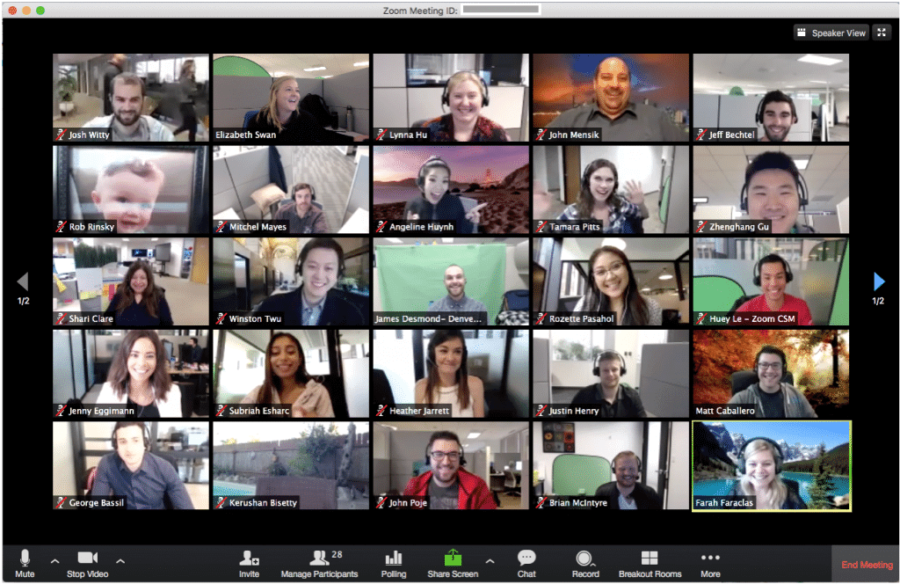
Zoom is a software for businesses that enables video conferencing. It became a household name in 2020, and it’s known for making communication via video conferencing quick and easy. Other features include:
- Zoom Phone
- In-line translation and transcription
- Conference and waiting rooms
- Hand-raising features
- Question and answer features
4. Cisco Webex

Cisco offers a business collaboration software that combines messaging, file sharing, and voice calling.
Cisco comes with features such as:
- Secure end-to-end encryption
- Integration with Cisco equipment
- Video and audio conferencing
- Screen and file sharing
- Integrations with third-party apps
Free business software: CRM and sales tools
Sales software helps businesses optimize their sales lifecycles, from prospecting to demos to closing and beyond. Good sales software should speed up the selling process and give sales representatives the tools they need to hit their number, every month.
Let’s take a look at some of the best free CRM and other business software for sales on the market today:
1. Spotler CRM
Spotler CRM is an entry-level customer relationship management system (CRM) with prospect-tracking features that help sales reps generate more sales by making sales pipelines more visible.
The software is completely free for up to two users. It boasts instant invoicing and quotes from its opportunities dashboard, as well as:
- Conversion estimations
- Opportunity histories
- Opportunity lines
- Powerful report writing
- Weighted value forecasts
2. Freshsales by Freshworks

This CRM software from Freshworks lets managers see where their employees are interacting with customers. It’s designed to help you track your pipeline status and has a handy automated data entry feature. Even better, the Freshworks CRM software has an integrated phone and email sync.
The free plan, however, is designed for only the smallest businesses of up to only three users. Support, too, is only offered 24×5.
3. Streak
Streak is sales software that’s built right into Gmail and helps companies achieve efficient pipelines on autopilot. Users add data to the app’s spreadsheet tool and can filter through customer information and create any necessary notifications.
This drives sales by allowing sales reps to capture customer data from emails and contact lists. Other features include full integration with other Google apps and view tracking, which allows users to see if their emails have been opened and send follow-ups accordingly.
Streak is rapidly growing in popularity, and in its standard form, it’s a completely free business software option that you can get as an add-on for Microsoft Edge.1 Some of Streak’s other great features include:
- Automated data collection
- Send-later scheduling
- Email snippet templates
- Mail merging
4. Agile CRM
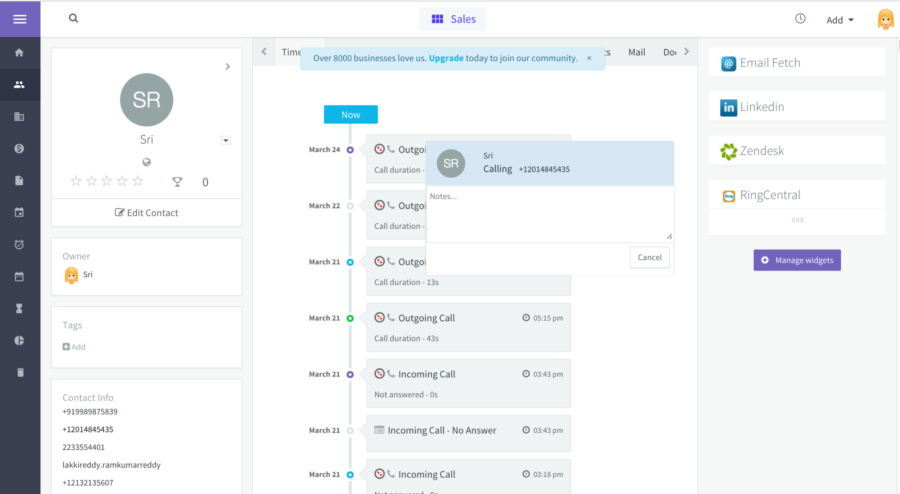
Agile CRM is a full-service CRM software solution, boasting features such as custom appointment calendars, drag-and-drop automation, email reports, widgets, and plugins.
The free plan and software option is wide ranging, offering email-campaign tools, web-engagement analytics, email tracking, milestone alerts, and unlimited documents, deals, and tasks.
Free business software: Marketing
Marketing software helps businesses run successful marketing campaigns by tapping into their target markets to convert leads in sales, and is a staple tool for any business.
There are many different types of marketing software, from website and SEO management to advertising and email campaign management. Let’s take a look at some of the best free marketing-software on the market today.
1. Screaming Frog SEO Spider
Screaming Frog specializes in free tools for small businesses. Their SEO software will audit your business website and offer insights to help you create and optimize your SEO strategy. The free version lets you audit up to 500 URLs. Other features include:
- Troubleshooting links and servers
- Website redirects
- SEO auditing across page titles and metadata
- Duplicate content removal
- Data extraction for reports
- XML sitemaps
2. Canva
Canva is a great option if you need to do digital and email marketing. The tool is a simple editing and graphic design solution offering templates for social media posts and websites.
This helps SMBs customize their assets and content with up-to-date graphic design elements. Canva offers an easy-to-use drag-and-drop interface and an extensive library of graphics.
Other features include:
- Infographic designs
- Templates for charts and case studies
- A library of more than one million images
- One Page Website Builder
- Online Drawing Tool
3. Hotjar
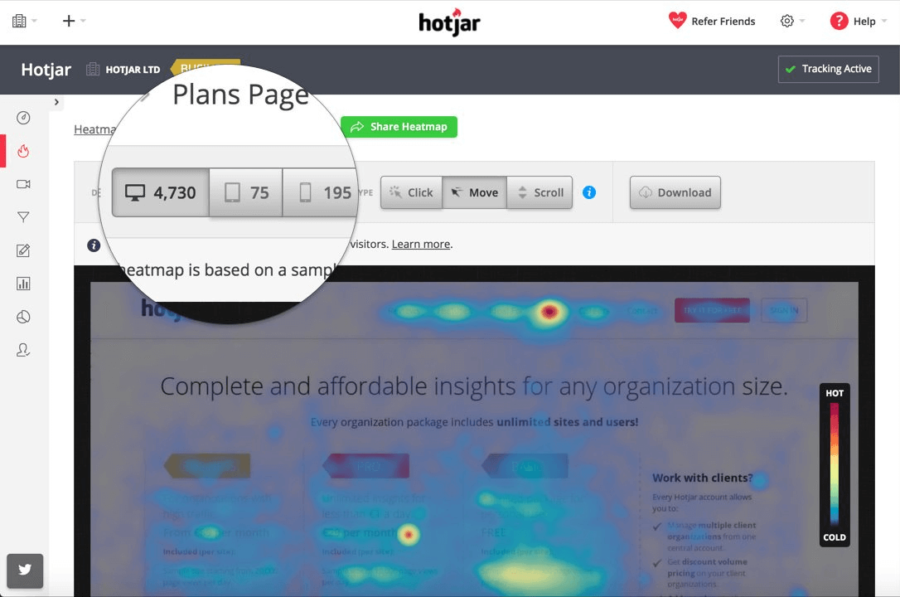
If you have a website, a tool like Hotjar is extremely useful because it lets you analyze your customer behavior and see where they click and which pages they interact with the most. This helps SMBs make strategic decisions when developing their content. The software includes:
- Heatmaps to track where customers are spending the most time on your site
- Conversion funnels to show you the steps users take before purchasing
- Surveys and polls to generate even more qualitative data
- Recordings to use in training
4. Optimizely
Optimizely is another free business tool that helps boost marketing ROI by helping SMBs get the most out of their marketing campaigns. Optimizely lets you run A/B and multivariate tests so you can see how one type of messaging or graphic performs against another. Features include:
- Marketing experiments
- Activity tracking
- A/B testing
- Visual editing
- Workflow experimentation
Free business software: Project management
One of the most vital things for any small business owner is keeping the plates spinning when it comes to all those different tasks and projects occupying your team. Project management software is designed to help with precisely that.
Here are just a few examples of project management software available for free to small businesses:
1.monday.com
monday.com is one of the best-known project management platforms around. It boasts an easy to learn and user-friendly interface, and is designed for giving at-a-glance insight into how projects are progressing.
The good news for small businesses (especially solo entrepreneurs and the smallest teams)? There’s a so-called “free forever” plan to get started with. Features of the free tier of monday.com include:
- Access for up to two users
- Up to three boards for organizing work and data
- Unlimited documents
- Choice of over 200 customizable templates
- Android and iOS apps
2. Wrike
Wrike is another project management platform that aims to streamline workflows across organizations. The interface allows businesses to customize dashboards and projects easily, and is also designed to scale with growing companies.
There are advanced project management features available at the higher price points. However, businesses with budgetary restrictions will be most interested in the free plan for teams getting started. Its features include:
- Unlimited users
- Simple project and task management tools
- The choice of a board or table view
- 2GB storage space
- Web, desktop, and mobile apps
3. Miro
Miro describes itself as an “AI-powered visual workspace”. At its foundation, it’s virtual whiteboard software which helps businesses to visualize teams, projects, workflows, and more—with AI-powered features to make things more intuitive and efficient.
The most advanced features are reserved for the higher priced plans, as you’d expect. The free tier of Miro, however, does boast some useful features for small businesses to take the hassle out of project management. These include:
- A workspace with three editable boards
- Over 2500 templates to use as a basis for those boards
- Integrations with other tools like Slack, Google Drive, and more
- Five “Talktrack” interactive video walkthroughs of boards.
Free business software: Accounting
Accounting software helps your Finance team manage your accounts payable and receivable, expenses, online payments and other transactions, and more of your bookkeeping tasks. This saves an inordinate amount of time and energy that used to be spent on manually updating and creating spreadsheets and other repetitive tasks.
Let’s take a look at some of the best free accounting software on the market today:
1. ZipBooks
ZipBooks is a free business software option with invoicing, accounting, and business intelligence features. The free Starter plan lets businesses send unlimited invoices and manage an equally uncapped number of vendors and customers.
Starter plan users can also accept digital payments from Square or PayPal, connect one bank account, and access basic reports.
Other features at the free tier include:
- Sending custom quotes and estimates
- Adding taxes and discounts
- Invoicing in multiple currencies.
2. ProfitBooks
ProfitBooks sells itself as free software you can use to stay on top of cash flow and business finances with no accounting knowledge. You can also use the toll for no outlay, if you choose the Startup plan.
With that free plan, you get one user and can create professional invoices in a range of currencies. You can also:
- Track receivables
- Manage business expenses
- Get tax reports
As well as being limited to one user, you can also only create 25 invoices per month, manage up to 100 customers, and track up to 25 products or services.
3. Wave

Wave is free business software that is extremely small-business-friendly. Users can sign up with Google or create a new account to access free reports and expense tracking. It’s a great option for creating professional invoices, recurring billing, and automated payments.
Other features include:
- Checkout and payment management
- Business health reports
- Annual and monthly comparisons
- Encryption
- Shopify tracking
- Various payment options
Free business software: HR
We’ve left this category of free business software to last for a reason. HR is often seen as something only larger organizations need to worry about, but smaller businesses also have essential HR tasks—like managing employee schedules, tracking attendance, and ensuring smooth day-to-day operations.
This pair of free HR software tools can help:
1.Homebase
Homebase is a small business software solution primarily to help with employee scheduling, time tracking and similar tasks. Other elements such as payroll management, compliance, and more are added at the higher price points.
Small businesses signing up to the free plan, though, can enjoy features including:
- Basic scheduling
- Basic time tracking
- Employee management
- A built-in POS integration
2. Connecteam
Connecteam is a solution pitched at small businesses with so-called “deskless teams”. It claims to be able to help companies to manage entire teams in one app, by helping with time management, scheduling, payroll, and other common HR operations.
Just like other software options on our list there are a range of Connecteam pricing plans, starting with a free plan for small businesses. Features of that free plan include:
- Capacity for up to 10 users
- Real-time clocking-in and clocking-out
- Payroll integration
- Scheduling tools
- Task management features
What software do small businesses need?
No small business is the same. When it comes to deciding what software is best for your business, think about your organization’s unique pain points and requirements.
The features that your business needs will depend on the size of your company and the particular needs of the industry you operate within. Most small businesses require tools that can help handle these common processes:
- Operations management — a tool like call center management might be useful
- Accounting
- Marketing
- Productivity — a workforce management feature could help here
- Collaboration
- Communication
If you’re in the process of sourcing new SMB software, prioritizing these features is a good place to start. Based on these operational needs, here are the most important types of software for small businesses:
- Communication software lets you share files, audio, text, and video communications. Software like RingCentral’s desktop and mobile apps gives you team messaging, video conferencing, and a phone service—all in one app.
- Customer relationship management software helps analyze customer data. CRM software manages interactions with past, current, and future clients. This allows companies to analyze and strategize their own interactions in a data-driven way. A business hack: Find a CRM that integrates with your communication platform, and it’ll let you dial your prospects and customers right from your CRM dashboard on your computer—like this Salesforce integration with RingCentral:

- Payroll software helps process employee payrolls, salaries, and wages. These software applications automate employee payment and maintain payment records.
- Accounting software helps you manage the financials, track expenses, manage forecasts, and optimize workflows and operations for long-term profitability.
- Time-tracking software allows employees to accurately record time spent on projects. Time-tracking software is great for professionals who bill customers by the hour, as well as freelancers and workers paid by the hour.
- Project management software helps managers control their costs and meet deadlines. This type of software can help plan, organize, and manage resources and tools in order to develop accurate project goals and financial estimations. Having a unified workspace is vital here, as Lake Expo found when implementing RingCentral’s solutions to manage the team’s workflow.
- Website-building software helps SMBs create websites from scratch without coding. Squarespace and Wix are some of the most common types of website-building software out there—or, your web-hosting company might have a website builder too.
- Payment transaction software helps process customer payments in person or online, and needs to handle most payment methods, including credit cards and PayPal. Think of Square or Stripe. This is usually a stand-alone application that records all the payments made by a customer and allows businesses to view payments alongside the customer’s details.
- Sales and marketing software lets businesses launch ad campaigns, send email newsletters, track customer journeys and sales funnels, and more. Depending on how much your SMB is investing in this area, you can easily have three to five (or more) tools, just for sales and marketing.

Our list above included a range of options to satisfy all those types of software, but just what benefits can you expect once you’ve chosen the right free solutions?
The benefits of business software
Good software is a must-have for small businesses as they start scaling their operations, and finding the right software—that has a free plan—is no easy task.
But if you’re able to source these free or low-cost software solutions that have the features that your business needs, the pay-off—streamlined workflows, more time saved, and reduced costs—is worth it.
Here are some benefits of the right software that can help grow your SMB:
- Simplifies tasks: The right tools can streamline your workflows and make day-to-day tasks quicker and easier. Time-tracking software is one example. It helps employees complete timesheets and helps businesses track them. Managers and supervisors can then stay on top of their employees’ progress, and small businesses can integrate appropriate software to help improve workflows accordingly.
- Helps with capturing and following up with sales leads: Software can make it easier for sales reps to find, log, and track sales prospects.
- Improves customer relations: Customer relationship management (CRM) software helps both sales and support teams. Sales teams use CRMs like Salesforce to keep track of prospects and sales cycles, while support teams can use contact center software to take calls and messages from customers and troubleshoot problems.
- Makes your business more competitive: Small business software that can help your SMB improve service quality and efficiency will make your business more competitive and stand out from the crowd. Why write out paper invoices when you can use software that automatically fills out all the details and customer information for you?
Implementing the right software can also help your business scale, as Chais Mayer of 24 Hour Tees found after migrating to RingCentral.
“I’d estimate this automation with the RingCentral API has saved us the need to hire about four additional full-time employees.”
Chais co-founded 24 Hour Tees. As we can see from the name, the company creates custom T-shirts within a day, so any automation is greatly beneficial.
Start building your business tech stack today
If you run a small-to-medium-sized business, the right software can completely change how you work.
Free tools are a great starting point, but paid plans unlock the features that actually move the needle: advanced automation, deep integrations, and scalability as your team grows.
If you’re ready to streamline your tech stack, RingEX gives you one app for calls, messaging, video meetings, and AI-powered insights so your team can focus on getting work done.
Free business software FAQs
Is it really possible to find free business software that’s worth using?
Yes, very much so. It’s certainly the case that paid solutions tend to come with additional features, so if you can stretch your budget, you may find it’s worth doing so. But it’s not essential, particularly for smaller companies that might only need basic functions for a few users.
Are there any other advantages to using free business software other than cost?
Yes. Often, it can be difficult to know in advance whether a particular software application or platform will be a good fit for your business. With free software, you can try it out and simply ditch it if it’s not for you. In fact, even a lot of software companies that don’t provide free versions do actually offer free introductory trials for exactly this reason. So, that’s another possibility you might want to consider.
Is free software right for my business?
Free software is a sensible choice for businesses on a very tight budget. After all, the more you can get for no upfront outlay, the better. What you need to keep in mind, however, is that features and functions of free software are—understandably—limited. As your business scales, you may find you quickly outgrow free tools.
That’s why tools like RingCentral Video, which have a free plan but also more comprehensive paid plans are a great choice. You can simply upgrade to a more comprehensive version as and when you need to.
What features should I look out for with free business software?
The features to look out for with free business software will differ depending on the type of tool. Things to always keep your eyes peeled for, though, include any user limits imposed on the free plan, hidden charges or fees for add-ons, and whether you’re truly signing up for a free plan or simply a free trial with an expiration date.
How do I choose free business software?
When choosing free business software, first be sure that the solution meets your business needs. A free tool with lots of bells and whistles is all very well, but if you don’t actually need many of those functions, it’s no good to you.
What’s better is a solution that does precisely what you need now and which has a paid plan to upgrade to, which could fulfill your future requirements.
1https://www.streak.com/pricing
Updated Nov 18, 2025