AI Communications









How AI agents and human teams work together in modern CX.
Over the last few years, customer service automation has gone from a nice-to-have experiment to a core part of enterprise customer experience (CX) strategy.
Done well, automation handles high volume, delivers consistent experiences across regions, and gives teams the real-time intelligence necessary to resolve complex issues faster. The question is no longer whether you should automate, but what to automate, how to orchestrate it across channels, and where AI and humans should work together.
This guide covers what modern customer service automation really is, the enterprise-level benefits you can expect, the tools that make it possible, and how to implement it to improve CX, cost, and revenue.
Key takeaways
- Modern customer service automation integrates AI agents with human teams
- Intelligent self-service frees up agents by handling high-volume, low-value tasks
- Seamless human handoffs are essential for complex issue resolution
- Unified platforms ensure consistent workflows, analytics, and compliance at enterprise scale
- Automation data identifies new opportunities for revenue and efficiency
What is customer service automation?
Customer service automation is the use of software and artificial intelligence (AI) to handle support interactions and service workflows that previously required a human. While early solutions were limited to simple Interactive Voice Response (IVR) menus and static FAQs, modern systems have evolved into intelligent, conversational assistants capable of resolving complex issues.
By leveraging natural language processing (NLP) and machine learning, today’s contact center automation systems do more than just provide information—they understand intent, authenticate customers, and execute transactions. They allow AI to tackle repetitive tasks and resolve customer inquiries across multiple digital service and communication channels, such as email, call centers, online help desks, SMS text messaging, and social media.
At an enterprise level, customer service automation typically includes:
- AI-powered chatbots and virtual assistants that provide consistent support on web, mobile, and messaging channels
- Voice-first automation for the phone channel via AI-powered IVRs and virtual receptionists
- Proactive outreach that uses SMS, email, and apps to send notifications and reminders
- Automated orchestration that handles ticketing and routing within your customer relationship management (CRM) or contact center
- Interaction analytics that use AI to summarize conversations, surface insights, and recommend next best actions
6 key benefits of customer service automation for enterprises
Customer service automation helps large and fast-growing organizations scale across regions, meet strict compliance requirements, and turn every interaction into actionable data. This leads to measurable improvements in productivity, customer experience, and revenue, along with the following benefits.
1. Help more customers with fewer resources
When AI handles repetitive, low-value interactions, you free sales and customer service agents to focus on complex, high-emotion, and high-value work. Generative AI amplifies that effect by summarizing calls, drafting follow-ups, and searching across knowledge bases in seconds.
A 2025 report by Bain & Company found that generative AI could increase sales team productivity by simply allowing representatives to shift their focus from manual administrative tasks to active selling. On the customer support side, the impact is already measurable: businesses using RingCX reduce call handle times by about 25% and cut after-call workloads in half.
2. Provide customers with self-service options
A majority (86%) of customers start with self-service tools to resolve issues before reaching out to support. Because they’re used to handling banking, booking travel, and managing subscriptions on their own terms, they’re looking for that same level of autonomy elsewhere.
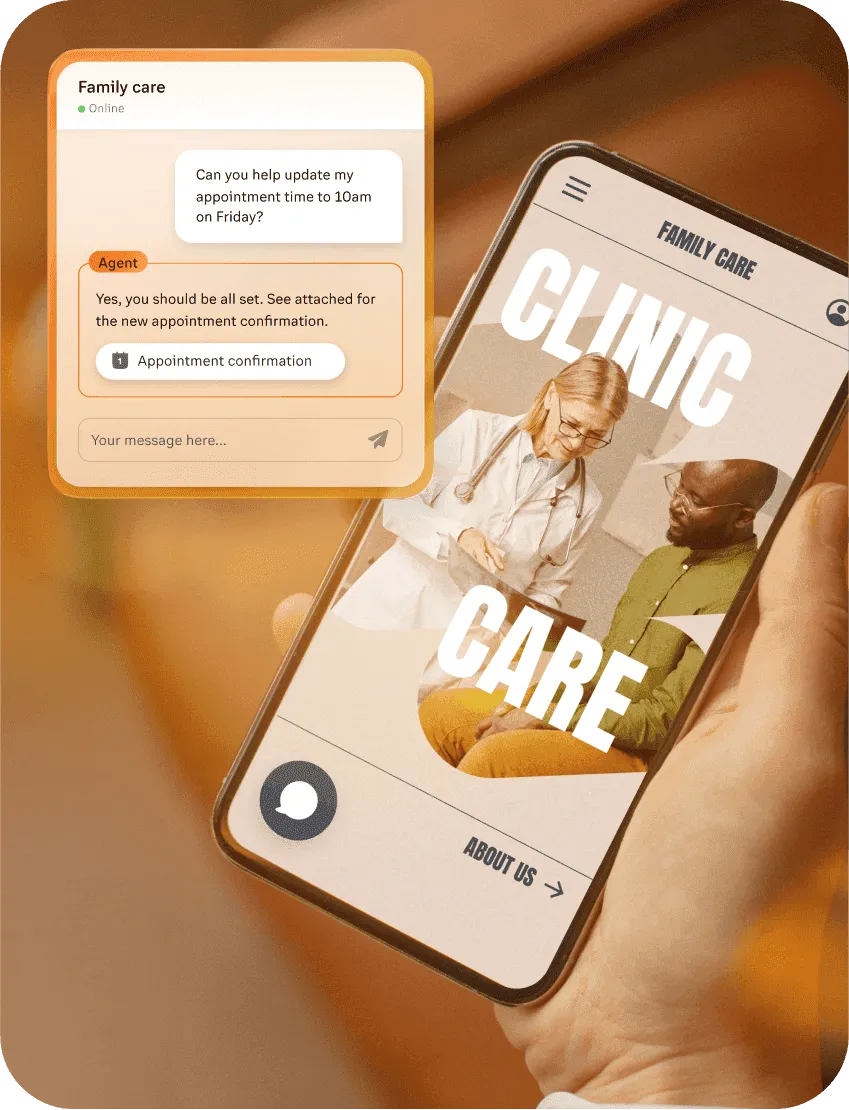
Customer service automation meets this expectation by making it easy to:
- Search a knowledge base or help center for step-by-step answers
- Use a chatbot to get quick help for common questions
- Check order status, modify bookings, or update account details via self-service flows
- Get guided troubleshooting for basic technical issues
When integrated correctly, AI-powered self-service reduces response times and helps support teams meet customer expectations. It also streamlines tasks like ticket routing when human intervention is needed to resolve customer issues.
3. Be more available to your customers
If you support global customers or distributed workforces, “business hours” don’t really exist. Customers expect high-quality service whenever they reach out, regardless of time zone.
Customer service automation extends your coverage. With the right setup, you can:
- Offer 24/7 chat, customer engagement, and messaging support with AI virtual assistants
- Use AI receptionists to handle routine calls and route urgent issues to on-call support agents
- Provide always-on access to status updates, FAQs, and account management
- Automate callbacks and appointment scheduling when live agents aren’t immediately available
4. Get more customer feedback
Without automation, collecting feedback often falls to the bottom of the priority list. With automation, it becomes part of the flow.
You can embed micro-surveys at key moments in the journey, such as:
- After a chatbot session or live chat closes
- Immediately after a call via SMS
- Following a critical onboarding or implementation milestone
- After a high-value transaction, renewal, or escalation
This allows you to track customer satisfaction (CSAT), net promoter score (NPS), and customer effort score (CES) at a granular level.
5. Learn from the metrics
Every automated interaction is inherently structured: it passes through defined flows, captures data points, and generates logs. That makes it much easier to analyze what’s working and where to invest next.
With a modern customer service automation stack, you can track metrics like:
- Self-service containment and deflection rates by channel and intent
- Average handle time and first-contact resolution rates
- Drop-off points in IVR and chatbot flows
- Customer sentiment trends across conversations
- Compliance events, such as required disclosures or consent captures
A unified platform pulls these signals into a single view. You can drill into a specific IVR menu, chatbot path, or queue to see exactly how it’s performing, then adjust in near real time.
6. Support your service team
Automation isn’t only about your customers. It also has a direct impact on agent retention and experience. When you offload repetitive work and give agents better tools, you reduce burnout and make the job more sustainable.
Customer service automation supports your teams by:
- Eliminating low-value support tickets and calls so agents focus on work that requires judgment and empathy
- Pre-populating context from CRM, previous interactions, and knowledge articles so agents are prepared when a conversation reaches them
- Providing AI-powered suggestions, summaries, and next-best actions during live customer interactions
- Feeding quality management and coaching programs with rich data and interaction transcripts
Over time, this translates into lower attrition, faster ramp times, and a team that’s equipped to handle increasingly complex work.
What tools and technologies power customer service automation?
To deliver enterprise-grade customer service automation, your technology stack must connect AI, workflows, and communications into a single, governed system. This typically includes AI chatbots and virtual assistants, automated ticketing and workflow engines, and an omnichannel platform that ties together voice, digital, and back-office systems.
AI chatbots, intelligent virtual agents, and AI receptionists
Customer-facing automation is often the first layer of a modern service experience. Tools like AI chatbots, intelligent virtual agents (IVAs), and AI receptionists handle routine requests, guide customers to answers, and route interactions before a human ever joins the conversation.
These technologies meet customers where they already are, such as on your website, in a mobile app, over messaging channels, or on the phone, and help resolve issues faster without increasing agent workload.
Enterprise-ready AI tools can:
- Authenticate customers using existing identity systems
- Handle common requests such as returns, appointment scheduling, or account updates
- Route customer calls or messages to the right team based on intent and context
- Hand off to live agents with full interaction history when human support is needed
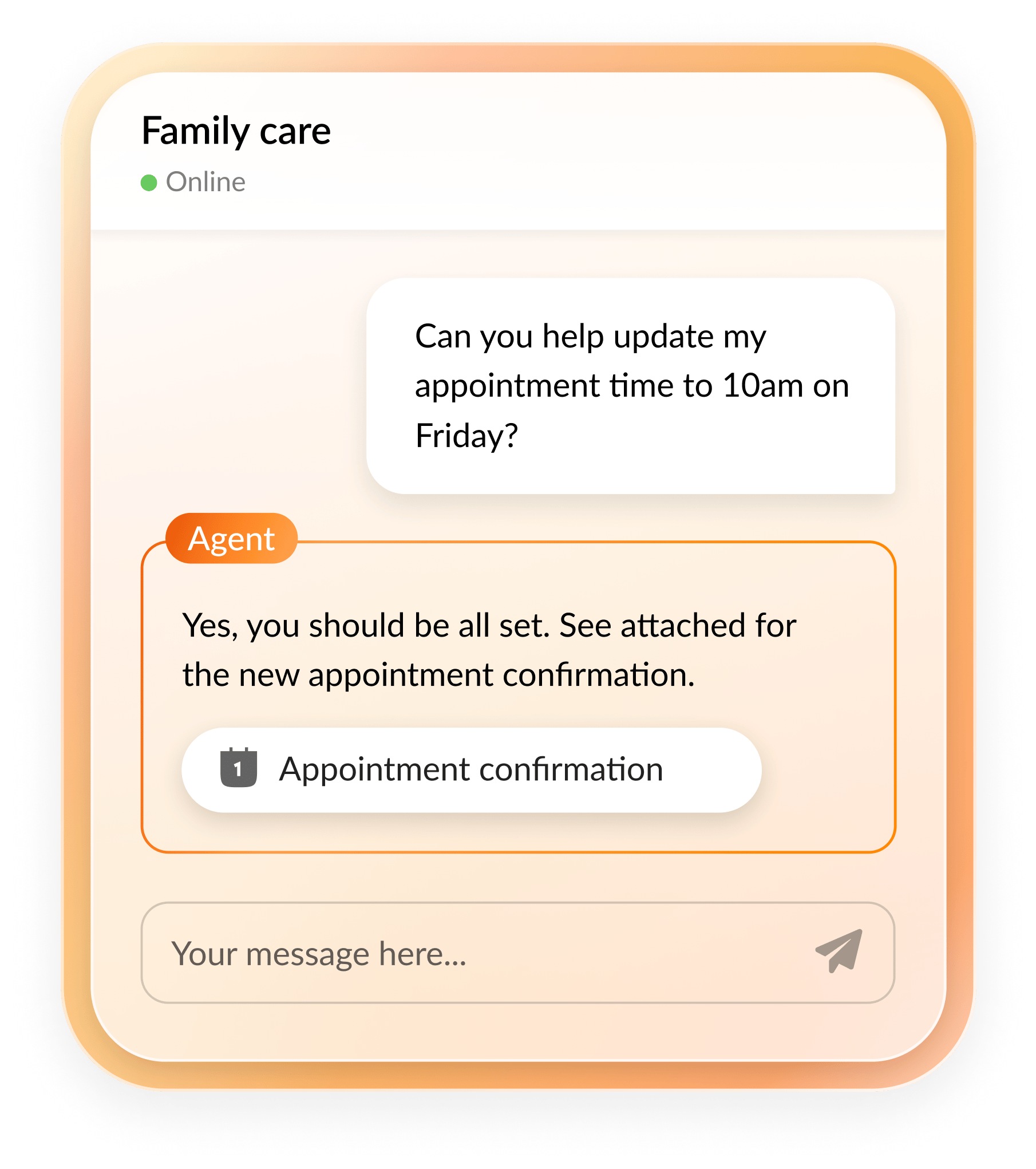
Alongside customer-facing automation, agent-facing AI assistants play a critical role in customer service automation by reducing agents’ manual work and improving consistency behind the scenes. Rather than interacting with customers directly, these assistants support agents during live conversations by surfacing relevant context, guiding next steps, and automating tasks like note-taking, summaries, and follow-up actions.
The key is to choose AI tools that plug into your existing security model, data sources, and communications channels so customer interactions and agent workflows stay connected instead of fragmented.
Automated systems for ticketing and workflows
Behind every automated customer interaction is a set of workflows ensuring the right actions happen in the right order. This is where customer conversations connect to the rest of your business, essentially linking those communications with systems like CRM, IT service management, billing, and operations.
In modern customer service automation, workflow builders and integrations typically orchestrate these automations rather than isolated tools. By connecting your communications platform to systems of record, automation can extend beyond the conversation itself.
Well-designed automation workflows can:
- Create, update, or close tickets automatically based on customer intent and interaction outcomes
- Trigger actions in downstream systems, such as refunds, provisioning, or escalation, through APIs and integrations
- Apply business rules for approvals, entitlements, and service-level agreements
- Coordinate seamless handoffs between automated assistants, live agents, and back-office teams
When you connect workflows to the communications layer, it helps automations stay consistent across teams and regions. It also creates a reliable audit trail that supports compliance, reporting, and root-cause analysis without adding manual overhead.
Omnichannel integration platforms
To deliver a coherent experience, you need to unify your channels and data. With an omnichannel integration platform, you can connect voice, digital, and collaboration tools to create a single view of the customer and a consistent way to orchestrate interactions.
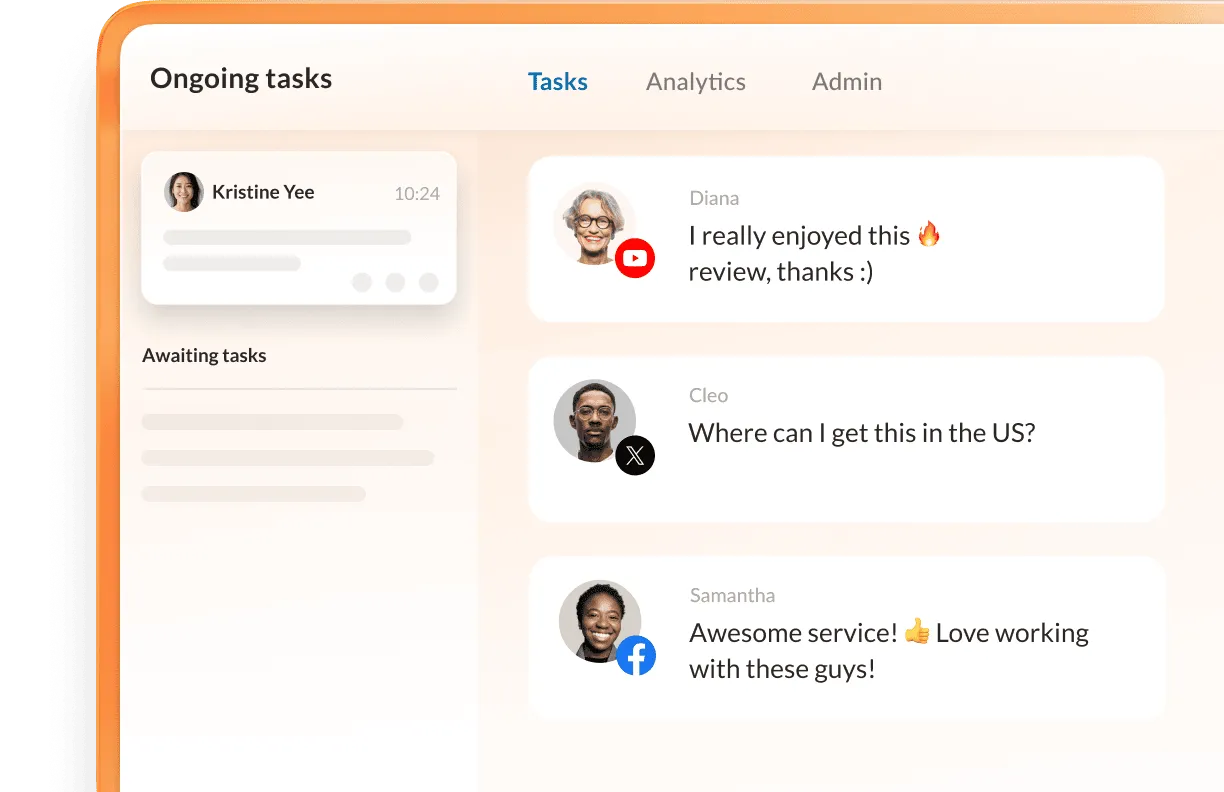
Core capabilities to look for include:
- Native support for voice, chat, email, SMS, and social messaging in one platform
- Unified routing and reporting across channels to eliminate operational silos
- Deep integrations with CRM, ticketing, and industry-specific systems (e.g., EHR in healthcare, core systems in financial services)
- APIs and pre-built connectors for platforms like Microsoft Teams and other collaboration hubs
For IT leaders, this integrated approach reduces complexity and makes it much easier to scale automation initiatives without creating fragile, disconnected point solutions.
How to successfully implement customer service automation in your organization
Rolling out customer service automation at enterprise scale is as much an organizational change effort as it is a technology project. Success requires clear objectives, strong governance, and a roadmap that balances quick wins with long-term transformation.
Step 1: Assess organizational readiness
Before you deploy a new AI agent or virtual receptionist, take a step back and align on what you’re actually trying to achieve. This requires a deep look at your customers, your definition of success, and your existing technology landscape.
Map key customer journeys and intents
Identify the top reasons customers contact you by volume, cost, and strategic importance, validating your assumptions with real feedback and behavioral data. How do your customers try to find help? Which channels do they prefer for which problems?
Review call transcripts, digital chat logs, and agent notes to understand exactly how they describe their issues and where they get stuck in your process.
Define success metrics
Decide how you’ll measure impact: self-service containment, CSAT, NPS, average handle time, first contact resolution, cost per contact, or revenue lift for sales-assisted flows.
Establish your baselines immediately so you can measure progress against historical performance.
Assess technical and organizational readiness
Inventory your current systems, such as your unified communications as a service (UCaaS), contact center as a service (CCaaS) platforms, customer relationship management (CRM) software, ticketing systems, and knowledge-focused solutions. Then, take a look at your data quality and integration capabilities.
Once you’ve listed all the parts of your current tech stack, identify constraints for each tool. These can include compliance requirements, data residency, or legacy telephony that might shape your approach. Doing so helps you prioritize automation opportunities that are feasible, high-impact, and aligned with your risk tolerance.
Step 2: Select and integrate automation solutions
Once you know what you want to automate and why, evaluate tools and partners against those requirements. For enterprise leaders, the selection criteria go far beyond basic functionality.
Key criteria and questions include:
- Integration depth: Can the solution connect cleanly to your existing telephony, contact center, CRM, and identity systems? Does it support open APIs and pre-built connectors?
- Omnichannel coverage: Can you design a workflow once and deploy it across voice, web, mobile, and messaging, or will you be forced to manage separate logic for each channel?
- Security and compliance: Does the provider meet enterprise standards for encryption, data residency, auditing, and certifications? How do they handle AI model governance and data retention?
- Seamless human handoff: How smoothly can interactions move from automation to live agents, and back again, without forcing customers to repeat themselves?
- Administrative usability: Can non-developers in CX and operations adjust flows, content, and routing rules, or will you depend on IT for every change?
Step 3: Train teams and measure success
Customer service automation changes how people work. To capture sustained value, you must train, monitor, and continuously optimize.
Equip and support your agents
Train your team on how the automation works, what it’s expected to handle, and how they should pick up conversations midstream. Use AI-assisted tools to provide real-time guidance, knowledge suggestions, and automatic summaries so agents can spend less time on data entry and more time on problem-solving.
Monitor performance and iterate
Use interaction analytics to identify containment rates, drop-off points, and customer feedback trends. Schedule monthly or quarterly reviews with CX, operations, and IT teams to refine items like:
- Dialog flows
- Routing rules
- Knowledge content
- Escalation policies
Stay compliant and aligned with policy
New regulations may pop up or existing requirements may evolve. Make sure you choose partners who build rule-awareness and consent management into their platforms to avoid the risks of manual oversight.
Some regulations that may apply to your customer service automation workflows and tools include:
- Telephone Consumer Protection Act (TCPA)
- The European Union’s General Data Protection Regulation (GDPR)
- Health Insurance Portability and Accountability Act (HIPAA)
- Payment Card Industry Data Security Standard (PCI DSS)
Think of customer service automation as a living system, not a one-time deployment. The most successful organizations assign clear ownership, set long-term roadmaps, and continuously improve based on real-world data.
3 examples of automated customer service from real-life companies
Even though many automation success stories start in small and mid-sized businesses, the patterns translate directly to enterprise environments.
The following case studies show how RingCentral’s AI and automation tools help integrate systems, reduce manual work, and preserve the human touch where it matters most.
VGM Group unifies service with intelligent, automated communications
VGM Group, a multi-division healthcare services and support organization serving tens of thousands of customers across the US and Canada, faced high volumes of inbound calls and emails that strained legacy systems and manual workflows.
To modernize and unify communications, VGM’s IT and customer service teams adopted RingCentral’s AI-powered communications and contact center platform, replacing legacy on-prem systems with a cohesive suite of phone, messaging, and video tools.
With RingCentral in place, VGM Group transformed its operations and achieved:
- High-volume efficiency: The team successfully handled over 70,000 customer calls in just six months.
- Operational unity: The company streamlined processes across phone, messaging, and video into a single, cohesive workflow.
- Resource optimization: VGM shifted routine inquiries and updates to automated flows, freeing staff to focus on high-value service and support.
At scale, enterprises can move beyond basic call and message handling to include AI-powered reception, intelligent routing, and integrated orchestration. Shifting routine inquiries and manual tasks to automated workflows frees human agents to focus on complex problem-solving, driving both operational efficiency and improved customer satisfaction.
Keller Interiors uses automation to handle high call volumes and provide smooth customer journeys
Faced with more than 2,000 inbound calls per week and a lean staff spread across 52 offices nationwide, Keller Interiors struggled with slow call handling, long wait times, and inefficient manual routing that left customers feeling “bounced around” and team members overwhelmed.
After implementing RingCentral’s AI Receptionist (AIR)—an always-on, intelligent virtual phone agent that the team nicknamed “Claire”—Keller transformed its front-door service experience. Claire uses location-based logic to instantly route every call to the correct regional office, ensuring customers connect with the team best equipped to help.
This shift delivered immediate, measurable impact:
- Responsive service: Average wait times plummeted from 12 minutes to just 90 seconds.
- Routing accuracy: Manual routing errors disappeared, and 100% of calls now reach the right destination the first time.
- Operational scale: The system now handles thousands of weekly calls without requiring additional staff or manual oversight.
In an enterprise environment, an AI Receptionist can act as a digital front door across thousands of numbers, brands, and regions. By tying centralized logic to CRM data and business rules, organizations can ensure every customer journey starts with the right connection.
24 Hour Tees automates through integrations while still providing a human touch
24 Hour Tees, a Nebraska-based T-shirt design company, manages high-volume fundraising campaigns where communication is critical. As demand grew, their team struggled to keep up with order updates and status questions coming in by phone and text.
By integrating RingCentral’s communications platform with their CRM, the team replaced manual follow-ups with automated text campaigns tied directly to order data.
This integration allowed24 Hour Tees to provide:
- Real-time transparency: Customers can text the business at any time for instant, automated updates on their order status.
- Proactive engagement: The system automatically triggers notifications the moment a design is approved or a shipment goes out.
- Intelligent escalation: If a customer replies with a complex question, the system automatically routes the conversation to the right team member for a human touch.
Behind the scenes, these messages are triggered automatically by CRM events, meaning the service team never has to send manual updates. For a larger enterprise, this same pattern scales to complex order lifecycles, multi-step approvals, and account-specific communications—maintaining the personalized feel customers expect without the manual overhead.
The future of customer service automation for enterprise leaders
With generative and agentic AI, customer service automation is no longer limited to static scripts or basic self-service. Modern systems now understand intent, reason over proprietary data, and take action on behalf of customers and agents—all while staying within your governance and compliance frameworks.
RingCentral brings your core communications and customer engagement capabilities together in a unified, AI-powered platform. With RingCX for omnichannel contact center and AI Receptionist for voice-first and digital automation, you can:
- Automate the front door for calls and messages
- Augment agents and supervisors with real-time intelligence and post-interaction summaries
- Orchestrate consistent experiences across channels, regions, and brands from a single dashboard
- Integrate with tools your teams already use, like Microsoft Teams and leading CRM platforms
Customer service automation should be a central pillar of your broader digital transformation and tightly linked to your data strategy, cloud communications architecture, and AI governance.
If you’re ready to modernize your customer conversations, consider what a unified, AI-powered platform could do. Chat with us to explore how RingCentral solutions can help you scale enterprise-wide customer service automation.
Updated Mar 02, 2026