AI Communications








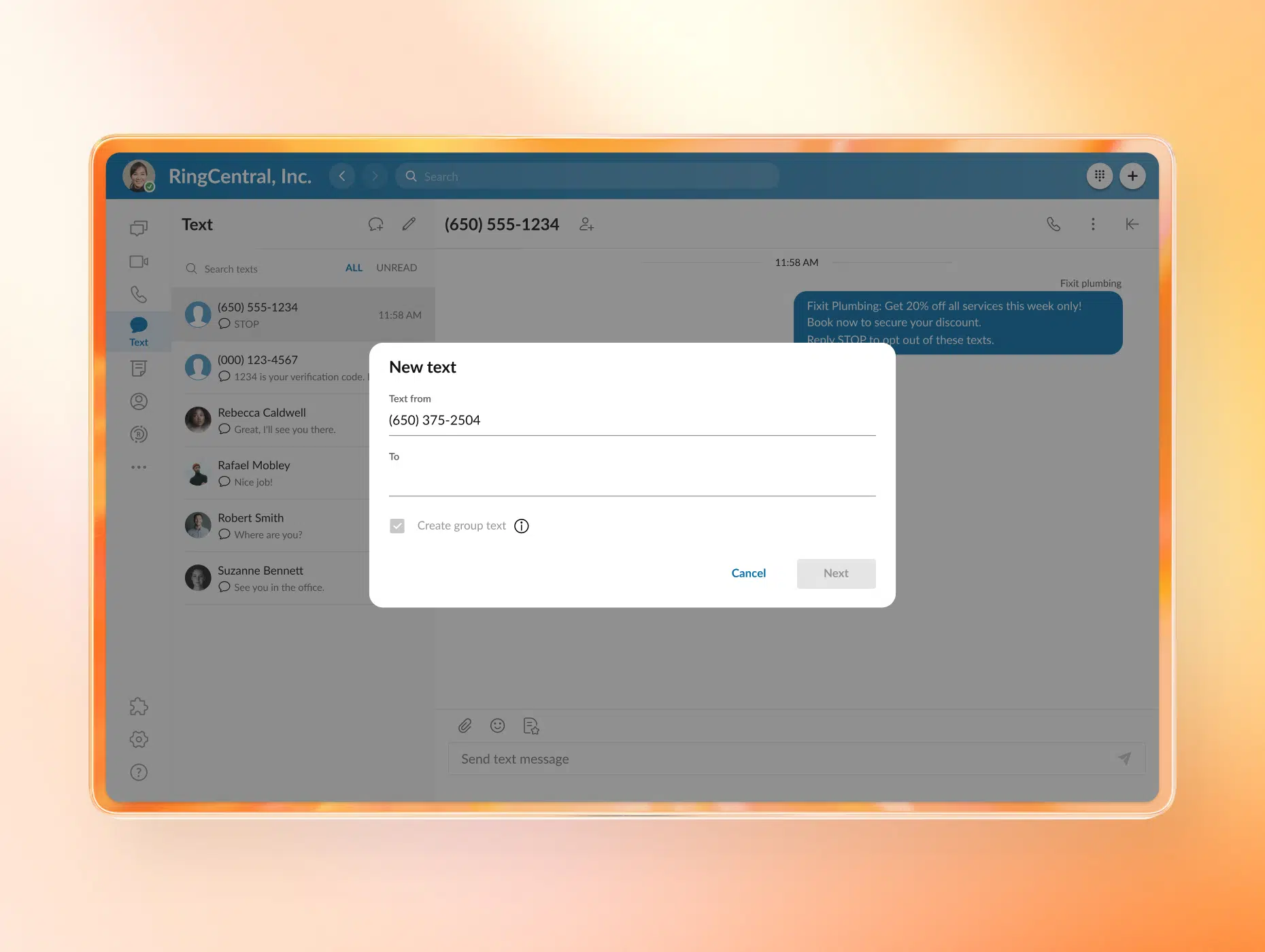

Choosing the right business text messaging platform can be tricky. This guide compares the top options for growing teams that rely on SMS for their service and operations.
Business text messaging lets organizations send and receive SMS from a shared number and manage it across teams rather than via individual phones. As a result, many teams now treat it as a core operating channel.
Unlike email or social media, texts feel direct and personal. So since customers expect fast, conversational responses on the device they use most, they often turn to SMS. As a result, businesses see benefits like open rates that exceed 90%, and customers often read SMS messages within minutes.
This response speed has made texting mission-critical for customer service and operations, not just SMS marketing. In fact, support teams now handle inquiries over text, and operations teams use it for dispatch, scheduling, and real-time updates.
But as teams grow, standalone SMS services start to show cracks—conversations scatter, routing becomes manual, backlogs grow, and gaps appear around visibility, compliance, and integration. This is where unified platforms start to pull ahead. When texting connects to voice, workflows, and analytics, teams gain the structure they need to scale without losing control.
Key takeaways
- Text messaging improves response and coordination.
- Standalone SMS tools struggle as teams grow.
- Unified platforms deliver operational consistency.
7 best business text messaging services
While there are several tools on the market that can help businesses send and receive SMS texts, their differences emerge as the business’s volume grows and more teams get involved. Some platforms focus on simple messaging, while others take a more operational approach by incorporating routing, visibility, and accountability as well.
The below comparison chart shows how the leading business text messaging services stack up on the issues that matter most:
| Service | Shared inbox and multi-team routing | Queueing and wait-time visibility | Voice and SMS integration | Analytics and AI |
| RingCentral Customer Engagement Bundle | Yes | Yes | Yes | Yes |
| SimpleTexting | Limited | No | No | Limited |
| Podium | Yes | No | No | Limited |
| Textline | Yes | Limited | No | Limited |
| Twilio | Yes (custom-built) | Yes (custom-built) | Yes (via APIs) | Yes (custom-built) |
| Heymarket | Yes | No | No | Limited |
| LivePerson | Yes | Yes | Limited | Yes |
These seven tools span everything from simple texting to fully orchestrated customer engagement. What separates them is how well they handle scale, coordination, and visibility.
Here’s a closer look at what each of these tools has to offer:
1. RingCentral Customer Engagement Bundle
In mid-market environments where multiple teams share the same inbox and message volume keeps climbing, ownership and visibility are essential, especially when you’re scaling high-volume SMS.
That’s why RingCentral is so effective—it’s for teams that treat texting as part of their daily operations, not just a side channel. Because texting, calling, queues, and reporting run in one system, conversations won’t break across tools.
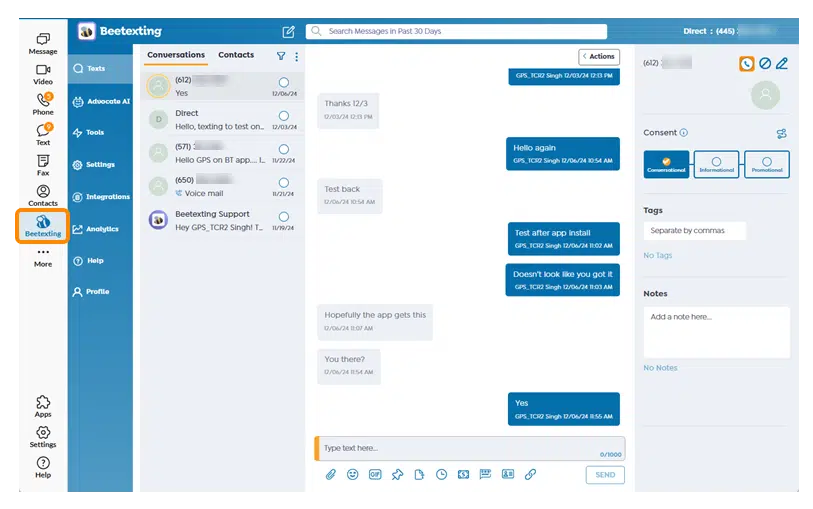
Unified voice, SMS, and reporting in one platform
Most business texting tools stop at SMS. In contrast, RingCentral’s Advanced SMS Inbox brings texting, calling, queues, reporting, and analytics into one platform. That way, conversations that move between channels or teams will preserve the full context and real-time workload visibility to support a more consistent customer experience.
Mid-market support team focus
Many SMS tools start with marketing use cases in mind, but RingCentral takes a different approach by focusing on support and operations teams that need structure as they scale. This is possible with the Customer Engagement Bundle, which pulls together core RingCentral products into a CCaaS-light setup for real, day-to-day work. Together, these features solve common pain points concerning routing, backlog management, accountability, and performance tracking.
Faster deployment than a full contact center
Most mid-market teams want the visibility of a contact center without the overhead that comes with one. So if you want to avoid overseeing a long rollout or managing a complex system, try RingCentral. It strikes a middle ground with its user-friendly setup, which makes it easy to get up and running. Additionally, it supports the queues, reporting, and AI insights that basic SMS tools don’t offer.
Key capabilities:
- Business SMS Booster: High-volume SMS in a shared inbox
- Call Queues Booster: Intelligent call routing and distribution
- RingEX Ultra: Voice and messaging in one workspace
- Shared inbox with multi-team routing: Clean handoffs across teams
- Real-time queue and wait-time visibility: Live backlog and workload insight
- Callback from the queue: Callbacks instead of hold times
- Reporting dashboards: Performance and response tracking
- AI-powered call summaries and analytics: Automatic call insights and summaries
Rather than treating texting as a standalone tool, RingCentral weaves it into a broader customer engagement flow. This leads to faster responses and better control across conversations as you grow. In fact, according to a 2023 Forrester Total Economic Impact™ study, organizations using an integrated RingCentral platform achieved a 60% decrease in the time to close IT support tickets and a 45% reduction in call-handling time.
2. SimpleTexting
SimpleTexting helps small teams start texting customers quickly with its straightforward SMS platform, which focuses on basic inbound and outbound messaging rather than acting as a full operational system.
Key capabilities:
- Is easy to set up and requires minimal training for new users
- Handles basic notifications, appointment reminders, and simple two-way conversations well
- Offers a lightweight interface that requires little configuration or ongoing management
This platform works best when your texting volume is low and workflows are simple. As a result, it’s a practical option for teams that are looking for a lightweight entry point into business texting before two-way SMS becomes operational.
3. Podium
Podium combines business texting, reviews, and payments, which makes it a common choice for small businesses. Its messaging also supports engagement and conversion more than internal coordination or service workflows do.
Key capabilities:
- Provides strong tools for collecting reviews and following up with customers
- Offers built-in payment links that let customers pay by credit card within text conversations
- Features a centralized inbox that organizes customer interactions in one place
Overall, Podium makes the most sense when your texting needs to support customer engagement and follow-ups rather than operational workflows. For that reason, it’s best suited for local service businesses that prioritize reviews and payments.
4. Textline
Textline approaches business texting as an internal communication system rather than a marketing channel. It also places more emphasis on shared access, conversation ownership, and auditability than on outbound campaigns.
Key capabilities:
- Shows clear conversation ownership with shared inbox access
- Provides compliance and audit controls that are suited for regulated environments
- Offers internal notes and assignment features for team coordination
This tool fits most environments where governance and consistency matter more than scale, but it’s especially useful for support desks and internal teams in regulated or process-heavy environments.
5. Twilio
Twilio is a developer-focused communications toolkit that provides APIs for messaging, voice, and omnichannel experiences. However, most of its workflows aren’t ready out-of-the-box, so you’ll need to custom-build them. And since the platform doesn’t include a standard agent inbox, teams typically display SMS through custom applications or third-party tools.
Key capabilities:
- Offers deep flexibility for teams that want to build messaging directly into their products
- Features a strong API ecosystem that supports highly customized workflows
- Scales well for product-led and embedded messaging use cases
For product teams that want full control over how they build and manage their messaging, Twilio is often a good pick. It also works well when organizations already have engineering resources in place and prefer to design their own messaging experience.
6. Heymarket
Heymarket supports high-volume, two-way messaging and provides shared inboxes for team collaboration. Additionally, the platform can integrate closely with customer relationship management (CRM) systems rather than operate as a full customer engagement platform itself.
Key capabilities:
- Provides shared inboxes that support team-based messaging and assignment
- Allows for strong CRM integrations that tie conversations to customer records
- Offers collaboration features that work well for sales and recruiting workflows
This platform works well for teams that manage customer communication directly inside their CRM system, but it fits best when messaging is collaborative and closely integrates with sales, recruiting, or account workflows.
7. LivePerson
LivePerson is an enterprise-grade conversational platform that focuses on AI-driven messaging across digital channels. However, it typically operates as part of a larger contact center strategy rather than as a standalone SMS tool.
Key capabilities:
- Features advanced AI-driven automation for handling high conversation volumes
- Offers tools for orchestrating and routing conversations across multiple digital channels
- Provides analytics and insights that work best in large-scale customer support environments
Additionally, this platform is best suited for large enterprises that need AI-driven conversational support at scale since it focuses less on SMS-first workflows and more on automation across a full contact center operation.
What is business text messaging?
Business text messaging is the use of SMS and MMS by organizations to communicate with customers, teams, and partners at scale. At a basic level, it allows a company to send and receive text messages from a business number rather than a personal phone. But for growing teams, it encompasses much more than that.
In an operational context, business text messaging becomes a shared, managed channel that allows you to route messages correctly, track them in a central inbox, and maintain clear ownership. That way, conversations don’t live on individual devices, and they don’t disappear when someone is out of the office. As a result, texting becomes part of a broader communications system that includes voice, reporting, and workflow visibility.
How business text messaging works for support and customer engagement teams
For support teams, business text messaging functions like a high-speed customer service channel. Customers use it because it’s familiar, fast, and doesn’t require waiting on hold, and teams use it because conversations are easier to manage as volume increases.
Once a shared inbox and routing are in place, incoming messages flow to the correct queue or team, are visible across agents, and carry full context from past interactions. This gives managers real-time visibility into wait times, workloads, and response performance. And with the right customer experience metrics in place, texting becomes a managed service channel rather than a reactive inbox.
How business text messaging works for operations teams
For operations teams, business text messaging works as a coordination tool that you can use for dispatch, field updates, schedule changes, and cross-location communication when speed matters. That’s because these messages can reach people instantly without relying on email or internal apps, which team members usually don’t check often.
Business text messaging also lets teams share and track conversations, which helps them avoid duplicate work and missed updates. For example, supervisors can see what’s happening across locations and shifts, and teams can stay aligned without relying on personal phones. Additionally, teams can integrate texting with voice and reporting to turn it into a reliable layer of day-to-day operations, not just another messaging app.
The top benefits of business text messaging
Most people believe that business text messaging hinges on speed and open rates—but while those benefits do matter, they only give you part of the picture. For mid-market teams, the real value comes from how texting improves coordination and visibility across the organization. When you treat texting as a shared channel rather than a standalone tool, it streamlines communication across teams and reduces operational drag.
Here are some other key benefits of using a unified platform for business texting:
- Reduced app-switching fatigue: Using a single SMS workspace eliminates the need to bounce between personal devices and desktop inboxes, which means you can stay focused as volume increases. Routing and queues also keep conversations moving automatically, even during peak volume.
- Shared visibility and fewer misses: When conversations live in a central inbox with clear ownership, you can see what your team has already handled and what needs attention next.
- Better customer experience across voice and SMS: A unified platform allows customers to move between text and call without repeating themselves, which keeps conversations connected across key customer touchpoints.
- Stronger SLA performance: With business texting, you can track wait times, response rates, and backlog in real time. This improves service level agreement (SLA) compliance by making it easier to spot issues early and adjust staffing or workflows.
- Lower manual work with automation and AI: Automated routing, callbacks, and text responses reduce manual effort, which means you’ll spend less time documenting conversations and more time resolving issues.
For growing organizations, these benefits compound over time. As a result, business text messaging stops being just a faster way to reply and instead becomes a reliable layer of customer engagement and operational control.
Standalone SMS vs. unified platforms: Which is better for scaling companies?
Standalone SMS tools and unified communication platforms both have a place, but where they differ is the context they each fit within.
That’s why growing companies should ask whether the texting platform they want to use still holds up when conversations pile up, ownership matters, and texting becomes part of daily operations, not just if a given tool can send texts. This is where SMS starts to overlap with broader contact center operations software, too.
Here’s how to know when you should use each:
When standalone SMS tools make the most sense
Standalone SMS tools work best in simple environments where the messaging volume is low and coordination needs are minimal. They’re often a good fit when you only need texting for SMS marketing campaigns, reminders, or one-off updates.
A standalone SMS platform may be worth considering if the following are true:
- You have a small team that handles all your messages.
- You use texting mostly for marketing, reminders, or one-off updates.
- Two-way conversations are simple and short-lived.
- You don’t need queues, handoffs, or detailed reporting.
- Your compliance and audit requirements are minimal.
While these tools are easy to adopt and quick to deploy, keep in mind that they don’t scale well once texting becomes an operational channel.
When unified communication platforms win
Once your business texting starts to involve support, sales, and operations at the same time, your standalone tools will begin to fall short. That’s where unified communication platforms come in—they change that reality since they connect messaging to voice, automated workflows, and reporting.
A unified platform is usually the better choice if you notice these things happening:
- Multiple teams handle customer inquiries or internal requests.
- Conversations regularly move between SMS and voice.
- You need clear ownership, routing, and queue management.
- Managers need real-time visibility and performance reporting.
- Compliance, governance, or auditability matter.
- You prefer fewer tools and tighter system integration.
For scaling companies, these factors are often the tipping point where standalone texting no longer works. To help with this, unified platforms reduce fragmentation, improve accountability, and make it easier to grow without losing control.
Key features to look for in a business text messaging solution
For mid-market organizations, the right solution should support structure, visibility, and accountability, not just message delivery. Below are the core features you should prioritize, along with why they matter as you scale:
- Shared SMS inbox with roles and permissions: A shared inbox centralizes conversations instead of tying them to individual phones. Additionally, as more team members get involved, roles and permissions help teams stay coordinated without losing control.
- Queue management and wait-time transparency: Queues prevent incoming messages from piling up and going unseen, while real-time wait times help teams balance workloads and set more realistic customer expectations.
- Real-time reporting and analytics: Visibility into response times, backlogs, and agent activity makes it easier for you to manage performance. These insights are also critical for meeting SLAs and staffing appropriately as demand fluctuates.
- Voice and SMS in one workspace: Conversations flow smoothly between channels when texting and calling work together. This is a core principle of an omnichannel contact center, which keeps interactions seamless as they shift between channels.
- Compliance and opt-out automation: Built-in opt-out handling, consent tracking, and audit trails reduce risk, which is becoming increasingly important in regulated industries and high-volume environments.
- Integrations with CRM platforms and customer experience systems: Integrations extend contact management and contact lists into your SMS workflows to keep customer data consistent across tools.
- AI-powered summaries and insight extraction: AI-generated summaries and insights reduce after-call work and surface trends across conversations. That way, your teams can spend less time documenting interactions and more time acting on what matters.
For growing teams, these features are less about convenience and more about control. The right mix makes business text messaging reliable at scale, not just easy to start.
How to select the right platform for your team
To evaluate tools based on real workflows, be sure to follow the below checklist:
- Clarify the use case: Write down your main texting workflows, such as support intake, scheduling, dispatch, or follow-ups. When you do so, be clear about what success looks like, whether that’s faster responses, fewer misses, or better visibility.
- Identify the teams: List every team that will send or receive messages. If more than one team is involved, you’ll need to look for a tool that provides shared access, routing, and clear ownership.
- Assess queue needs: Take a look at your support team’s current load. If messages pile up during busy periods, for instance, queues and wait-time visibility will be imperative. Without them, response times will slip, which your customers will feel.
- Check channel continuity: Decide whether conversations need to move between SMS and voice. If they do, keeping both in one workspace will prevent context from going missing.
- Define governance requirements: Think through whether you need roles, permissions, audit trails, and opt-out handling. These will become critical as volume grows or regulations apply.
- Confirm integrations: Identify the systems that must connect to your new platform, like CRM systems or ticketing tools. Finding a platform that integrates with them will reduce your teams’ manual work and help you avoid data gaps.
- Plan for reporting: Make sure you can track response times, backlog, and team performance on the platform. This reporting is what turns texting into a managed channel.
- Test scalability: Imagine what could happen if message volume doubles or another team joins. If the tool risks breaking or gets messy, it’s not the right long-term fit.
- Run a real pilot: Test the platform with a real workflow, not a demo. This will show you how clear ownership is and how intuitive the system is when it’s actively in use.
The right platform should make messaging easier to manage as you grow, not harder. If a tool adds structure, visibility, and control from day one, it’s far more likely to scale with your team.
Choosing a business text messaging platform that scales with your team
Because texting is now a core part of modern customer service and operations, having the right platform matters more than ever. After all, while basic SMS tools can handle simple conversations, they often fall short once multiple teams, channels, and SLAs are in play.
Unified messaging platforms like RingCentral instead bring voice, SMS, reporting, and analytics into one system. This reduces fragmentation and gives you the structure you need to stay responsive and consistent. That way, conversations stay connected, managers stay informed, and customers get faster, more reliable support.
If your team is already handling customer conversations over SMS at scale, it’s time to explore how RingCentral’s Customer Engagement Bundle unifies messaging, reduces missed conversations, and provides the visibility you need to respond faster.
Updated Mar 02, 2026