AI Communications










A comparison of unified communications platforms for enterprise, and a framework for choosing one that scales with your organization.
Dialpad built its name on AI-first voice. However, certain platform drawbacks are leading enterprise teams to look elsewhere. Fragmented contact center tooling, integration limitations at enterprise scale, and support inconsistency often create friction when organizations need stability most.
If you’re evaluating Dialpad alternatives, you already know the category is crowded. Even if you’ve found an overview of good options, looking past basic features to see how each one handles complex integrations or global scale is a different challenge.
Keep reading for a side-by-side look at the five platforms that consistently show up in enterprise requests for proposal (RFPs)—all unified communications as a service (UCaaS) platforms either handle contact center as a service (CCaaS) natively or pair cleanly with one. We’ve also included a framework to help you identify the right fit for your environment.
Key takeaways
- Vendor consolidation lowers IT overhead and total cost, but only when UCaaS and CCaaS truly unify in practice
- AI depth matters more than a broad set of AI features—automation and real-world accuracy determine whether you see ROI
- 99.999% is the enterprise floor for uptime, as even a 99.9% SLA allows for nearly nine hours of downtime a year
- Migration support, including dedicated onboarding, timeline clarity, and cutover help, is easy to overlook and hard to recover from
Why enterprise teams are rethinking Dialpad in 2026
Three forces usually drive enterprises to reevaluate what Dialpad offers:
- UCaaS and CCaaS convergence is now a board-level conversation, not an IT preference. A 2026 article by CX Today reported that generative AI adoption in contact centers is growing at a 34% compound annual growth rate, reflecting how enterprise buyers increasingly evaluate voice platforms alongside their contact center roadmaps rather than separately.
- AI expectations moved past transcription. Decision-makers want agentic workflows, or automation that acts across systems instead of simply surfacing summaries after calls.
- Scrutiny on uptime, security posture, and compliance certifications has sharpened as more customer data flows through voice and messaging channels.
If you’re considering a Dialpad competitor, you’re likely looking for a platform that survives the next infrastructure decision, not just a business phone system replacement.
5 Dialpad alternatives that actually scale with enterprise needs
We evaluated platforms against five criteria that enterprise buyers consistently apply in real RFPs, including deployment scale, unified communications and contact center capabilities, AI feature depth, integration ecosystem, and verifiable reliability.
1. RingCentral
RingCentral is a unified cloud communications platform that combines internal communications (RingEX) and contact center operations (RingCX) in a single ecosystem, backed by a 99.999% uptime SLA, global public switched telephone network (PSTN) coverage in more than 100 countries and an extensive API ecosystem for deep CRM integration. The platform uses a single administrative layer for customer data and identity across both sides of the business, prioritizing ease of use and eliminating the need for IT teams to manage separate UCaaS and CCaaS vendor partnerships.
RingEX covers the full foundation of business communications. Beyond voice over internet protocol (VoIP) calling, teams get call recording, call forwarding, interactive voice response (IVR), auto attendants, team messaging, and a business number with toll-free numbers and international calling available across global markets.
RingEX is built to scale from small teams handling a few outbound calls a day to large enterprises managing complex internal communications across multiple sites and global markets.
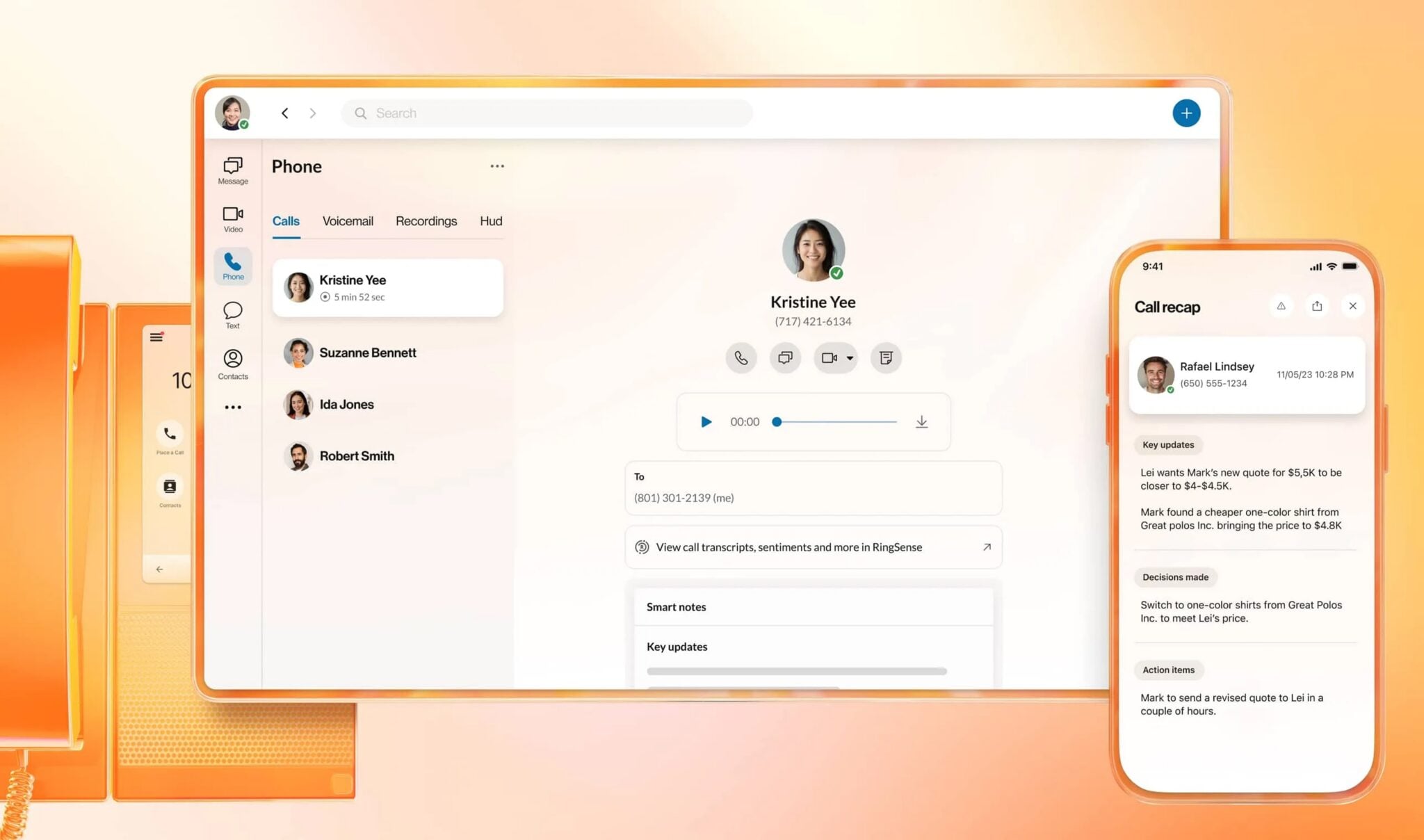
The AI layer spans the full conversation lifecycle. Within RingEX, you have AI Virtual Assistant (AVA), a native productivity assistant for employees that handles call summaries and follow-up tasks.
You can also broaden RingEX’s AI capabilities with the following add-ons:
- AI Receptionist (AIR), a voice-first intake agent that answers common business questions, schedules appointments, captures leads, and routes incoming calls.
- AI Conversation Expert (ACE), which analyzes completed interactions across the platform to extract action items, sentiment trends, and coaching signals via integrated dashboards. ACE can also be purchased as a standalone product.
RingCX expands RingCentral’s AI layer to meet the specific demands of customer-facing contact center teams:
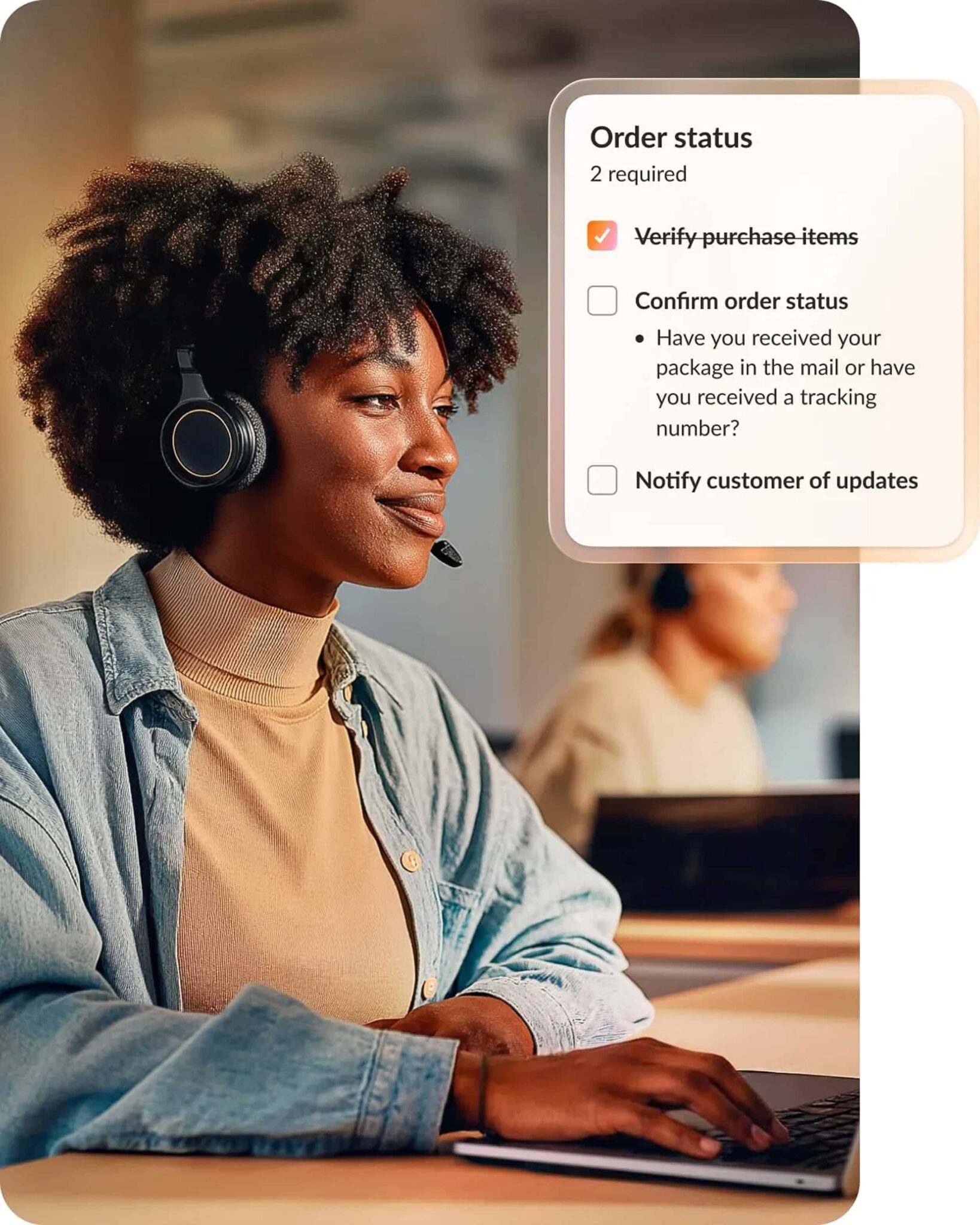
- AIR is available as an add-on for businesses that want to automate call intake, lead capture, and appointment scheduling without adding headcount.
- AVA Agent Assist extends the Virtual Assistant into RingCX, surfacing live guidance to agents during customer calls.
- AI Quality Management, AI Interaction Analytics, and AVA Supervisor Assist cover support team quality and coaching, including automated scoring of 100% of agent interactions, sentiment and intent analysis across voice and digital channels, and live coaching for supervisors during active conversations.
- AI Workforce Engagement automates staffing forecasts, scheduling, and adherence monitoring, giving workforce planners real-time visibility into volume patterns and agent performance without manual overhead that typically scales with team size.
Know your RingCentral AI ROI before your next decision
See the financial impact of RingCentral AI across customer interactions, conversation analytics, and team productivity.
RingCentral earns its spot in this shortlist because it:
- Eliminates multi-vendor overhead: The platform provides a single environment for both internal communications (RingEX) and customer interactions (RingCX).
- Keeps data flowing across your existing systems: RingCentral includes more than 500 pre-built integrations for tools like Salesforce, Microsoft Teams, HubSpot, and Google Workspace.
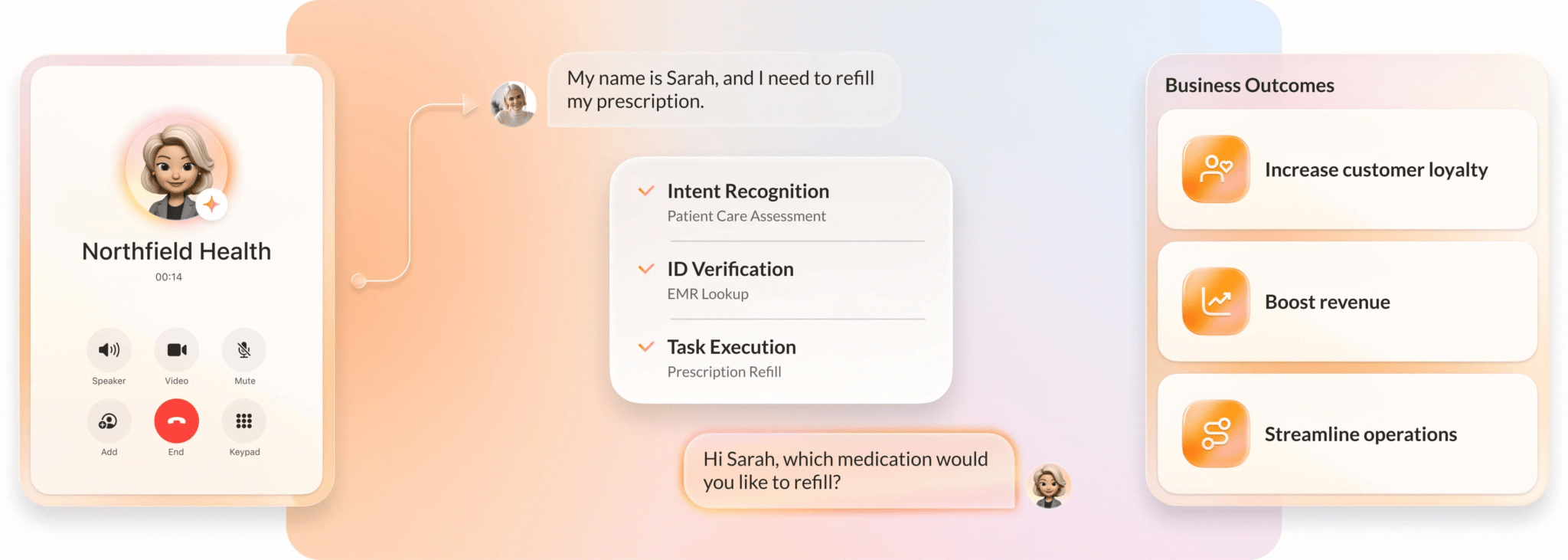
- Cuts agent load: RingCentral’s AI Representative (AIR Pro) uses agentic AI to deliver consistent and customized customer experiences across multiple communication channels.
- Minimizes migration friction: RingCentral’s dedicated migration support and structured cutover process reduce downtime when moving away from a legacy or competing platform.
2. Talkdesk

Talkdesk is a cloud-based call center and contact center platform designed specifically for customer support operations, featuring a robust outbound dialer and advanced features that go deep on agentic automation. It leverages Talkdesk Ascend AI to prioritize user experience and Talkdesk Autopilot to run self-service interactions via generative AI—maintaining high call quality even during spikes in call volume. Pre-built Zendesk, Microsoft Dynamics 365, and Salesforce integrations support tight customer relationship workflows without custom development.
Its main limitation is scope. Talkdesk isn’t a full UCaaS platform, so teams looking for a unified internal and external communication solution still need a separate UCaaS vendor, which reintroduces the multi-vendor complexity Dialpad buyers are often trying to resolve.
3. Zoom Phone
Zoom Phone is a natural telephony extension of Zoom’s video conferencing environment. For growing businesses already standardized on Zoom for video meetings, adoption is low-friction because the client, the admin tooling, and the identity layer are already in place. Zoom AI Companion adds meeting summaries, call and voicemail transcription, and task capture inside the existing experience.
The honest caveat is that contact center functionality requires Zoom Contact Center as a separate product. Organizations needing deep UCaaS and CCaaS integration often end up managing multiple Zoom products and subscriptions.
4. Cisco Webex Calling
Webex Calling is Cisco’s cloud-first evolution of on-premises Unified Communications Manager (CUCM), designed for enterprises with existing Cisco infrastructure and a mature security posture.
The platform inherits Cisco’s enterprise-grade security and compliance story, global PSTN coverage, and native integration with Cisco hardware, networking, and identity infrastructure. Webex AI adds meeting summaries, transcription, and real-time translation, while Webex Contact Center (available as an add-on) provides a drag-and-drop builder to manage complex call flows.
Webex Calling’s trade-off is cost and complexity. Configuration is more involved than cloud-native alternatives, and total cost of ownership tends to run higher. Familiarity with the Cisco ecosystem is often a practical prerequisite to manage the steeper learning curve.
5. 8×8
8×8 is another alternative that unifies UCaaS and CCaaS in a single workspace. For multinational organizations, its standout feature is unlimited calling to approximately 48 countries on enterprise plans. The AI layer centers on the 8×8 Intelligent Customer Experience (ICX) platform, which includes AI-powered call routing, virtual receptionists and agents, and interaction analytics to manage global voice and SMS service workflows.
One thing to note is that 8×8 pricing isn’t publicly listed, which means a full platform comparison requires a sales team conversation before you can determine whether it’s a cost-effective option.
How to choose the right Dialpad alternative
Five questions separate the platforms worth a demo from those you can deprioritize. Work through them in order before your next vendor call.
- Are you replacing your phone service or consolidating your full communications stack? A UCaaS-only replacement has a different set of requirements than a unified UCaaS and CCaaS consolidation. Your answer immediately narrows the field between specialized providers and all-in-one platforms.
- What does your existing technology ecosystem look like? Microsoft-heavy? Cisco-native? Zoom-standardized? The path of least disruption often follows the ecosystem your IT team already manages, meaning the best alternative won’t be the same in every case.
- What does your compliance posture demand? Map your must-have certifications, such as SOC 2, Health Insurance Portability and Accountability Act (HIPAA), Federal Risk and Authorization Management Program (FedRAMP), and International Organization for Standardization (ISO) 27001. The answer narrows your shortlist immediately, as not every platform in this category carries all of them.
- Where does AI show up for your team first: on customer calls or inside internal workflows? Some platforms are meaningfully stronger on CCaaS AI, while others lead on internal productivity. Know which matters more before you run a demo.
- What does your migration timeline realistically allow? A 90-day cutover and a phased 12-month migration have different vendor requirements. Evaluate implementation support and the vendor’s migration track record to ensure it can support your schedule.
Define your requirements before you book the demos
Choosing among the best Dialpad alternatives is an infrastructure decision. The platform you pick shapes how every team that touches communication works and how hard it is to change course in the future.
A practical next step is to define your requirements before you schedule any demos. A clear requirements document changes the purpose of a sales conversation—instead of a guided product tour, it becomes a real test of fit.
If unified communications with enterprise-grade AI is on your shortlist, see how RingCentral handles consolidated UCaaS with RingEX and unifies CCaaS with RingCX.
FAQs about Dialpad alternatives
Why do enterprise organizations switch from Dialpad?
Enterprise organizations typically leave Dialpad due to three pressures:
- Scalability limitations once headcount hits a certain level
- Contact center integration gaps as CCaaS needs grow
- Support consistency issues during enterprise rollouts
AI capability is rarely the headline reason, but surrounding infrastructure (integration depth, uptime posture, migration support) may not match the demands of larger organizations. Teams evaluating Dialpad alternatives are usually looking for the same AI quality inside a more mature enterprise platform.
How does RingCentral compare to Dialpad for AI capabilities?
RingCentral offers a broader AI stack than Dialpad, layered across its two platforms.
Inside RingEX:
- AI Virtual Assistant (AVA) handles employee productivity
- AI Conversation Expert (ACE) handles post-interaction analysis
- AI Receptionist (AIR) is available as a RingEX add-on or as a standalone product for voice intake
Inside RingCX:
- AVA Agent Assist delivers live agent guidance
- AI Quality Management and AI Interaction Analytics handle post-call scoring and sentiment analysis
Dialpad’s AI centers on voice-native transcription and summarization, while RingCentral’s stack extends into agentic automation that acts across connected systems.
What should enterprise IT leaders prioritize when evaluating UCaaS platforms?
Five priorities matter most when evaluating UCaaS platforms:
- Unified UCaaS and CCaaS capability
- Verified uptime SLAs
- Integration depth with existing business systems
- AI automation that goes beyond transcription
- Implementation and migration support quality
A platform that scores well on three of these and poorly on two creates exactly the kind of friction enterprise teams are trying to eliminate. Evaluate all five in parallel and weigh them against the specific constraints of your environment, including ecosystem, compliance, and migration timeline.
How long does migrating from Dialpad to a new platform typically take?
Dialpad migration timelines range from 30 days to 12 months or more, depending on the scope.
Small businesses with straightforward number ports and limited integrations can cut over in a month. Enterprise-scale migrations with complex integration webs, multi-country PSTN requirements, and phased departmental rollouts routinely run 6 to 12 months.
The biggest variables are phone number porting complexity, integration depth, training requirements, and the quality of the receiving vendor’s migration support. For contact center workflows, build in a parallel-run period rather than a hard cutover.
Updated May 07, 2026