AI Communications









A practical guide to enterprise-ready AI virtual assistants with in-depth comparisons of the features that matter at scale.
Artificial intelligence is now a common part of everyday life, both at home and at work. An AI virtual assistant is one of the most effective ways to turn that innovation into real productivity, especially when you’re running complex operations across multiple teams, sites, and channels.
Key takeaways
- AI virtual assistants automate voice and digital conversations at scale
- Enterprise-ready solutions combine voice-first AI, workflow automation, and deep system integrations
- Security, compliance, and governance are foundational for deployment
- Unifying UCaaS, CCaaS, analytics, and conversation intelligence helps prevent silos and context loss
What is an AI virtual assistant?
In a business context, an AI virtual assistant is an AI-powered assistant that integrates with your existing tools to help employees handle routine work more efficiently. Depending on the solution, it can surface information, automate workflows, assist during conversations, and generate summaries or follow-up actions in real time.
Some AI virtual assistants are designed to support employees or call center agents directly, acting as a personal or in-workflow assistant. Others focus on customer-facing automation, such as answering and routing calls—though these capabilities are more often delivered through a dedicated AI receptionist rather than a general-purpose virtual assistant.
AI virtual assistants can support both digital and voice-based workflows, depending on how they’re designed and deployed. In many enterprise environments, they complete tasks, which reduces response times, improves consistency, and frees employees to focus on higher-value work or more complex tasks.
These solutions are very different from AI personal assistants and smart home devices like Alexa or Siri, which are built for individual use and simple commands. Enterprise AI virtual assistants are designed for security, reliability, and deep integration with systems like unified communications as a service (UCaaS), contact center as a service (CCaaS), customer relationship management (CRM), and IT service management (ITSM) platforms, so they fit into existing operations without creating risk or silos.
Under the hood, AI virtual assistants rely on conversational AI technologies such as automatic speech recognition, natural language processing (NLP), natural language generation, and machine learning. Together, these capabilities allow the assistant to understand intent, respond naturally across channels, and improve over time based on real interaction data.
Virtual assistant AI examples
AI virtual assistants come in several forms, each designed to support a specific role or workflow. Common examples you’ll see in modern enterprises include:
- Productivity assistants: AI tools that connect to calendars, email, and knowledge bases to streamline scheduling, note-taking, and follow-ups to help employees stay focused on higher-value work.
- Agent- and employee-assist AI: AI assistants that support people during calls, chats, or meetings by surfacing relevant information, capturing summaries, and suggesting next steps in real time.
- Virtual agents and AI chatbots for customer support: Automation tools designed to handle routine inquiries, provide self-service, or route requests before a human agent gets involved. These solutions are typically deployed as part of a contact center platform and operate independently of employee-facing AI virtual assistants.
- AI sales assistants and conversation intelligence: Systems that analyze conversations, highlight key moments, and surface insights that help sales teams prioritize opportunities and close deals more effectively.
- AI-powered analytics and insight assistants: Tools that analyze interaction and operational data to highlight what’s working, what isn’t, and where to optimize. In RingCentral, this is delivered through AI solutions like the AI Conversation Expert (ACE), which focuses on post-interaction insights rather than real-time, in-workflow assistance.
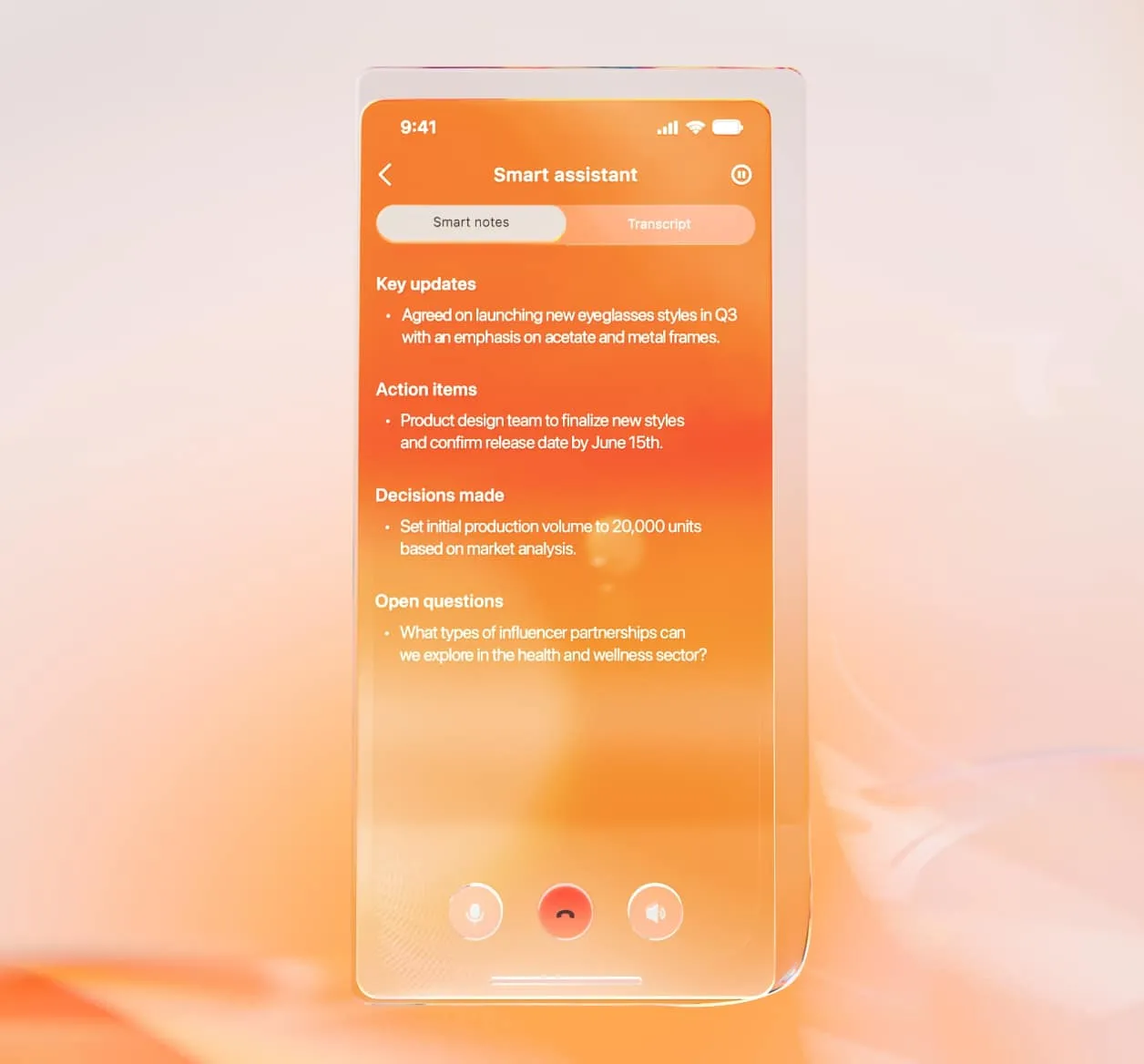
For example, RingCentral’s AI Virtual Assistant (AVA) supports employees and agents as they work, especially during live calls and conversations, by surfacing relevant information, capturing summaries, and helping move tasks forward in real time.
Within RingCentral, AVA works alongside AI Receptionist (AIR) and AI Conversation Expert (ACE), with each solution supporting a different moment in the conversation lifecycle.
- AVA delivers in-the-moment assistance for employees
- AIR manages routine tasks, customer inquiries, and routing
- ACE analyzes interactions to help teams improve performance over time
Together, these capabilities complement other AI tools, such as customer-facing virtual agents or post-interaction analytics platforms, by supporting both real-time execution and longer-term insight across the communications ecosystem.
6 AI virtual assistants ready for enterprise scale
Now that you understand what AI virtual assistants can do, here are five popular, enterprise-ready solutions that support various workflows ranging from time optimization to internal and external communications.
| Solution | AI features | Enterprise-grade security and compliance | Analytics and conversation intelligence | Integrations |
| RingCentral AI (AVA, AIR, and ACE) | Auto-summaries, transcripts, and translations; customizable prompts and workflows; logs customer sentiment; sales coaching and call insights | SOC 2 Type II, ISO 27001, PCI DSS, HIPAA, GDPR | Real-time analytics, tone, intent, and sentiment analysis | 500+ |
| Microsoft Copilot | Works with Microsoft 365 to write, analyze and summarize data; uses Microsoft Graph to gather data context | ISO 27001, HIPAA, GDPR, ISO 42001, EU AI Act | Custom reports and dashboards | 100+ |
| Motion | Optimizes calendars and scheduling based on priorities; includes task manager and meeting assistant | SOC 2 Type II, ISO 27001, GDPR, HIPAA | Personal productivity insights only | 10+ |
| Reclaim.ai | Optimizes schedule for deep work and time blocking; includes time tracking and calendar sync tools | SOC 2 Type II, GDPR, Microsoft 365-certified | Forecasts and productivity insights | 10+ |
| Dialpad AI | Transcripts and summaries, agent talk tracks and coaching; logs customer sentiment | SOC 2 Type II, HIPAA | Real-time analytics, proprietary benchmarks | 100+ |
| Crescendo.ai | Resolves customer support queries with AI across live chat, phone, SMS, and email; human-like tone and smart decision-making skills | SOC 2 Type II, HIPAA | Real-time analytics for all support queries. Tone, intent, and sentiment analysis. Automated CSAT scores. | 300+ |
1. RingCentral AI (AVA, AIR, ACE)
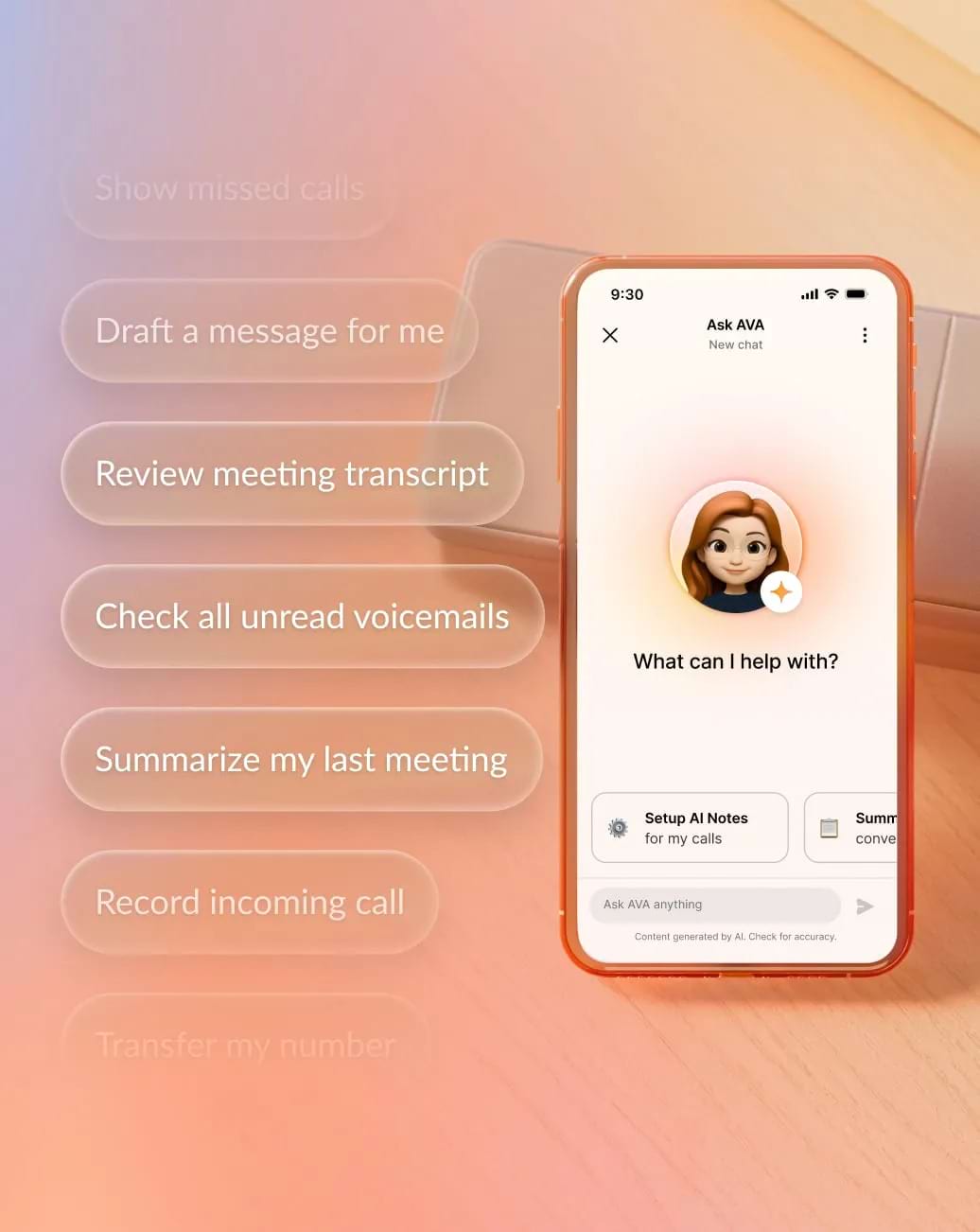
RingCentral approaches AI virtual assistants as part of a communications-native platform, not a standalone productivity tool. At the center is its AI Virtual Assistant (AVA), which supports employees and agents during live calls, meetings, and conversations.
How AVA supports employees in real time
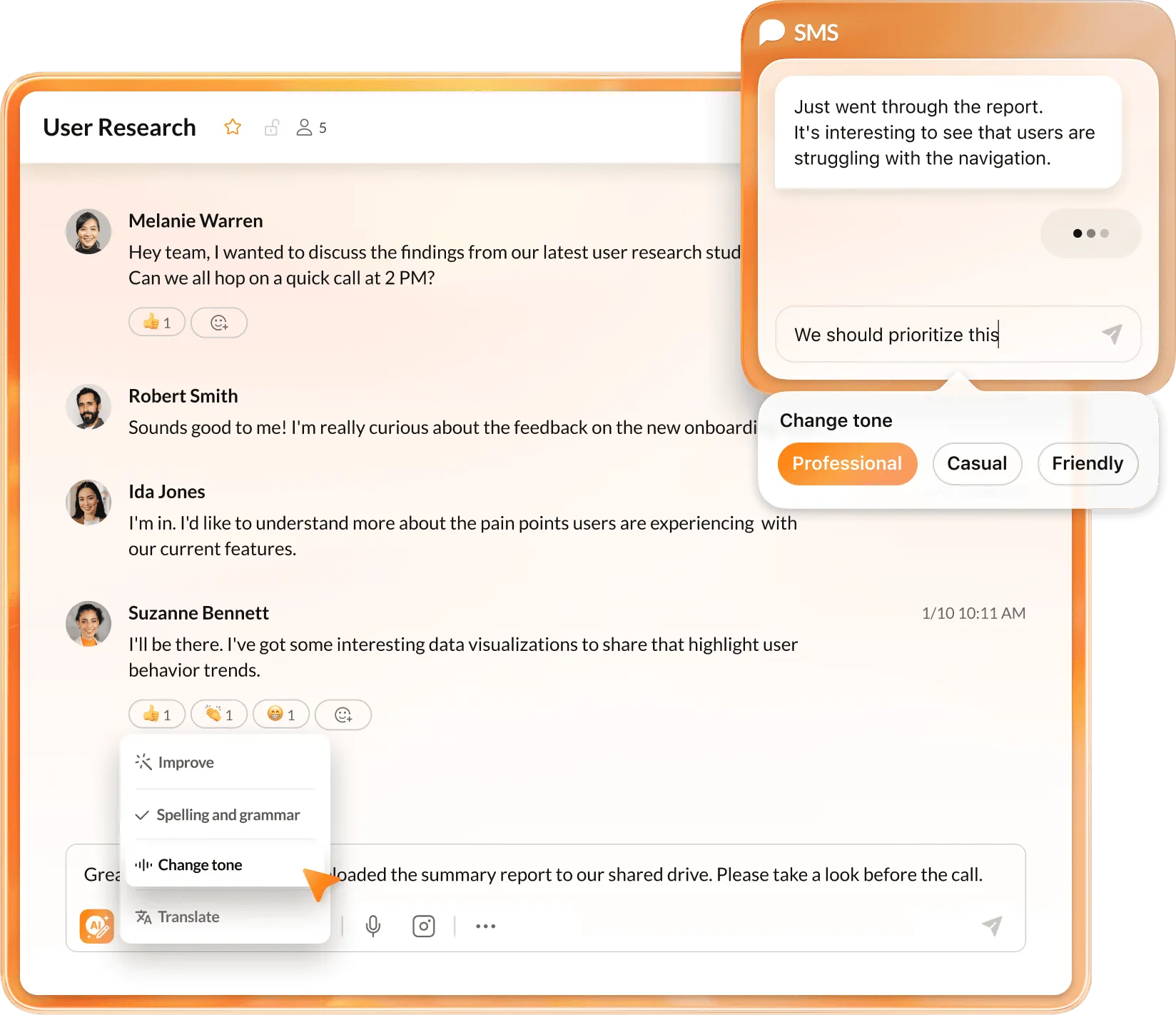
AVA works directly inside RingCentral’s communications environment to surface relevant information, capture key details, and generate summaries and next steps as conversations happen. This real-time assistance reduces manual follow-up, shortens after-call work, and helps teams respond more consistently without switching tools or losing context.
How AIR and ACE extend AVA across the conversation lifecycle
AVA works alongside other RingCentral AI capabilities that support different moments in the conversation lifecycle:
- AI Receptionist (AIR) manages customer-facing call intake and routing before an agent joins, helping inbound calls reach the right destination quickly.
- AI Conversation Expert (ACE) analyzes interaction data after conversations end to surface trends, sentiment, and performance insights that help teams improve outcomes over time.
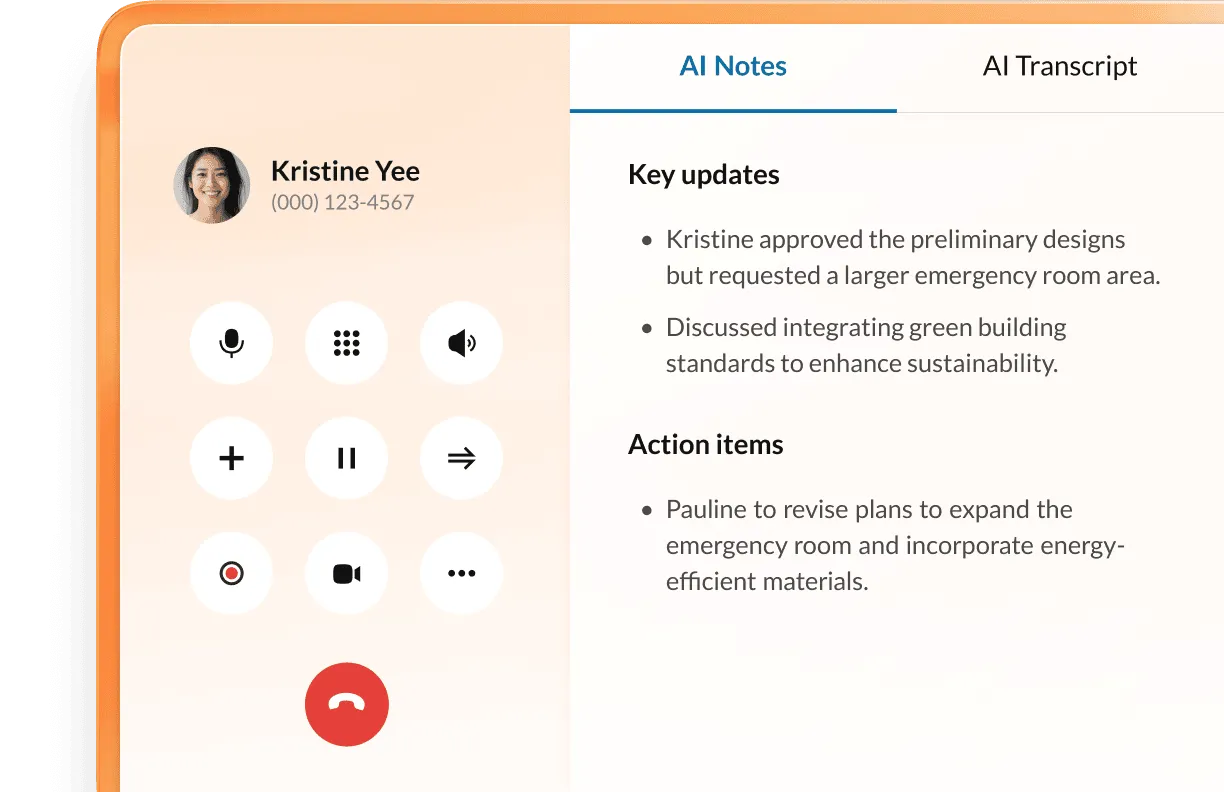
Together, AVA, AIR, and ACE give teams AI support before, during, and after conversations, all within a single communications platform.
Because these AI capabilities run on RingCentral’s enterprise-grade communications platform, organizations also benefit from built-in security, compliance, and data protections across voice, messaging, and analytics. This integrated approach eliminates the need to stitch together separate tools for assistance, routing, and insight.
Why RingCentral stands out
RingCentral combines real-time employee assistance, customer-facing automation, and conversation intelligence in one platform. For organizations that rely heavily on calls and messaging, this makes it easier to scale AI support across teams without adding complexity.
| Take AVA for a spin to see how it can lighten your teams’ workloads. |
2. Microsoft Copilot
Microsoft Copilot is Microsoft’s AI assistant embedded across Microsoft 365, Teams, and related services. It helps employees draft content, summarize meetings and documents, and query enterprise data using natural language across the Microsoft ecosystem.
This makes Copilot a strong fit for organizations that rely heavily on Microsoft 365 and want AI assistance tightly integrated into everyday productivity tools rather than communications or contact center workflows.

Key features:
- Native Microsoft 365 integration: Work directly inside Teams, Outlook, Word, Excel, and PowerPoint to generate content, recap meetings, and analyze data without changing tools.
- Graph-powered context: Use Microsoft Graph to draw context from email, documents, and calendars to answer questions with accurate information.
- Integration-friendly functionality: Extend Copilot with plugins and connectors to pull data from third-party systems or automate tasks within Microsoft-based workflows.
3. Motion
Motion is an AI-powered productivity assistant focused on calendar-based scheduling. It automatically plans tasks, meetings, and projects by turning to-do lists into a prioritized, time-blocked schedule that adapts as meetings move or priorities change.
This approach works best for individuals and teams looking to optimize time, reduce manual planning, and protect focus time, especially in environments centered on knowledge work rather than customer-facing communications.

Key features:
- Automatic calendar scheduling: Turn task lists into a prioritized, time‑blocked schedule that adapts when meetings move or priorities shift.
- Project and task management: Assign work, set deadlines, schedule meetings, and let Motion reshuffle daily schedules automatically as dependencies and capacity change.
- Focus-time protection: Reserve uninterrupted blocks for deep work to reduce fragmentation and context switching.
4. Reclaim.ai
From the makers of Dropbox, Reclaim.ai is an AI-powered scheduling assistant designed to help individuals and teams protect focus time and balance workloads. It works primarily through calendar optimization, automatically reserving time for deep work, recurring tasks, and priorities while adapting schedules as meetings and availability change.
Reclaim.ai is best suited for teams that want more control over how time gets allocated across busy calendars, especially within productivity-centric environments.

Key features:
- AI-driven time blocking: Automatically schedule focus time, habits, and tasks around meetings to protect deep work and prevent calendar overload.
- Smart meeting controls: Support recurring events, no-meeting days, and flexible scheduling rules through a customizable meeting assistant.
- Workload and time insights: Track personal and team scheduling patterns to forecast focus time, identify overload risk, and highlight productivity trends.
5. Dialpad AI
Dialpad AI is embedded across Dialpad’s cloud phone, contact center, and meeting products. It focuses on conversation support for sales and support teams, with real-time transcription, in-call guidance, and post-call analytics.
This makes Dialpad AI a strong fit for teams that want AI features tightly integrated into a single voice and meetings stack, especially when they prioritize coaching and conversation insights.

Key features:
- Real-time transcription and summaries: Capture conversations automatically so agents and reps stay engaged instead of taking notes.
- Live agent assist: Surface prompts, FAQs, and suggestions during calls based on what the customer says.
- Post-call analytics: Analyze keywords, sentiment, and trends to coach teams and refine scripts.
6. Crescendo.ai
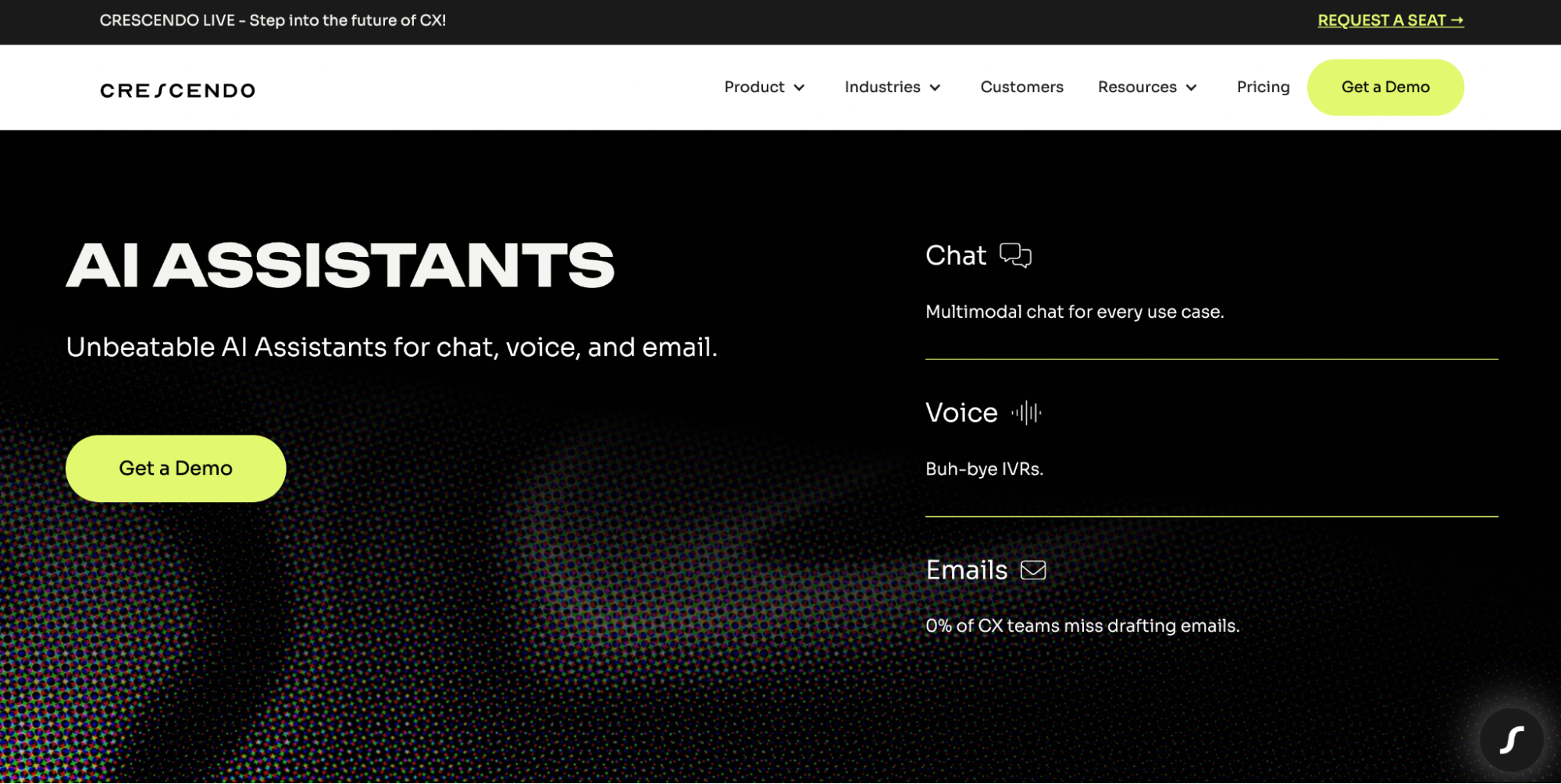
Crescendo.ai is an enterprise-grade AI virtual assistant platform for customer experience (CX). It is built to handle real customer service conversations end-to-end across chat, voice, SMS, and email. Its AI virtual assistants automate 70% to 90% of customer support tickets with 99.8% accuracy, making it a strong fit for companies looking to scale support without sacrificing quality.
Crescendo.ai is best suited for B2B and B2C organizations that want to reduce first-response times, improve CSAT, and provide 24/7/365 customer support at a global scale in multiple languages.
Key features:
- Human-like Conversations: The AI virtual assistants communicate with customers using natural, empathetic language, human-like decision-making, and contextual understanding.
- Multilingual Support: Communicates in 50+ languages with native-level fluency, enabling consistent customer experiences across global markets without additional staffing.
- Resolution-Focused Technology: Unlike traditional chatbots that only respond to basic queries, Crescendo.ai’s next-generation AI virtual assistants are designed to resolve customer issues, no matter how complex or multi-layered they may be.
What are essential features to look for in AI virtual assistants?
When you invest in AI virtual assistants at the enterprise level, features aren’t just items on a checklist—they are levers that directly impact risk, adoption, and ROI. The best AI assistant will help you shorten handle times, reduce escalations, and unlock new capacity.
Here’s how to narrow down your decision.
Voice-first AI and natural language processing
If a meaningful share of your customer or employee interactions happen over the phone, voice-first AI should be a core requirement. Your assistant needs to reliably recognize speech, understand intent, and respond naturally without long delays or robotic audio.
Look for:
- High-quality speech recognition and NLU: So your assistant can handle real-world accents, background noise, and domain-specific terminology
- Low-latency, carrier-grade voice: Because every extra second of delay in a call damages trust and drives escalations
- Flexible dialog design: So you can combine free-form speech with menu-style options, depending on the use case
Enterprise-grade security and compliance
AI virtual assistants interact with sensitive data, whether that’s customer details, payment information, or internal operations data. You need to treat them with the same rigor as any other business-critical system.
Pay attention to:
- Data protection and encryption: End-to-end encryption in transit and at rest, with clear controls over data residency and retention
- Compliance posture: Certifications and controls that align with your regulatory landscape (for example, SOC 2, ISO 27001, HIPAA, or GDPR, depending on your industry and regions)
- Granular access controls: Role-based permissions so admins can manage who can view recordings, transcripts, analytics, and configuration
- Transparent AI use and governance: Clear documentation on how training data is handled, where models run, and how to disable data sharing when required
Integration with existing business systems
An AI virtual assistant is only as valuable as the systems it can talk to. Without strong integrations, you’re likely to end up with a polished but disconnected assistant that can’t resolve real issues.
Critical integration points include:
- UCaaS and CCaaS platforms: To intelligently route calls, messages, and digital interactions and give live agents access to AI-generated context within their existing tools
- CRM and ticketing: So the assistant can look up accounts, create or update cases, and log interactions automatically
- ITSM and HR systems: To let internal-facing assistants resolve common IT or HR requests without manual intervention
- APIs and low-code tooling: So you can orchestrate custom workflows—like order lookups, appointment changes, or eligibility checks—without rebuilding your stack
Real-time analytics and conversation intelligence
Automating interactions is only half the story. The other half is understanding what those interactions reveal about your customers, employees, and processes, and using that insight to drive continuous improvement.
Seek out:
- Unified data analysis and reporting across channels: So you can see how calls, chats, and digital self-service work together
- Searchable transcripts and summaries: To quickly review conversations, identify root causes, and audit the assistant’s behavior
- Outcome-focused metrics: To track containment rate, deflection rate, first-contact resolution, and impact on handle time and CSAT
- Feedback loops: So agents and supervisors can flag issues, suggest better responses, and update training data
Maximize enterprise productivity with AI-powered conversations
AI virtual assistants help organizations scale conversations, improve employee and customer experiences, and close insight gaps without scaling headcount. When paired with complementary AI capabilities across the conversation lifecycle, they become even more effective.
RingCentral delivers this approach through its agentic voice AI suite, which brings together distinct AI roles designed for different moments of a conversation:
- AI Receptionist: Answers and routes incoming calls so customers reach the right destination quickly and consistently.
- AI Virtual Assistant: Supports employees and agents during live conversations by automating workflows, surfacing context, and assisting across voice and digital channels.
- AI Conversation Expert: Analyzes interactions to summarize outcomes, extract action items, and surface insights teams can act on.
Because these capabilities run on RingCentral’s unified communications and contact center platform, teams get a consistent experience across tools, shared security and compliance controls, and a single roadmap for evolving how the organization communicates.
If you’re ready to see how AI virtual assistants can work alongside call automation and conversation intelligence to support your contact center, help desk, and internal operations, schedule a strategy consultation with RingCentral.
AI virtual assistant FAQs
How do AI virtual assistants ensure enterprise-grade security and compliance?
Enterprise-grade AI virtual assistants rely on strong encryption, access controls, and compliance frameworks to keep your data safe. They should include the following security and compliance measures:
- Encryption in transit and at rest
- Rigorous identity and access management
- Certifications and support for regulations that match your industry, such as PCI-DSS for finance or HIPAA for healthcare
Providers should also be transparent about how AI models are trained, where data is stored, and how you can configure retention, redaction, and data-sharing policies to align with your internal governance.
What’s the ROI timeline for implementing AI virtual assistants in enterprise organizations?
Enterprises often see initial productivity gains within months, typically in reduced call volume, shorter handle times, and higher self-service rates. Full ROI usually takes 12–24 months, depending on your implementation strategy, adoption rate, interaction volume, and automation scope.
Quick wins can come from high-volume tasks like password resets, order status, or appointment changes, while broader transformation and analytics gains emerge as you expand coverage and refine workflows.
How do AI virtual assistants integrate with existing UCaaS and CCaaS platforms?
Modern AI virtual assistants integrate with UCaaS and CCaaS platforms through native integrations or APIs that connect directly to calls, messages, and workflows.
Within UCaaS environments, AI virtual assistants support employees during live calls and meetings by surfacing relevant context, capturing summaries, and logging key details to downstream systems such as CRM or ticketing tools. This keeps work moving without forcing users to switch applications.
Within CCaaS environments, AI virtual assistants focus on assisting agents rather than replacing them. They provide real-time guidance during customer interactions, highlight relevant knowledge or next steps, and generate post-interaction summaries that reduce after-call work and improve consistency.
Choosing an AI virtual assistant that’s built into or tightly integrated with your core communications platform reduces integration effort, simplifies governance, and gives teams a more unified view of performance across voice and digital channels.
Updated Jun 15, 2026