AI Communications








How to choose an AI receptionist to answer patient calls, book visits, and maintain compliance with the Health Insurance Portability and Accountability Act (HIPAA).
You’ve probably already decided your front desk needs help answering the phone. The harder part is the shortlist in front of you. Every AI receptionist on it promises the same thing: it answers on the first ring and books the appointment without operating constraints tied to business hours.
For a medical office, the demo is the easy part. A wrong pick puts protected health information somewhere it shouldn’t be, and it lets the routine calls keep slipping: a booking that never gets made, a new patient who attempts contact once and then calls a competing practice. Each missed call costs a visit and erodes the patient trust your practice depends on.
An AI receptionist answers those calls, books and reschedules visits, and captures the details your team would otherwise collect manually. That matters most when hiring is the constraint. In Deloitte’s 2025 US Health Care Outlook, 58% of health system executives said workforce challenges are expected to influence their 2025 strategy. In a medical office, it only counts if it clears the privacy bar the law sets and fits the systems you already run.
This guide is your evaluation lens. It covers which calls to expect an AI receptionist to handle and where routine ends and clinical begins. Then it shows how to choose and pilot one for your practice.
Key takeaways
- An AI receptionist answers, routes, and books patient calls without a live front-desk staffer
- It covers after-hours and overflow calls a practice can’t staff around the clock
- In healthcare, HIPAA and HITRUST decide the shortlist before features do
- AI receptionists connect to your records and scheduling systems rather than replacing them
- Routine calls are handled by AI, while clinical or urgent calls still route to a person
What an AI receptionist for a medical office does
An AI receptionist for a medical office is voice AI that answers patient calls, books and reschedules appointments, and handles routine questions. It routes urgent calls to a staff member, all while safeguarding patients’ protected health information (PHI).
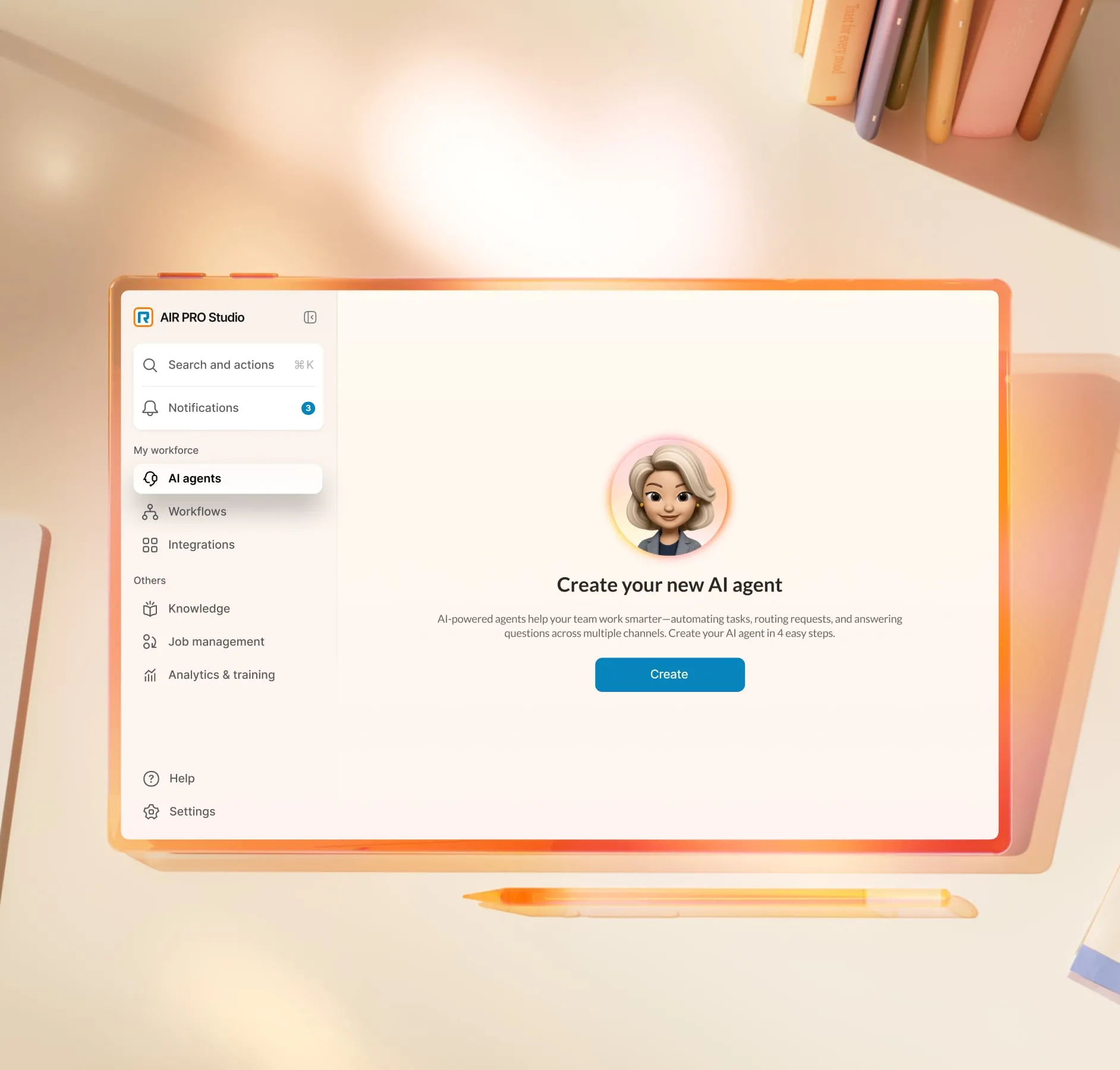
Most practices already run some version of automated call handling, so the real question is what happens after a patient gets through. A traditional phone tree reads a menu, waits for a keypress, and routes the caller to an extension and stops. An AI receptionist understands the request and acts on it in the same call. It’s conversational AI for healthcare pointed at the front desk.
The patient calls an AI receptionist handles
An AI receptionist covers the high-volume routine calls a front desk fields every day and escalates the rest. Those routine calls are also where the quiet losses happen. In US primary care, a 2025 study of more than 1.1 million appointments across 15 Pennsylvania family medicine clinics found that 6.9% were no-shows. Rates vary substantially by health system, practice population, and how a missed appointment is defined.
An AI receptionist is built to absorb the patient call volume behind those numbers.
Appointment scheduling and rescheduling
It books, moves, and confirms appointments against your practice calendar in real time. Because it handles the call end to end, a patient shifting a Thursday visit gets it done on the spot instead of leaving a message. Automated reminders on the same system cut the no-shows that drain a daily schedule.
New-patient intake and identity verification
AI collects the details a new patient would otherwise read out to a coordinator. Where your records system supports it, it verifies who is calling before anything moves forward.
This step is integration-dependent: the receptionist captures and confirms information through the systems you connect it to, not from a record it holds on its own.
Refills, billing, and insurance questions
It routes prescription refill requests and answers or hands off billing and insurance questions.
Treat this as integration-dependent too. The AI receptionist connects to your records or practice-management system to move a refill to the right queue or surface a billing answer. It doesn’t reach into patient records on its own.
After-hours and overflow coverage
AI-powered patient engagement software answers the calls that hit voicemail on nights and weekends. It also takes the overflow calls that stack up when the desk is already on another line.
For a practice that can’t staff a 24-hour phone, this is the coverage patients notice first, and it helps you meet the patient-access expectations that push practices to respond faster.
What should still route to a person
Clinical advice, distressed callers, and genuine judgment calls belong with a human, and a well-configured receptionist escalates them without hesitation. A caller describing chest pain reaches a person or an emergency instruction immediately, never a booking flow. Automating the routine calls is what protects the staff time those urgent ones demand.
How to evaluate an AI receptionist for a medical office
Compliance is the primary gate: a tool that can’t clear it is out before you weigh anything else. After that, records and scheduling fit, call coverage, and patient experience decide it.
Compliance and PHI
Require HIPAA, ideally HITRUST, and a signed Business Associate Agreement (BAA) before anything else. Expect encryption in transit and at rest, role-based access controls, and audit trails you can produce on request.
One caveat matters more than vendors tend to say out loud: a vendor’s compliance covers their platform, not how your practice configures and uses it. The obligation to run it correctly stays with you, which is one more reason to treat a HIPAA-compliant VoIP foundation as the baseline rather than the finish line.
Electronic health record (EHR) and scheduling integration
The AI receptionist should connect to the records and scheduling tools you already run, not ask you to replace them.
Read EHR integrations as connection points rather than bundled features, and ask the vendor to name the specific systems they support so you can confirm yours is on the list. The same question applies to your scheduling and healthcare call center software: the receptionist is only as useful as the systems it can reach.
Call coverage and patient experience
Ask how much of your real call mix the tool handles end to end versus how much it only routes. A receptionist that books, reschedules, and answers covers far more ground than one that greets the caller and transfers them.
Then listen to what the AI receptionist sounds like. The caller should hear something that sounds like your practice, with your hours and your tone, rather than a generic bot reading from a script.
Start with a pilot
Run one call type through it before you route your whole inbound line. After-hours booking is a common starting point, because the calls would otherwise go to voicemail and the stakes of a handoff are low.
A contained pilot shows you how the tool performs on your patients and your systems, and it gives staff a clear before-and-after to judge.
Which RingCentral AI agent fits your medical office?
Every unanswered patient call is a lost appointment and a little of the trust your practice has built. No front desk can be staffed for every hour patients call, and the hard part is covering those hours without compromising patient privacy.
RingCentral runs two AI agents at the front desk, and which one fits a medical office depends on how much you need the tool to carry.
AI Receptionist (AIR)
The first AI agent is RIngCentral AI Receptionist (AIR), which acts as a voice-first front desk:
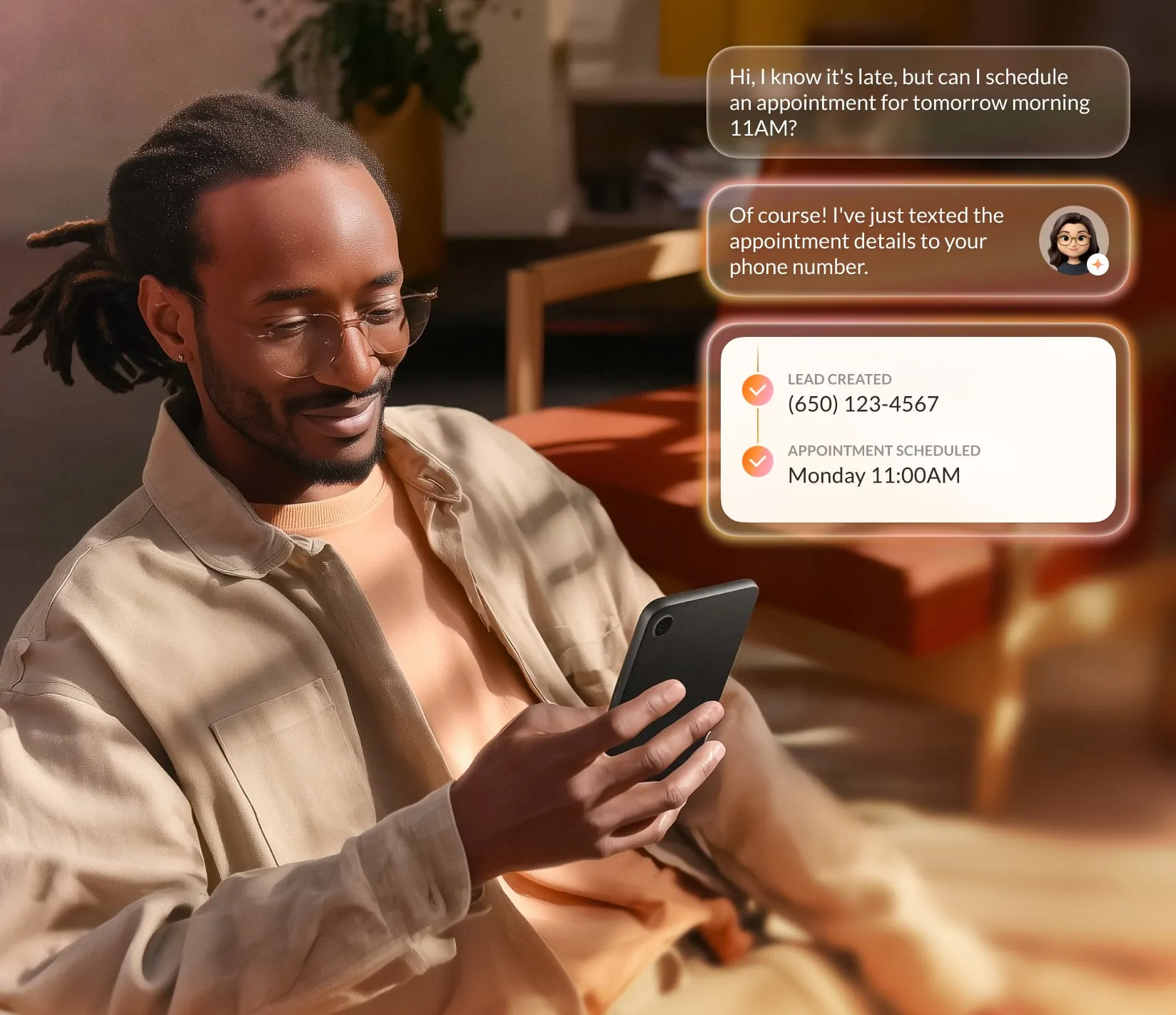
- It answers calls and texts around the clock and handles routine questions from your own website and documents.
- It routes each caller by intent rather than a phone-tree menu.
- It books and reschedules against a connected calendar and logs new-patient details to your customer relationship management (CRM) platform.
For a practice that mainly needs the phone and texts covered, AIR clears the routine backlog.
AIR Pro for Healthcare
RingCentral AIR Pro for Healthcare is the advanced, agentic tier. It carries the healthcare accelerators a medical office needs before putting PHI anywhere near an automated call. AIR Pro is built for that trade-off: it answers the calls your team can’t reach while handling protected health information to the standards healthcare requires.
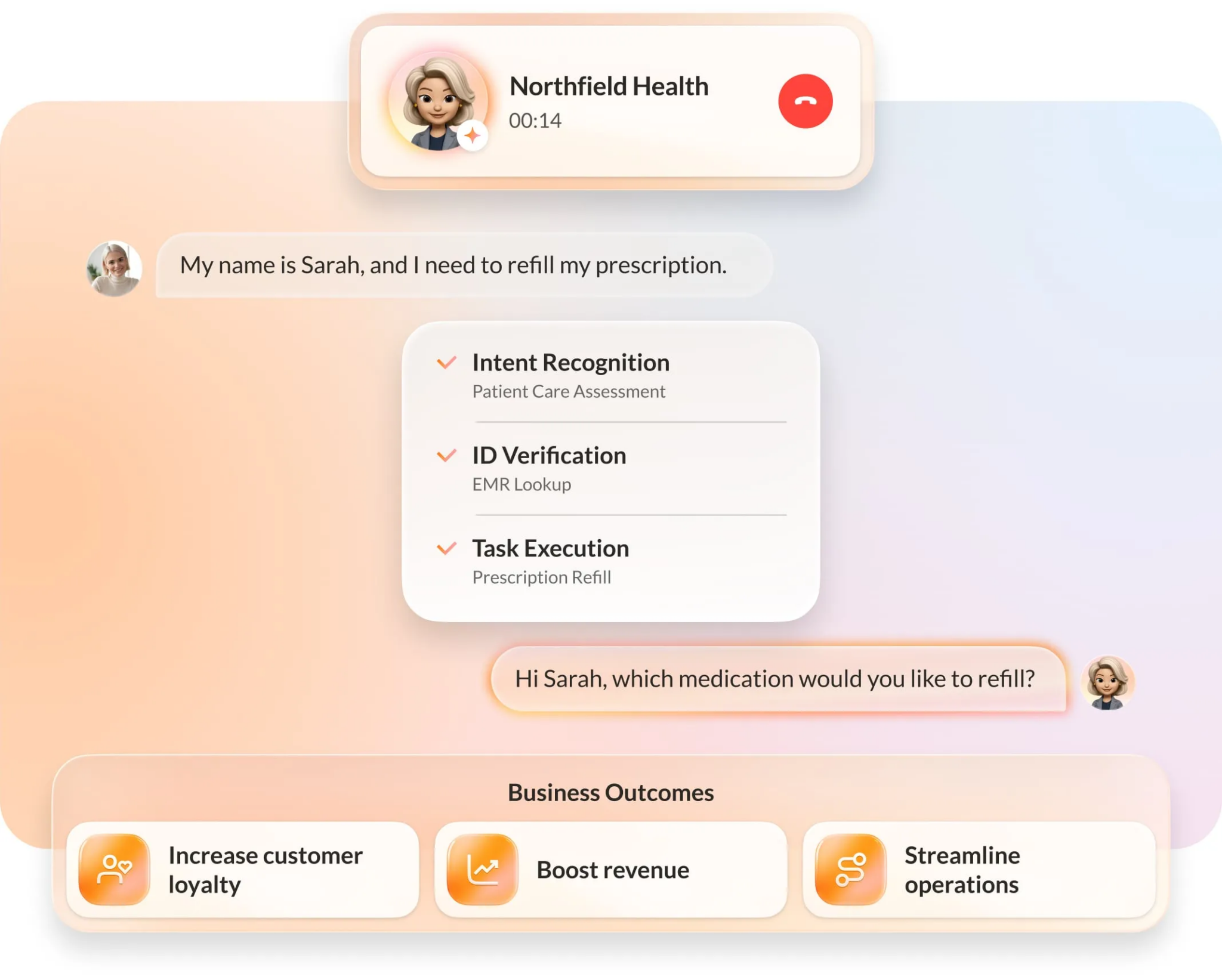
- It supports HIPAA compliance and carries HITRUST certification, the two signals most practices screen for first.
- It connects with the EHR and scheduling systems you already run, with more than 100 EHR integrations available as connection points rather than bundled features, so patient data stays in the systems your practice already trusts.
- On a call, it verifies patient identity and books appointments by location and priority.
- It routes prescription refills and billing questions to the right place thanks to connections with your records and practice-management systems.
- It escalates to a staff member with the full context of the conversation already in hand when a call needs a person.
For a medical office weighing the two, the distinction is simple. If you need the front desk answered and booked, RingCentral AIR covers it. Once protected health information, EHR integration, and identity verification are in play, AIR Pro for Healthcare is the one built for the job.
AIR Pro for Healthcare is in early access. Practices can join the early-access list to see how it fits their own front desk.
Put the front desk back on patient care
The order matters more than the feature list.
- Clear the HIPAA and HITRUST bar first
- Confirm the tool connects to the systems you already run
- Only then weigh how much of your call mix it can carry
Get that sequence right and the routine calls stop landing on the front desk, which frees your staff to do the one thing an AI agent can’t: care for the patient standing in front of them.
RingCentral builds two AI agents for the medical front desk, and which one fits depends on your call mix. AI Receptionist (AIR) answers and routes calls and texts around the clock, resolves routine patient questions, and books appointments against a connected calendar. For practices with heavier volume and more complex intake, AIR Pro for Healthcare adds the healthcare accelerators, supports HIPAA compliance, and connects with your existing records management platform.
Contact our sales team to find the right fit for your practice.
AI receptionist for medical office FAQs
How much does an AI receptionist for a medical office cost?
Pricing depends on your call volume, the number of integrations you need, and the compliance features healthcare requires, so most vendors quote by practice rather than publish a flat rate.
Expect a HIPAA-ready tool with a signed BAA and EHR integrations to sit above a general-purpose answering service, since the compliance and connection work is part of what you are paying for. Ask for pricing against your actual monthly call volume rather than a per-seat headline number.
What software do medical receptionists use?
A medical receptionist works across several systems at once: a phone system, an EHR, a practice-management or scheduling tool, and often a patient communication platform for reminders and follow-ups. An AI receptionist layers onto the phone line and ties into the scheduling and records systems already in place, handling routine calls so staff can stay on the systems that need a human.
Is an AI receptionist a good idea for a medical practice?
Yes, for the routine, high-volume calls that already slip through: appointment booking, after-hours coverage, refills, and common questions. It’s a good fit only when it clears the HIPAA and HITRUST bar, connects to your systems, and routes clinical or urgent calls to a person.
Used that way, it protects staff time rather than replacing the judgment a front desk still needs.
Can I set up an AI receptionist for my practice?
Yes. Setup usually means connecting the tool to your phone system and your EHR or scheduling software, configuring which calls it handles and which it escalates, and confirming the compliance paperwork, including a BAA. Starting with a single call type, such as after-hours booking, lets you validate the setup on real patients before you route your full inbound line through it.
Originally published Nov 03, 2026