AI Communications









When customers call a business, their goal is simple: get help quickly and without friction. If the call starts with long menus, unclear options, or repeated transfers, frustration builds almost immediately.
Traditional IVR systems were designed to manage call volume. They rely on rigid menus and predefined paths that force callers to adapt to the system.
When customers press the wrong option or their issue does not fit neatly into a menu, the call flow breaks down. This mismatch between how customers speak and how traditional IVRs are designed creates friction before a human agent is ever involved. As call volumes increase and staffing becomes harder to scale, that friction directly impacts cost, resolution time, and customer trust.
Today, more and more businesses are adopting AI IVR to streamline call flow by replacing menu logic with intent recognition. Instead of routing calls based on what button was pressed, the system routes based on what the caller actually says.
What is AI IVR?
AI IVR, or artificial intelligence interactive voice response, is an advanced call-handling system that manages inbound phone interactions by identifying caller intent, determining the appropriate action, and executing it in real time. Its role extends beyond routing. AI IVR handles triage, self-service, escalation, and context transfer as part of a single, continuous call flow.
An AI IVR system relies on a defined set of technologies that operate together during every call:
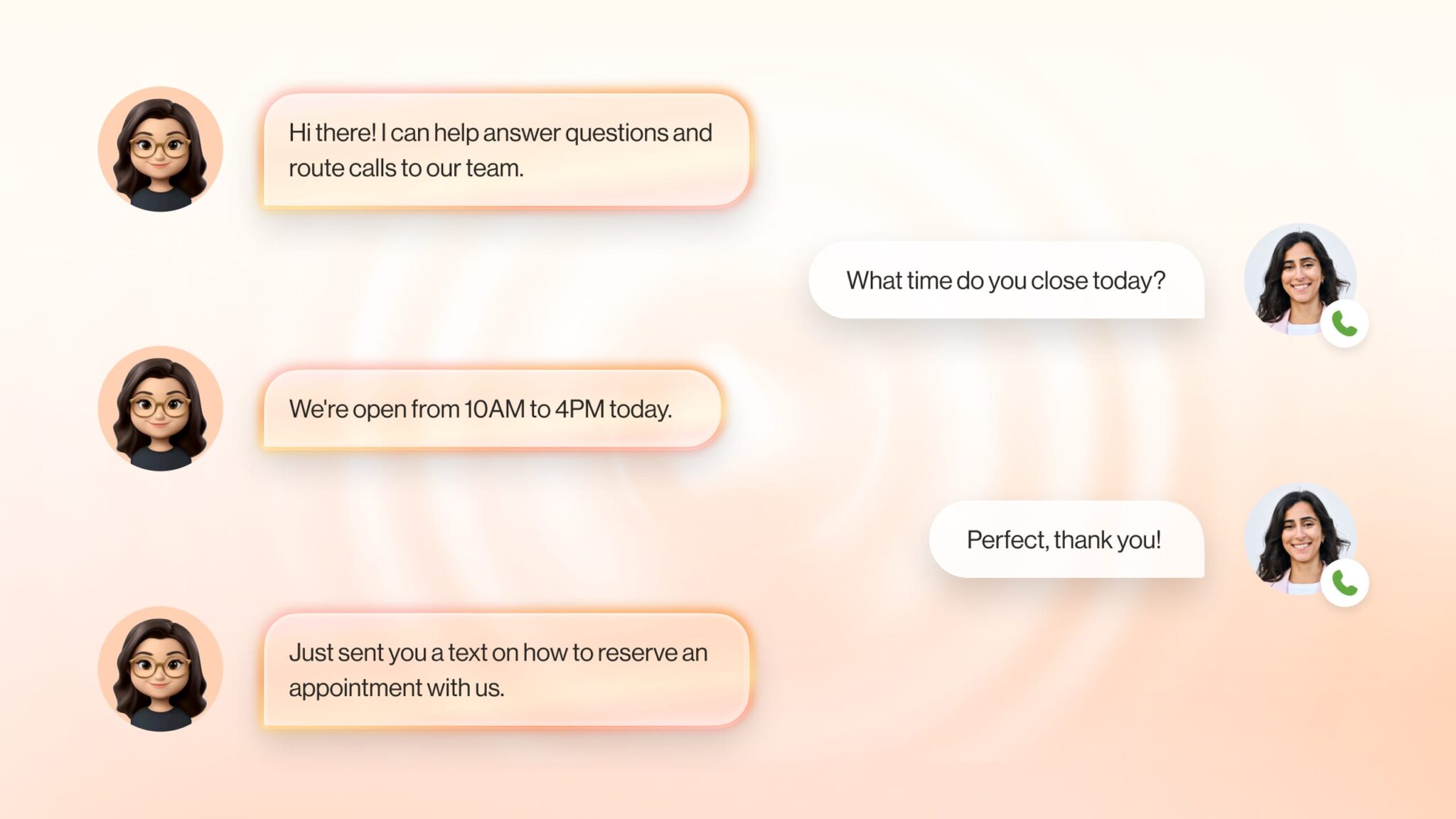
Automatic speech recognition (ASR) converts the caller’s live voice into text in real time. This happens continuously as the caller speaks, even if they pause, correct themselves, or speak with an accent. For example, when a caller says, “I changed my plan last week and now my bill looks wrong,” ASR produces an accurate transcript without requiring structured commands or button presses.
Natural language understanding (NLU) analyzes that transcript to determine intent and extract key details. Intent classification identifies the reason for the call, such as a billing dispute or plan change. Entity extraction pulls specific data like dates, plan names, order numbers, or account references. In the billing example, the AI IVR identifies both a billing issue and a recent plan change as part of the same request.
Intent confidence thresholds control how AI IVR handles the call next. For every detected intent, the model assigns a probability score, typically between 0.0 and 1.0, that reflects how certain it is.
- High confidence (roughly 0.7 to 0.8 and above): The AI IVR proceeds automatically. A caller who says, “I want to pay my bill,” may be taken directly to payment processing without further clarification.
- Medium confidence (roughly 0.4 to 0.7): The AI IVR asks a targeted confirmation question. For example, “Are you calling to reschedule a delivery?” before making any changes.
- Low confidence (below roughly 0.4): The AI IVR pauses automation. It asks the caller to rephrase or offers to transfer the call to a live agent to avoid misrouting or incorrect actions.
Validation logic ensures that the AI IVR only takes actions that are accurate and appropriate.
- Contextual validation checks whether the request aligns with the current conversation and the caller’s account history.
- Slot validation confirms that required information, such as dates or account numbers, is complete and in the correct format.
- Entity validation ensures extracted data was captured correctly.
- Cross-system validation verifies details against backend systems like CRM or billing platforms before proceeding.
Dialog management determines how the call progresses after intent and validation are complete. This layer decides whether the AI IVR can resolve the issue on its own, needs more information, or should escalate to a human agent. For example, the system may automatically reverse a duplicate charge or route the call to a billing specialist if approval is required.
Machine learning feedback loops allow AI IVR to improve over time. When agents correct routing decisions or resolve issues the AI IVR could not, those outcomes are used to refine intent detection, confidence thresholds, and clarification prompts.
Text-to-speech (TTS) generates spoken responses dynamically, allowing the AI IVR to confirm actions or explain next steps using the caller’s specific information rather than generic scripts.
Backend integrations and automation layers connect AI IVR to operational systems such as CRM, order management, scheduling, and authentication services. This enables the AI IVR to complete tasks like retrieving account details, booking appointments, or updating records during the call.
Context-aware escalation ensures that when a call reaches a human agent, it arrives with full context. The agent sees the identified intent, verified information, and a summary of what the AI IVR has already done, so the caller does not need to repeat themselves.
Why traditional IVR call flows fail to resolve customer issues
Most call flow failures happen in the first 30 seconds of a call. The caller hears menu options that only partially match their issue, selects the closest option, and hopes the traditional IVR understands the full context of their problem. Once a caller selects the wrong option, the system has no way to recognize the mismatch, pushing the call deeper into the wrong flow or back to the beginning.
Gartner’s research shows how widespread this problem is: only 14 percent of customer service issues are fully resolved through self-service. Even when customers describe their issue as very simple, only 36 percent achieve complete resolution without switching to an assisted channel.
How traditional IVR and AI IVR create different call flows
Traditional IVR and AI IVR produce different call flows because they commit to routing decisions at different points in the call.
In a traditional IVR system, the path is locked in before the caller’s issue is understood. In an AI IVR system, routing is deferred until intent has been identified and, when needed, confirmed.
A traditional IVR call flow step-by-step
1. The system presents fixed categories
The call opens with a predefined menu such as:
- Press 1 for billing
- Press 2 for technical support
- Press 3 for account changes
2. These categories are written by the business, not derived from how customers describe problems.
3. The caller must select the option where their issue fits
A caller with a problem like “I was charged twice after changing my plan” must decide whether this is billing, account changes, or something else. The system does not help them decide.
4. Routing is locked in immediately
Once the caller presses a number, the system routes the call based solely on that selection. No further interpretation occurs.
5. Errors are treated as final
If the call reaches the wrong queue, the system does not detect the mismatch. The agent either transfers the call or sends the caller back to the main menu.
6. Context is discarded during transfer
Any information the caller provided to the IVR is lost. The next agent starts the conversation from zero.
7. Resolution depends on human recovery
The only way to fix a routing error is through manual intervention by an agent, after additional wait time and repeated explanation.
An AI IVR call flow step-by-step
1. The AI IVR system starts with an open prompt
The call opens with a question such as:
“Tell me what you’re calling about today.”
2. The caller explains the issue in their own words
The caller says, “I changed my plan last week and now I’m seeing two charges on my bill.”
3. The AI IVR system identifies intent in real time
The AI detects multiple signals:
- Billing issue
- Recent plan change
- Possible duplicate charge
4. The AI IVR system confirms instead of guessing
The IVR asks a specific follow-up:
“Are you calling about a charge you believe is incorrect?”
5. Routing is delayed until intent is clear
The call is not routed until the system has enough information to determine the correct destination or action.
6. Context is captured automatically
The system logs the reason for the call, relevant account details, and the steps already taken.
7. Escalation includes full call context
If the issue requires a human agent, the call is transferred with:
- The identified issue
- A summary of the caller’s explanation
- Any verification already completed
8. The agent continues the conversation
The agent answers the call already knowing why the customer is calling and what has happened so far.
Smarter call routing and call handling with RingCentral AI Receptionist
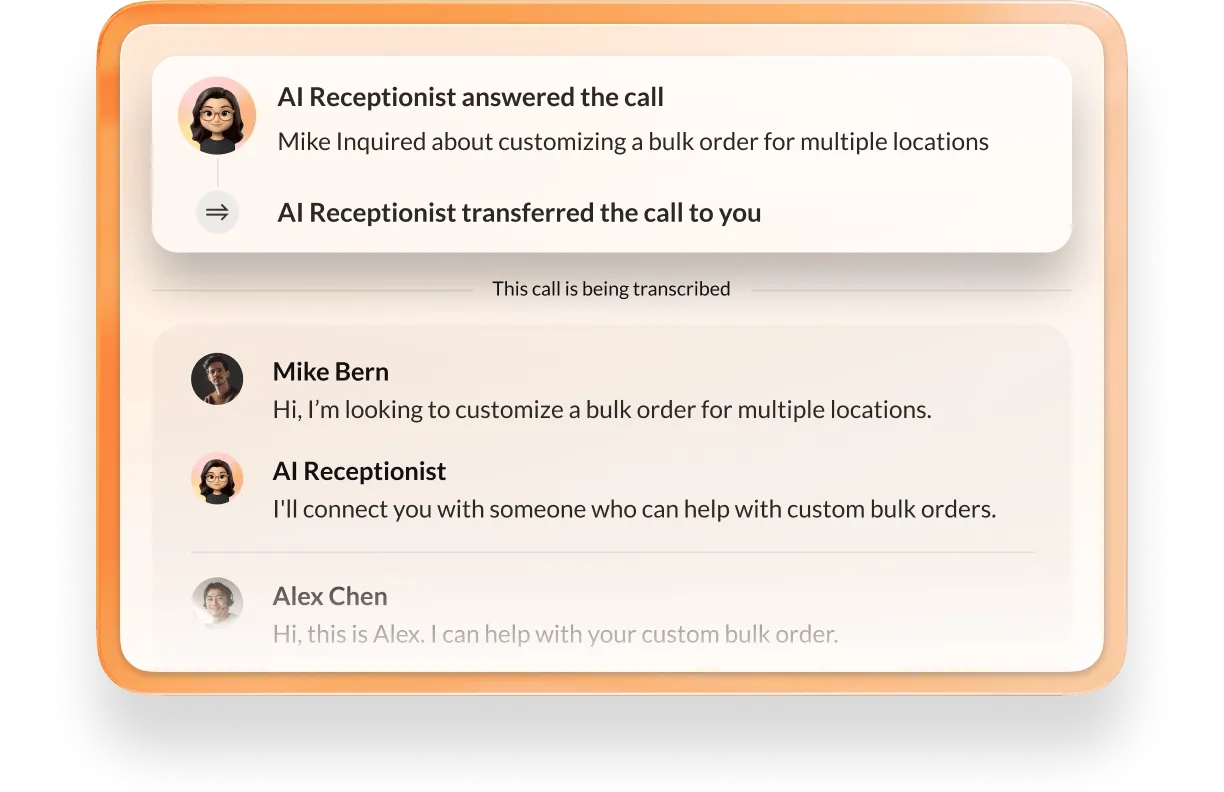
RingCentral AI Receptionist uses an AI IVR system behind the scenes to manage inbound calls based on why someone is calling. Instead of forcing callers through rigid phone trees, it listens to the caller’s request and decides in real time how the call should be handled, whether that means answering the question, collecting information, scheduling an appointment, or routing the call to an agent with context.
Answers calls 24/7, including after hours
Every call is answered, regardless of time. After hours, the AI Receptionist does not default to voicemail. It continues the call by answering questions, capturing contact details, scheduling appointments, or escalating urgent requests. Calls still move forward even when staff are unavailable.
Screens calls before they reach your team
Spam and robocalls are blocked automatically. For legitimate callers, the AI Receptionist listens to what they say to determine whether the call requires a human response. Calls that can be handled automatically stay with the system, while only relevant calls are routed to employees.
Acts as one front desk across locations and departments
Callers do not need to know phone numbers, extensions, or which department handles their request. They can say things like “sales in Chicago,” “billing for my New York account,” or “HR about benefits,” and the AI Receptionist routes the call to the correct location or team based on the request.
Resolves common questions
Many callers are looking for basic information. The AI Receptionist answers questions about business hours, services, pricing basics, or policies using knowledge trained from the company’s website, FAQs, or uploaded documents. These calls end with an answer instead of being routed to staff.
Routes calls with context when a human is needed
When escalation is required, AI Receptionist routes the call using identified intent rather than keypad input. The receiving agent gets a call summary that includes the reason for the call and key details collected, reducing handle time and frustration.
Sends SMS follow-up automatically
After the call, the AI Receptionist can send text messages with appointment confirmations, links, intake forms, or next steps. This allows the interaction to continue without requiring another call.
Schedules appointments during the call
Callers can book, reschedule, or cancel appointments while speaking with the AI Receptionist. The system checks real-time calendar availability and confirms the appointment immediately by voice and text.
Handles campaigns, events, and call spikes
During marketing campaigns, job postings, events, or seasonal demand, the AI Receptionist handles multiple calls at the same time. Call routing and handling remain consistent even when call volume increases sharply.
Captures leads and routes them into systems
When a call indicates sales interest, the AI Receptionist collects contact information and the reason for the inquiry, then creates a lead automatically in connected CRM systems so follow-up can happen without manual data entry.
Centralizes intake for internal requests
The AI Receptionist can also handle non-customer calls such as vendor inquiries, HR questions, IT support requests, or partner outreach. Each call is routed to the correct internal team with a summary of the request attached.
Replace your phone tree with an AI IVR in minutes
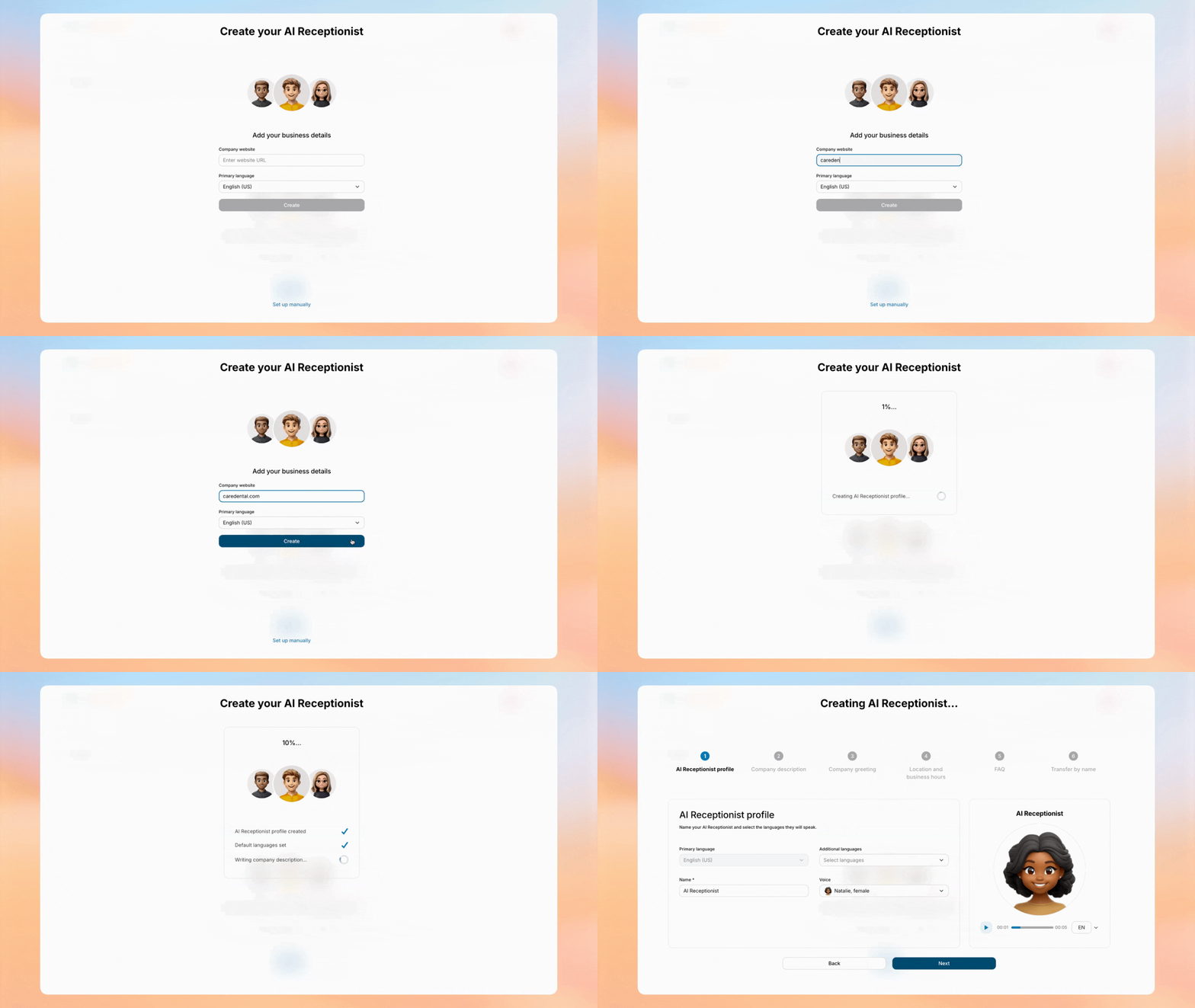
With RingCentral AI Receptionist, an AI IVR setup starts with your website—not a blank workflow. Business hours, common questions, and call handling logic are pre-filled so you can test a working AI IVR almost immediately. Fine-tune responses, go live, and start handling calls intelligently.
Watch the demo today to explore how RingCentral AI Receptionist goes from setup to live call handling in just minutes.
Updated Feb 02, 2026