AI Communications











For teams managing growing interaction volumes on flat headcount, automation separates sustainable operations from ones running on burnout.
Interaction volumes are up. Customer expectations for faster resolution, more channel options, and personalized service keep rising. Headcount stays flat.
The result shows up across the metrics: handle times creep up quarter over quarter, after-call documentation piles on at the end of every interaction, customer satisfaction (CSAT) scores plateau despite team effort, and supervisor bandwidth gets consumed managing performance gaps rather than preventing them.
In most cases, the constraint is the operational infrastructure. Agents work within systems that weren’t designed for the volume or channel complexity that contact centers now manage as a baseline. Overhead that accumulates in that gap, like documentation, routing inefficiencies, and manual QA, limits what the team can actually deliver.
Contact center automation removes that overhead. It handles the repetitive work that consumes agent time and management attention: intelligent routing, self-service resolution, post-interaction documentation, and quality review. The freed capacity goes toward the interactions that require genuine human judgment.
Key takeaways
- Contact center automation handles routing, documentation, and self-service so agents focus on complex interactions
- The four highest-impact types are intelligent routing, self-service and virtual agent automation, after-call work automation, and quality management
- AI-driven automation reduces operational costs and cuts after-call work
- Implementation delivers faster ROI when scoped to specific high-friction workflows first, before enterprise-wide rollout
What is contact center automation?
Contact center automation is the use of AI, machine learning, and software to handle tasks in a customer service operation that would otherwise require manual agent effort. This covers customer-facing work like routing interactions, answering common questions, and escalating complex issues, as well as backend processes like post-call documentation, agent scheduling, and quality review.
The scope is omnichannel. Contact center AI and automation applies to every channel an operation manages: voice, chat, email, SMS, and social media. This distinguishes it from call center automation, which covers voice interactions only. For organizations running multi-channel customer service, call center automation is a subset of the broader operational framework.
The goal is to remove the overhead that prevents agents from doing their most valuable work: the interactions that require judgment, empathy, and expertise that process automation can’t replicate.
Why contact centers can’t delay on automation
The case for investment has become harder to argue against. Interaction volumes grow as organizations add channels. Customer tolerance for slow or impersonal service declines. And the cost-per-interaction model that worked for voice-only operations breaks down when email, chat, SMS, and social all feed the same queue with the same agent pool.
In 2022, Gartner projected that conversational AI would reduce contact center labor costs by $80 billion by 2026. Our 2026 Agentic AI Trends report adds a broader dimension: 97% of organizations already use at least one form of AI, and 96% of business leaders agree that AI agents will be essential to staying competitive—not just as a cost lever, but as a strategic requirement.
The performance gap between teams that automate and those that don’t is measurable. First-contact resolution rates (FCR), average handle times (AHT), and CSAT scores are all moving faster in operations that have automated the high-friction, low-complexity work that previously consumed agent bandwidth.
Delaying automation doesn’t preserve stability. For most contact centers, it means managing more volume with the same tools while competitors that have already automated continue to pull further ahead.
The starting point is knowing which types of automation deliver the most impact, and how to prioritize them.
4 types of contact center automation with the highest operational impact
Not all automation delivers equal returns. These four types consistently produce the most measurable operational improvement for mid-market and enterprise teams.
1. Intelligent routing automation
Most routing systems were built around call queues, not customer context. Agents receive interactions based on availability rather than fit, which means complex issues frequently land with agents who lack the background to resolve them efficiently. Transfers accumulate, handle times stretch, and customer frustration compounds.
AI-powered intelligent routing analyzes customer intent, account history, and agent skill profile in real time, then matches each interaction to the resource best positioned to resolve it.
The outcome is fewer transfers, faster resolution, and lower handle times from first contact without adding headcount.
2. Self-service and virtual agent automation
The majority of contact center interaction volume consists of questions and requests that don’t require a live agent: account lookups, FAQ responses, routine transactions, appointment scheduling. These interactions consume agent capacity without requiring the skills that justify it.
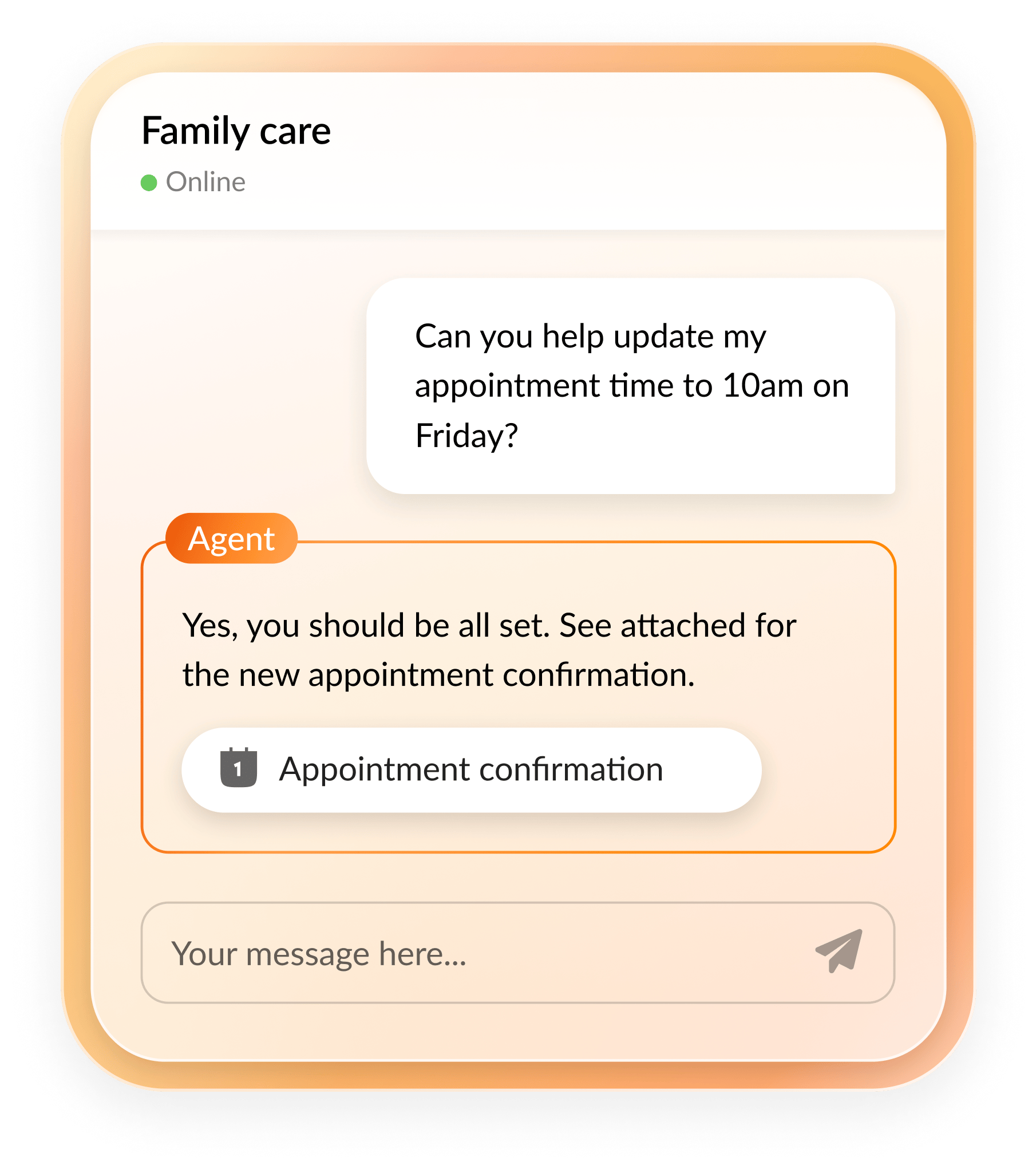
According to Salesforce, 61% of customers prefer self-service options before speaking to a live agent. Interactive voice response (IVR) systems and AI-powered intelligent virtual agents (IVAs) handle these inquiries directly, at scale, across channels, without queue wait times.
When cases need to escalate to a live agent, a well-configured IVA shares full interaction context so the handoff doesn’t reset the customer’s experience.
3. After-call work automation
Industry benchmarks for after-call work (ACW), like interaction summaries, CRM updates, and disposition tagging, land between 30 to 90 seconds. That overhead adds up fast with interaction volume and compounds agent fatigue across a shift.
AI-powered interaction summaries and automated disposition recommendations cut this overhead directly. Across hundreds of daily interactions per agent, that compounds into meaningful throughput gains and frees agents to take the next interaction rather than processing the last one.
4. Quality management automation
Traditional quality assurance operates on sampled reviews: supervisors manually assess 1 to 2% of interactions and draw performance conclusions from that narrow window. Patterns get missed, coaching becomes reactive, and compliance gaps surface after the fact.
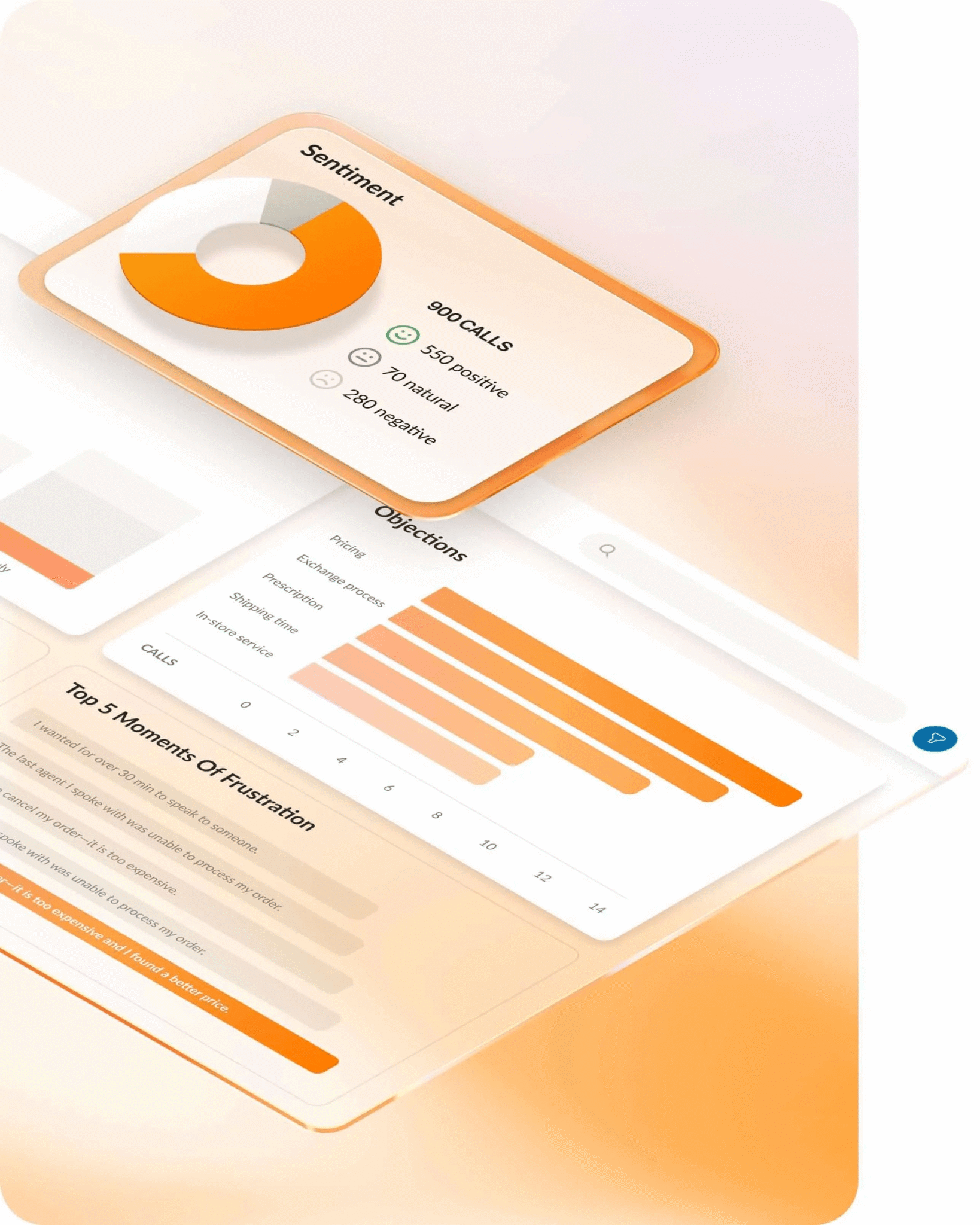
Built-in platform capabilities like RingCX’s AI Quality Management change the model. It analyzes 100% of interactions automatically across voice, chat, and email, scoring each against defined performance and compliance rubrics.
Supervisors gain visibility into the full operation, not a sample, and coaching shifts from reactive to proactive because the data identifies who needs guidance and on what before performance gaps become entrenched patterns.
What automation actually delivers: ROI benchmarks for enterprise teams
A Forrester Total Economic Impact study commissioned by RingCentral found that companies using a modern contact center AI platform achieved 210% ROI over three years, with payback in under six months.
Similarly, Stanford-MIT research found that generative AI assistance increases support agent productivity by 14%.
The productivity math translates directly to headcount capacity and contact center scalability. For a 100-seat contact center, a 14% gain equals approximately 14 additional agents of capacity without adding to payroll—a figure that holds up in a budget review.
On the customer experience side, the IBM Institute for Business Value found that 97% of customer service providers report that conversational AI has a positive impact on customer satisfaction scores.
How to implement contact center automation without disrupting operations
Many automation implementations fail for the same reason: they begin with a software shortlist instead of a workflow audit. Three steps make the difference between an implementation that compounds returns and one that creates new overhead.
Step 1: Start with a workflow audit
Map every interaction type in your operation by volume and complexity before evaluating any tool.
High-volume, low-complexity tasks, like FAQ resolution, routine transactions, and post-call documentation, are your highest-ROI starting points. Automating these first produces fast, measurable results and builds the internal confidence to support broader rollout.
Teams that skip this step deploy automation enterprise-wide before they understand what they’re automating. The result is tools that don’t map to real operational problems, and metrics that don’t move.
Step 2: Integrate with your existing CRM and channel stack
Automation performs as well as its data access. A virtual agent with no CRM integration can’t see a customer’s account history, which means it can’t personalize the interaction or resolve anything requiring account context. An AI routing system without access to channel preference data makes routing decisions based on availability rather than fit.
The integration layer between your automation platform and your CRM, ticketing system, and knowledge base is the prerequisite for context-aware interactions. Before go-live, confirm that data flows in both directions: the automation system reads from your existing records and writes back to them. Overlooking strategic AI and contact center integrations shows up immediately as degraded customer experience.
Step 3: Set baseline KPIs before going live
Establish baselines for FCR, AHT, ACW time, and CSAT before launch. Then compare at 30, 60, and 90 days post-deployment.
Track these metrics together rather than in isolation. For example, AHT can improve while CSAT declines when automation is misconfigured, leading to a drop in routing accuracy and customers reaching agents who can’t resolve their issue efficiently. Tracking both catches that imbalance early enough to correct before it becomes a retention problem.
How RingCX supports contact center automation
Most contact center platforms weren’t built for automation. They were built for voice routing, then adapted as AI capabilities emerged. That architecture shows up in operational costs: AI features sit on top of a system that wasn’t designed to support them at the workflow level, requiring separate management, separate integrations, and separate maintenance.
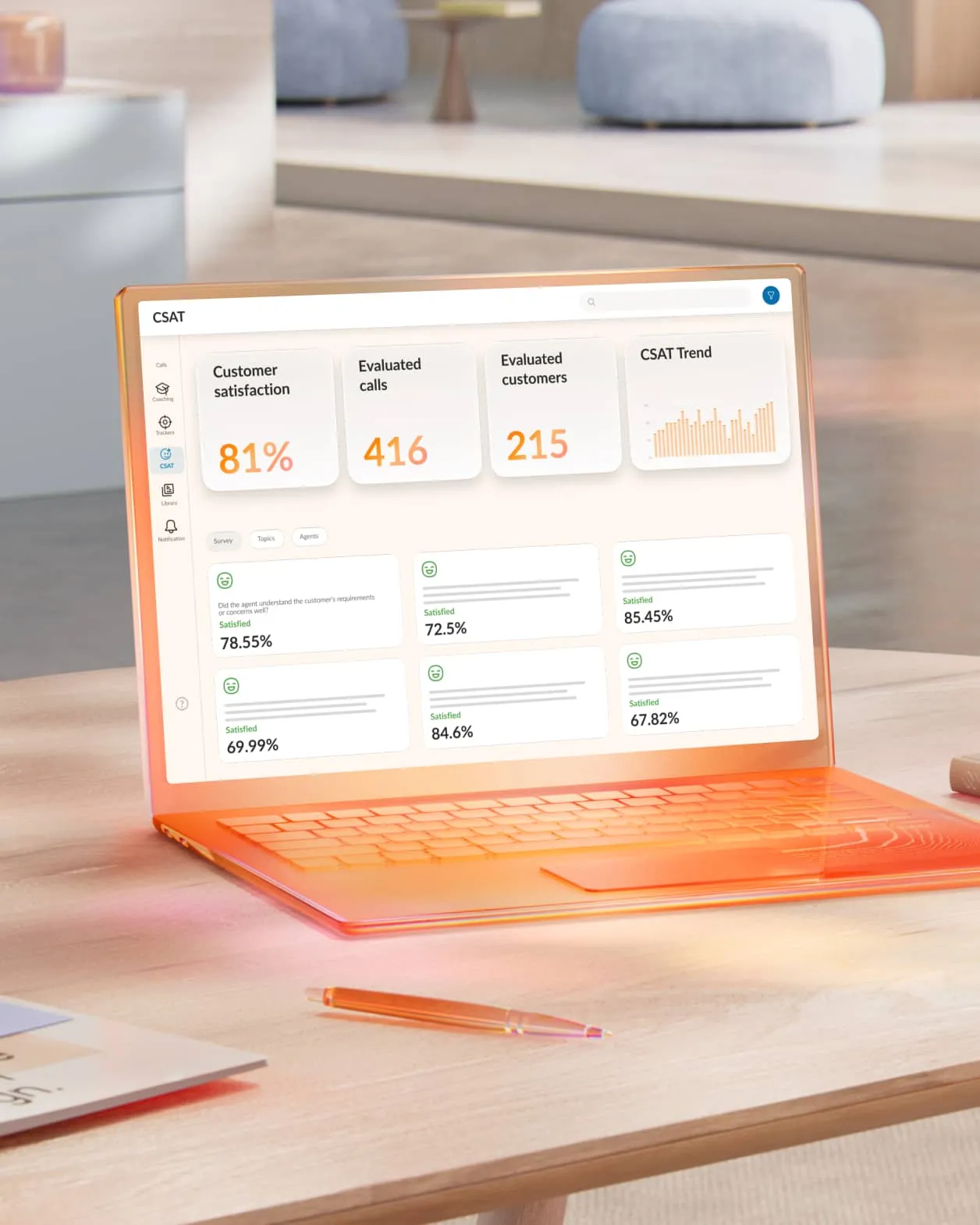
RingCX embeds automation in the core workflow rather than adding it as an afterthought.
- AVA Agent Assist surfaces relevant knowledge and suggests responses during live interactions, reducing the time agents spend searching for information mid-call. It also generates interaction summaries and captures key decisions automatically to eliminate manual post-call documentation.
- AVA Supervisor Assist monitors live interactions in real time, surfacing performance trends and delivering coaching insights as conversations unfold—without requiring supervisors to carve out time to review a call sample separately.
- AI Quality Management automates QA scoring and compliance monitoring across every interaction.
- AI Interaction Analytics helps teams optimize customer experiences by automating CSAT data collection and analyzing it for trends, issues, and opportunities.
- AI Workforce Management helps contact center managers optimize operations by using AI-driven forecasting to ensure the right mix of available agents, giving agents more control over their own schedules to improve satisfaction and reduce turnover, and tracking real-time adherence and interaction volume to maintain service-level targets.
Every feature runs through a single omnichannel workspace. Agents manage voice, chat, SMS, email, and social from one interface, and automation applies consistently across every channel.
Start with the right workflows, then scale
Teams generating consistent ROI from contact center automation aren’t the ones that deployed the most features. They identified their highest-friction workflows, automated those first, measured the impact, and expanded from there.
Automation matched to a real operational problem produces measurable results. Automation deployed without that alignment produces complexity. The difference comes down to pre-deployment work: the workflow audit, integration planning, and KPI baselines that define what “working” looks like before go-live.
For organizations evaluating where automation fits in a broader contact center modernization strategy, enterprise contact center strategies that scale cover how enterprise teams are approaching platform consolidation, AI deployment, and operational resilience.
To see how RingCX handles contact center automation in practice, request a personalized demo.
FAQs about contact center automation
What is RPA in contact centers?
Robotic process automation (RPA) replicates the rule-based tasks a human agent would perform on a computer, such as entering data, updating records, or processing forms, by following defined scripts rather than making judgment calls. It handles structured, predictable tasks, not variable ones.
RPA is most effective for backend processes where the steps are consistent and the decision logic is fixed: CRM updates, compliance reporting, post-call data entry.
How is contact center automation different from call center automation?
Call center automation covers voice interactions only. Contact center automation spans all customer interaction channels, like voice, chat, email, SMS, and social media, managed within a single omnichannel operation.
For organizations running multi-channel customer service, call center automation is a subset of the broader operational framework. The distinction matters when evaluating platforms: a solution built for call center automation may not support digital channel workflows or the unified omnichannel data that contact center operations require.
What KPIs should I track for contact center automation?
Track first-contact resolution (FCR), average handle time (AHT), after-call work time (ACW), and customer satisfaction score (CSAT) together, before and after deployment, with comparison points at 30, 60, and 90 days.
Automation can improve handle time while inadvertently degrading resolution quality. Tracking CSAT alongside AHT catches that imbalance before it shows up in retention data.
How do I know which contact center automation to deploy first?
Start by auditing your interaction log by volume and complexity. The highest-ROI starting points are interaction types that are high in volume and low in complexity:
- FAQ responses
- Routine transaction processing
- After-call documentation
For most mid-market and enterprise teams, after-call work automation and intelligent routing deliver the fastest measurable returns and build the strongest internal business case for broader rollout.
Originally published Jun 11, 2026