AI Communications










Microsoft Teams became widely adopted at a moment when organizations needed a collaboration tool immediately. It was implemented quickly, adopted easily, and embedded into daily routines. Over time, familiarity turned into standardization.
Today, Teams works well enough for internal communication. Messaging with colleagues. Joining video meetings. For many organizations, that part is settled.
What is not settled is everything else.
As companies look to layer more of their communications stack on top of Teams, they face a tradeoff. They want to avoid the disruption of moving to a new system, but customer-facing interactions require capabilities beyond what Teams provides out of the box.
External calling, SMS, call queues, AI-powered call handling and responses, and visibility into what is happening require more than internal collaboration tools.
That tradeoff is why many Teams-first organizations run informal contact centers shaped by convenience, not design, held together by disconnected tools and manual work.
How can we manage customer engagement without leaving Microsoft Teams?
With RingCentral for Microsoft Teams, organizations can keep Teams as their primary workspace while adding purpose-built customer engagement capabilities where they are needed most.
It starts with calling.
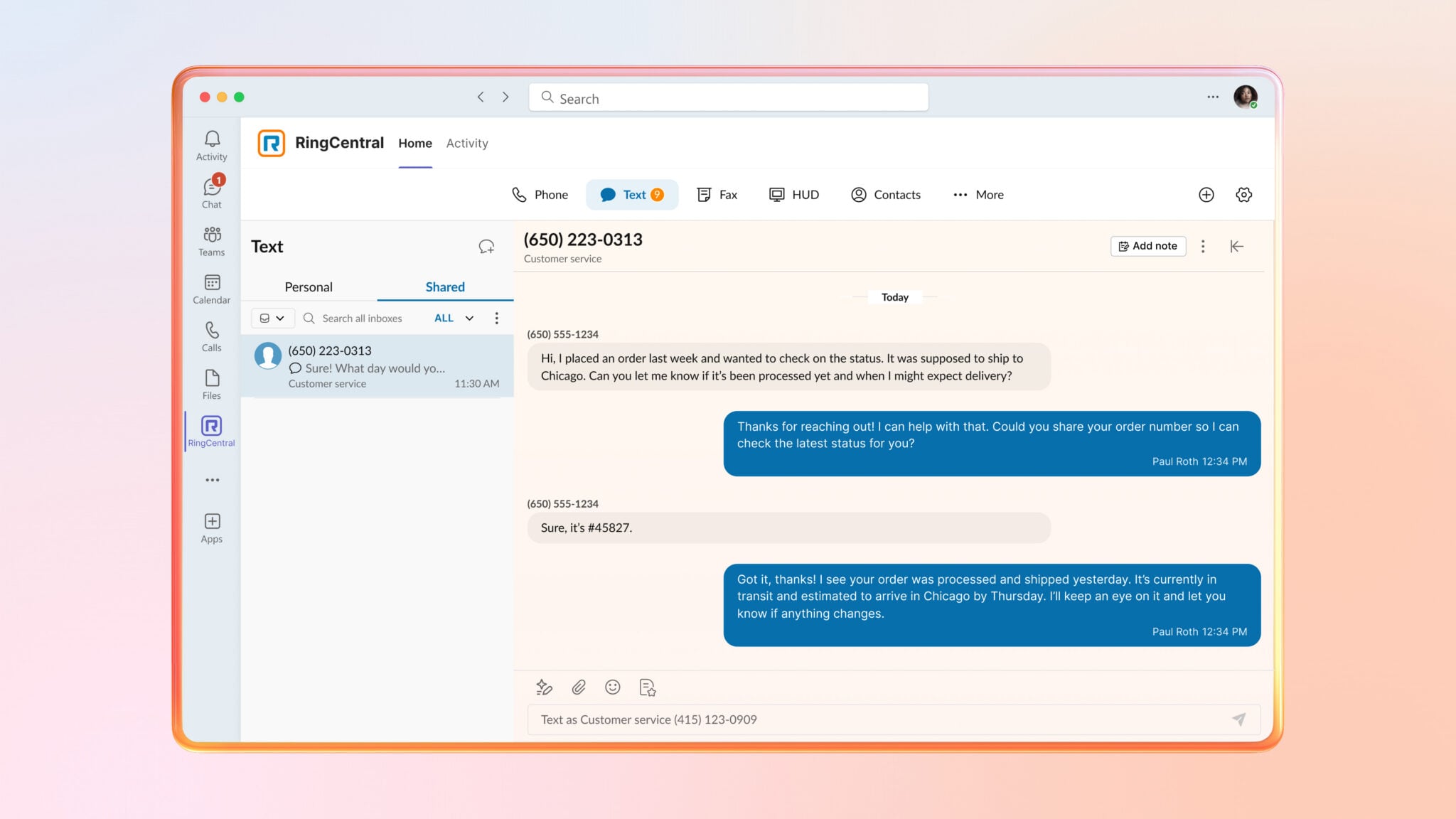
RingCentral powers calling inside Teams with its enterprise-grade cloud PBX, backed by a 99.999% reliability SLA. Teams users can make and receive external business calls with the confidence that customers can always get through. Integrated SMS extends engagement beyond voice, allowing teams to text customers from the same environment where they already work.
From there, organizations can add AI Receptionist (AIR)as the front door to their informal contact center.
AI Receptionist answers incoming calls, routes callers to the right team or queue, responds to common questions, and can even book appointments automatically. This creates a consistent, always-on customer experience without adding headcount or complexity.
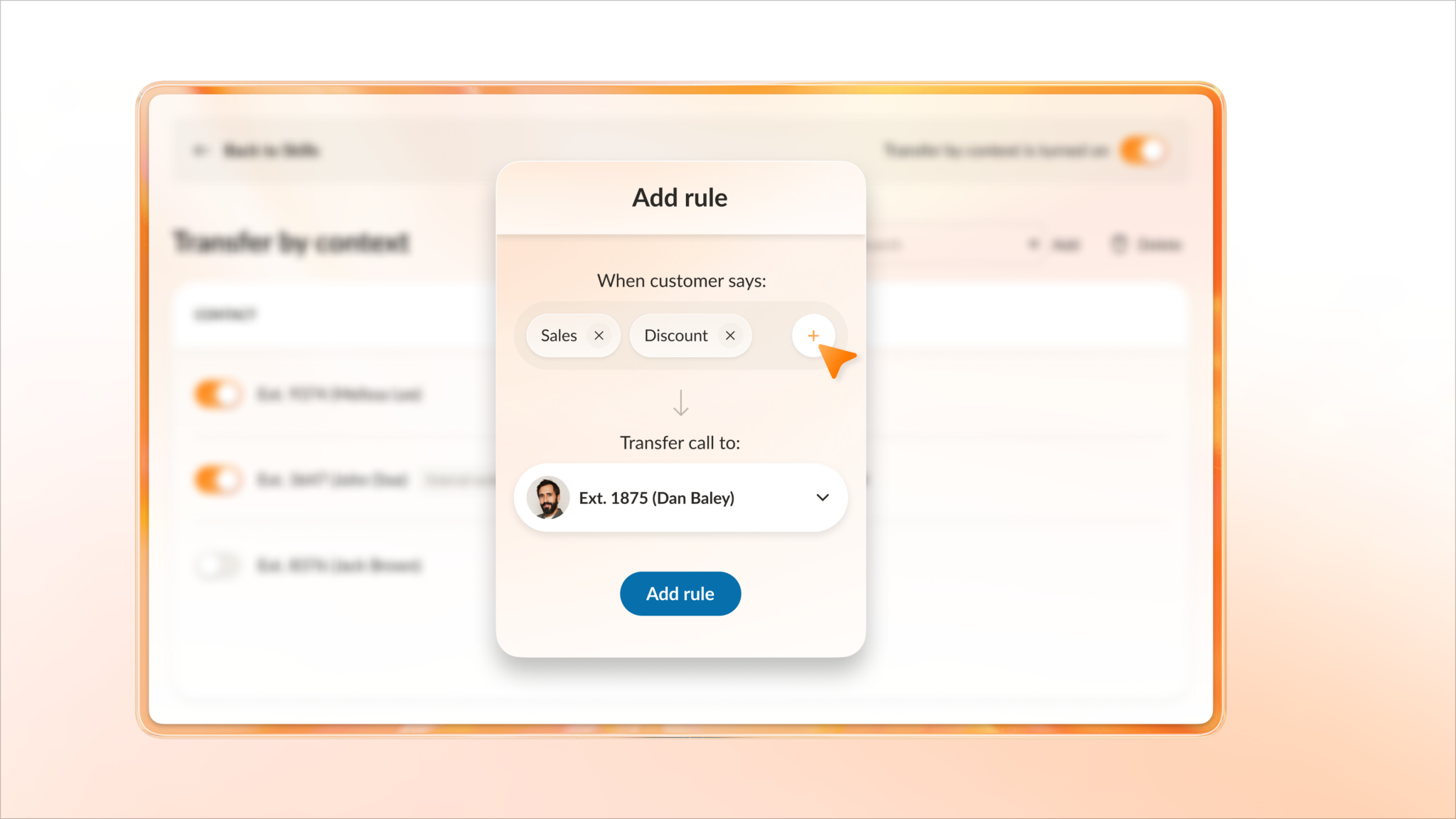
When a caller does need to speak with a person, the experience matters. That is where the Customer Engagement Bundle for Microsoft Teams comes in.
Now generally available: Customer Engagement Bundle for Microsoft Teams
Customer Engagement Bundle for Teams is now generally available, equipping organizations with the tools to deliver a more professional, contact-center-like experience without leaving the platform they use every day.
That experience shows up in three critical areas: how customers are supported, how teams respond, and how performance is managed.
Callers receive clear, helpful updates with estimated wait times and announcements of their place in the queue. If they prefer not to wait on hold, they can request a callback and keep their spot in line. These simple improvements reduce frustration and abandoned calls while setting clear expectations from the start.
Customers can also engage via SMS. Messages sent to call queues land in a shared SMS inbox, allowing any available team member to respond. This keeps conversations moving and ensures no message is missed, even during busy periods.
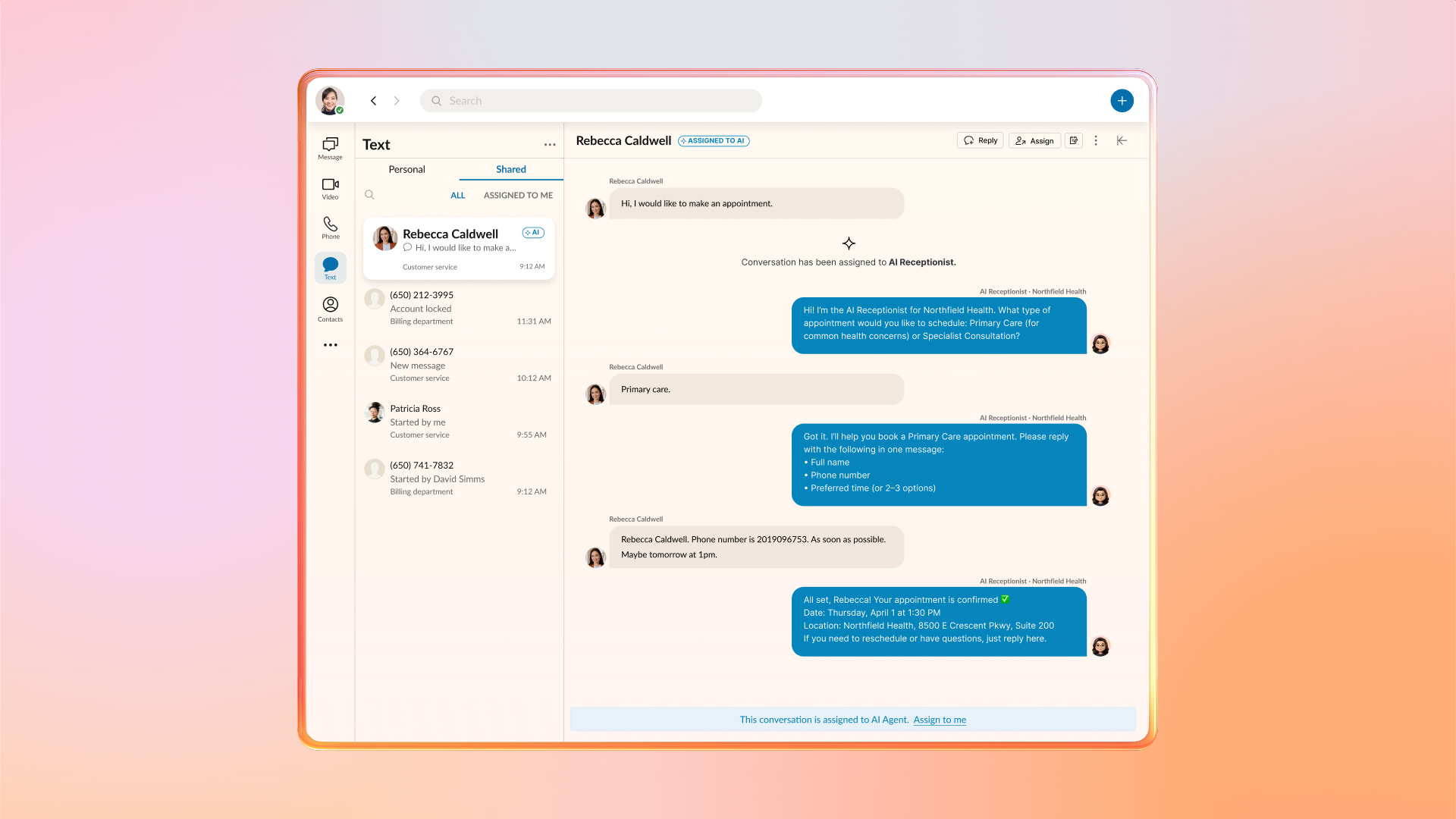
AI Receptionist can also respond to inbound SMS, handling common questions and requests automatically. This helps resolve issues faster, reduces team workload, and keeps conversations moving without delay.
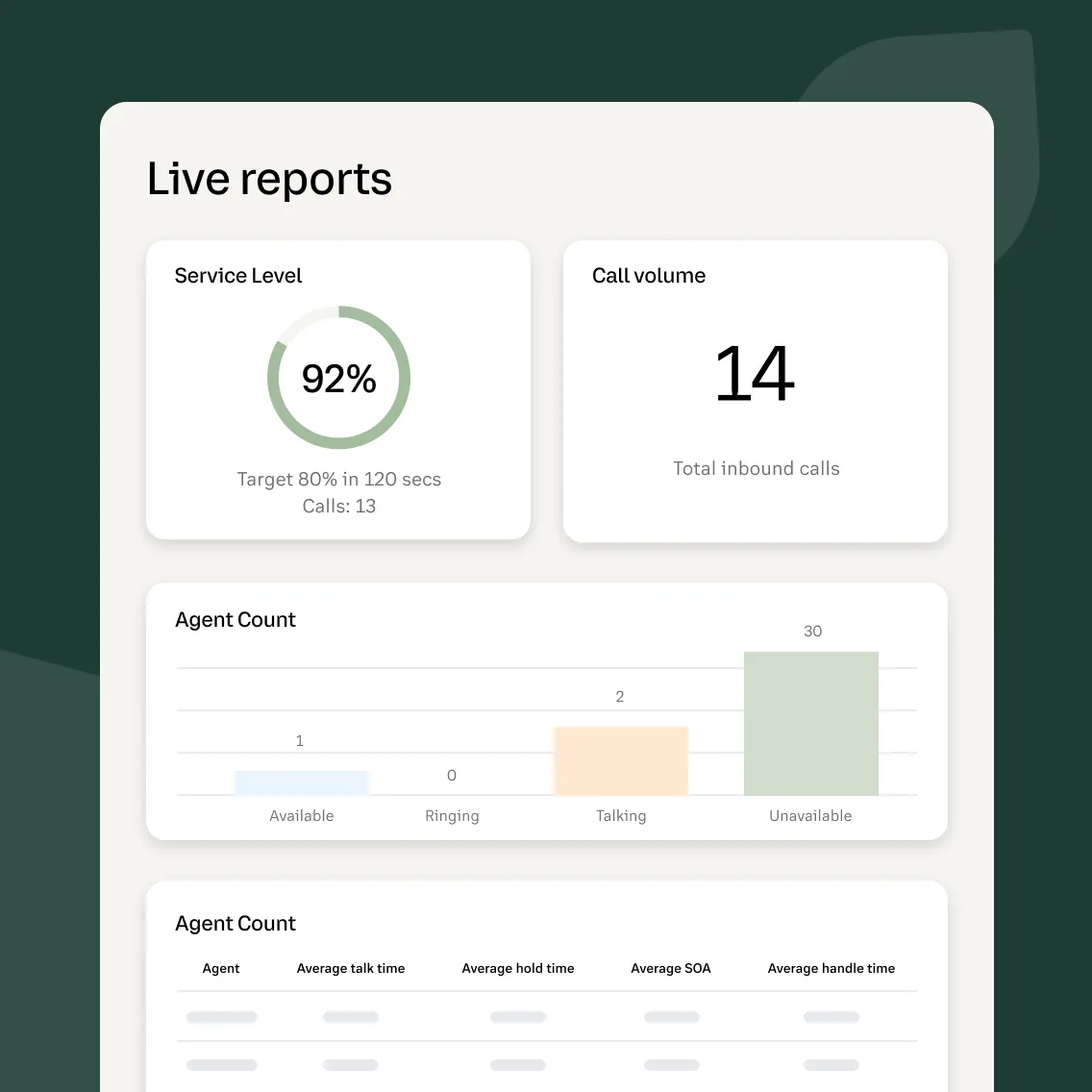
For managers, visibility is just as important as experience. Live Reports provides real-time insight into queue activity, call volumes, wait times, and team performance, all without requiring a full contact center deployment.
And every interaction becomes more valuable with AI Conversation Expert (ACE).
Insights and coaching powered by AI
AI Conversation Expert evaluates voice interactions that flow through RingCentral’s Teams integrations. It helps organizations identify trends, surface customer insights, and understand what is happening across conversations at scale.
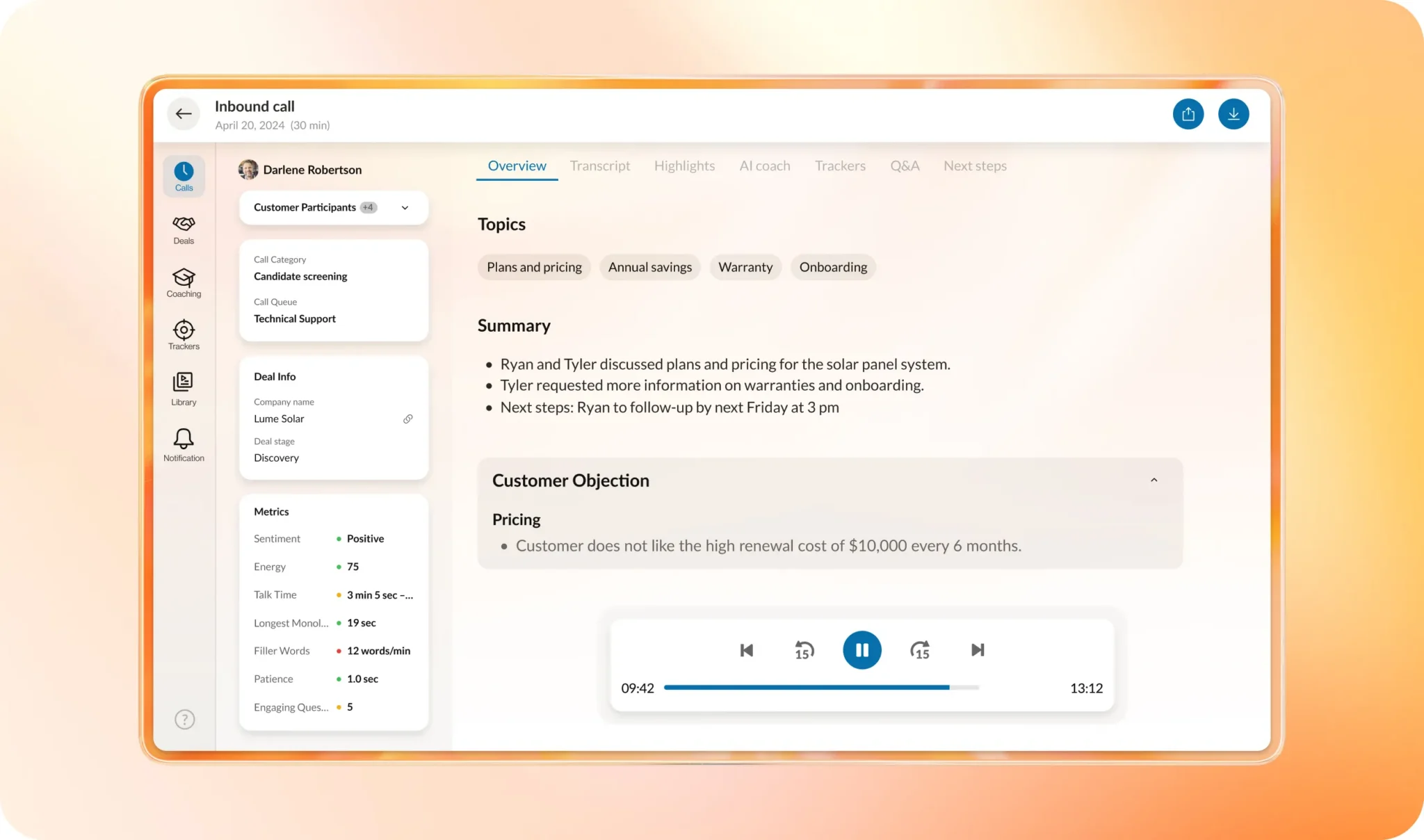
Managers and team leads can use these insights to improve service quality, uncover common issues, and provide personalized coaching based on real conversations, not guesswork.
The result is an informal contact center that continuously improves, even as teams grow and customer expectations evolve.
Meet customers where you already work
For organizations standardized on Microsoft Teams, the message is simple. You do not need to abandon Teams to deliver better customer engagement.
With RingCentral, Teams becomes more than an internal collaboration tool. It becomes a hub for voice, SMS, intelligent call handling, queue management, and AI-powered insights, all working together to support customers and teams alike.
The Customer Engagement Bundle for Teams brings these capabilities together in a way that is easy to deploy, easy to manage, and designed for how modern teams work.
Learn more about RingCentral for Microsoft Teams.
Frequently asked questions
What is the Customer Engagement Bundle for Microsoft Teams?
The Customer Engagement Bundle is a solution that equips Teams-centric organizations with professional, contact-center-like tools directly within their existing workspace. It transforms Microsoft Teams from an internal collaboration tool into a comprehensive hub for external voice, SMS, intelligent call handling, and AI-powered insights.
What level of call reliability does RingCentral guarantee inside Teams?
RingCentral powers calling inside Microsoft Teams with an enterprise-grade cloud PBX. This service is backed by a 99.999% reliability SLA, providing organizations with the confidence that customers can always get through.
How does the Customer Engagement Bundle reduce abandoned calls in queues?
The bundle reduces caller frustration and abandonment by providing a more transparent and flexible queue experience. Key features include:
- Queue Updates: Callers receive clear announcements regarding their place in line and estimated wait times.
- Callback Requests: If customers prefer not to wait on hold, they can request a callback while maintaining their original spot in the queue.
Does the Customer Engagement Bundle require a full Contact Center deployment?
No, it does not. The bundle is specifically designed for organizations running “informal contact centers” that need advanced visibility and engagement tools—such as Live Reports for real-time performance tracking—without the complexity or cost of a full contact center deployment.
Can the Customer Engagement Bundle handle both voice and SMS customer interactions?
Yes. The bundle supports integrated business calling and SMS within the Teams environment. This includes a shared SMS inbox for queue-based messaging and the AI Receptionist (AIR), which can automatically respond to inbound SMS requests to resolve issues faster.
Originally published May 13, 2026