AI Communications





How to automate the repetitive parts of customer engagement without making the experience feel automated.
Every growing support or service team eventually faces the same constraints. Routing tickets, sending status updates, answering repeating questions, and following up all grow with volume, and the usual fix is to add headcount. That works until the budget runs out or the hiring freeze begins.
Customer engagement automation is how teams handle more conversations without staffing for every one of them, and it’s moved from a nice-to-have to a core part of how modern contact centers run.
This guide covers what engagement automation is, where it pays off, where it backfires, and how to roll it out so customers get faster answers instead of a worse experience. What follows moves from a working definition to a rollout plan you can act on immediately.
Key takeaways
- Engagement automation handles routine interactions so agents can focus on interactions that require human judgment.
- The payoff is consistency and speed across every channel.
- Self-service still resolves only a fraction of issues end to end.
- Automation fails when it hides the path to a human.
- Start with high-volume, low-complexity, low-risk interactions.
What is customer engagement automation?
Customer engagement automation is the use of software to handle routine customer interactions, such as routing, self-service answers, proactive updates, and agent assistance, without a person doing each step manually. It’s broader than a scripted chatbot and narrower than marketing automation.
Marketing automation nurtures leads toward a purchase, while engagement automation handles the service and support conversations, including those that happen after someone becomes a customer. The distinction matters for how you measure it. Marketing automation is judged on conversions and pipeline, while engagement automation is judged on whether a customer’s issue was resolved and how quickly.
Customer engagement automation also splits into reactive and proactive work:
- Reactive automation responds when a customer reaches out, routing the message or answering it.
- Proactive automation reaches out first, with a reminder, a status update, or a check-in, so the customer doesn’t have to start the conversation.
The strongest programs use both, and proactive outreach is often where the biggest reductions in inbound volume come from. The building blocks are consistent across tools:
- Automated routing sends each inquiry to the right AI virtual agent, queue, or human agent.
- Self-service answers common questions without an agent.
- Proactive notifications tell customers about order status, appointments, or outages before they ask.
- Agent-side assistance drafts replies and surfaces account context while a live conversation is happening.
Most teams start with one of these and expand, and automated customer service is often a natural next step.
Why teams automate customer engagement now
The pressure is economic, and the technology has matured to meet it. Gartner’s 2025 agentic AI forecast projects that by 2029, agentic AI will autonomously resolve 80% of common customer service issues without a person involved. Gartner ties that shift to a 30% drop in operational costs.
That’s a structural shift in who, or what, handles routine volume. Three forces push teams toward it at once: rising contact volumes, flat or shrinking service budgets, and customers who now expect an answer at any hour.
The counterweight matters just as much. A 2026 Deloitte survey found that 70% of customers who used self-service in the past year said it resolved their issue less than a third of the time. Automation that deflects without resolving pushes the customer back into a queue, often more frustrated than when they started.
The lesson is to automate the interactions that automation can actually finish, and to measure resolution rather than deflection. The teams that get the most from it treat automation as a way to improve the baseline for routine work, which frees experienced agents for the conversations that need judgment.
Where customer engagement automation pays off
The highest-value automations are the high-volume, low-judgment interactions that agents handle repeatedly. Four earn their keep first.
- Routing and triage: Classify each inquiry and send it to the right queue, so customers skip the transfer chain and agents get work they’re equipped to handle.
- 24/7 self-service: Resolve routine questions, such as order status, password resets, and business hours, without staffing an overnight shift.
- Proactive outreach: Send reminders, confirmations, and outage notices before the customer has to contact you, which can eliminate the need for the call.
- Agent assist: Provide suggested responses and real-time guidance during a live conversation, so the agent spends time deciding instead of searching.
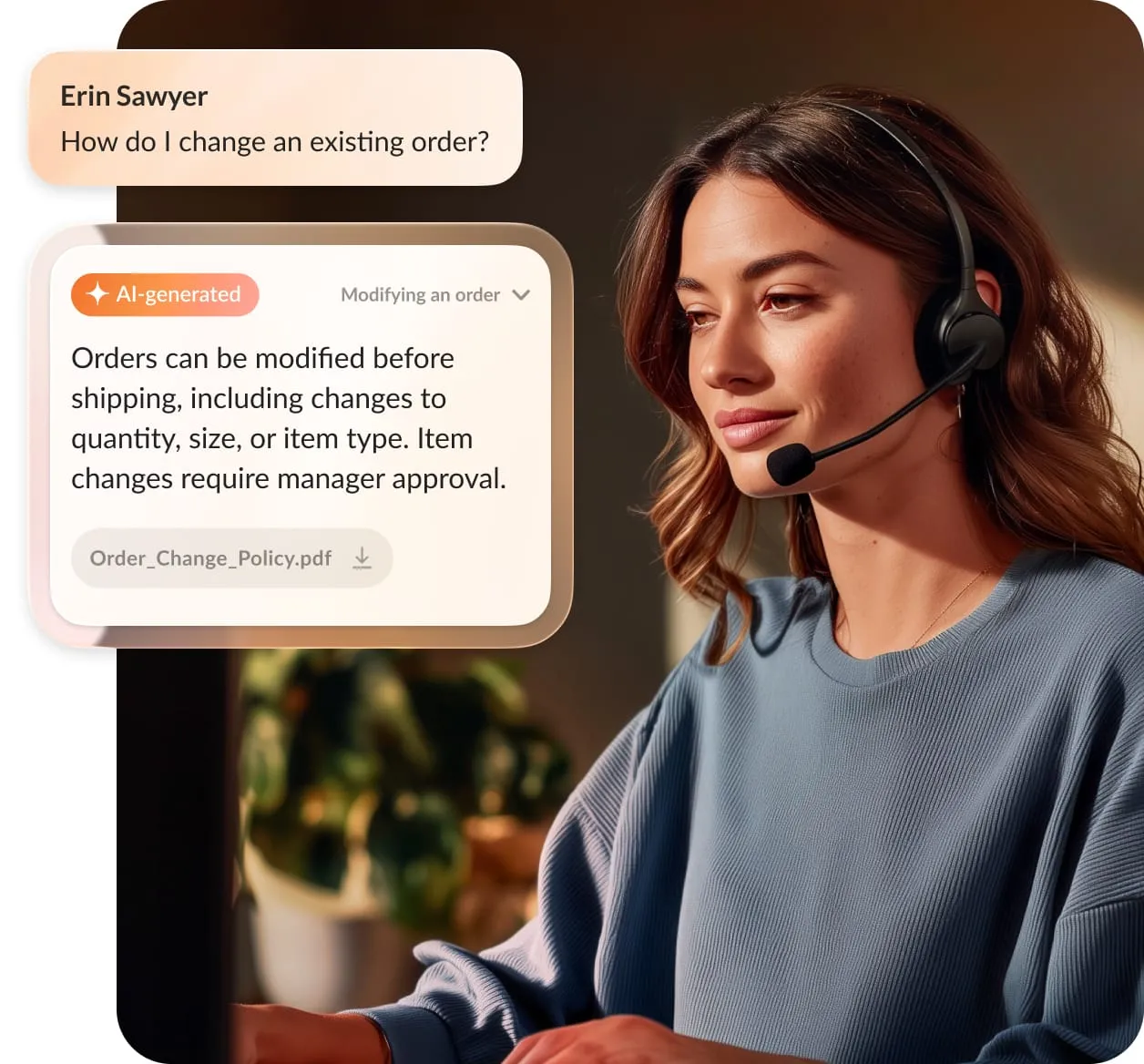
Sequence the work by effort and expected return, starting from your own interaction data rather than a fixed one. Most teams have two sensible entry points. One is routing and self-service for routine, high-volume contacts, where an AI-powered interactive voice response (IVR) system automates the first step of most inbound calls. The other is agent assist, which is internal-facing and often lower-risk, and can go live quickly once your knowledge base is connected.
Proactive outreach is a strong next step, since removing a reason to call is worth more than handling the call well. Whichever you start with, measure resolution instead of deflection, then expand to the next interaction type.
Where automation backfires, and how to avoid it
Automation fails when it’s pointed at the wrong interactions and traps the customer there. A refund dispute or a billing error needs a person, and a bot that loops the customer through menus without an exit is worse than no automation at all. Three guardrails keep that from happening.
- Keep an obvious path to a human: Automated flows should offer a visible, one-step way to reach an agent. Hiding it to protect deflection rates costs you the customer.
- Automate by interaction type, not by channel: Decide what to automate based on how routine the request is, not whether it came in by chat or voice. A complex question is complex in any channel.
- Measure more than containment rate. To get a clear view of how your automation is performing, hold AI agents to the same rubric as human agents. Containment rate tells you if the call was fully handled, but not how well it performed.
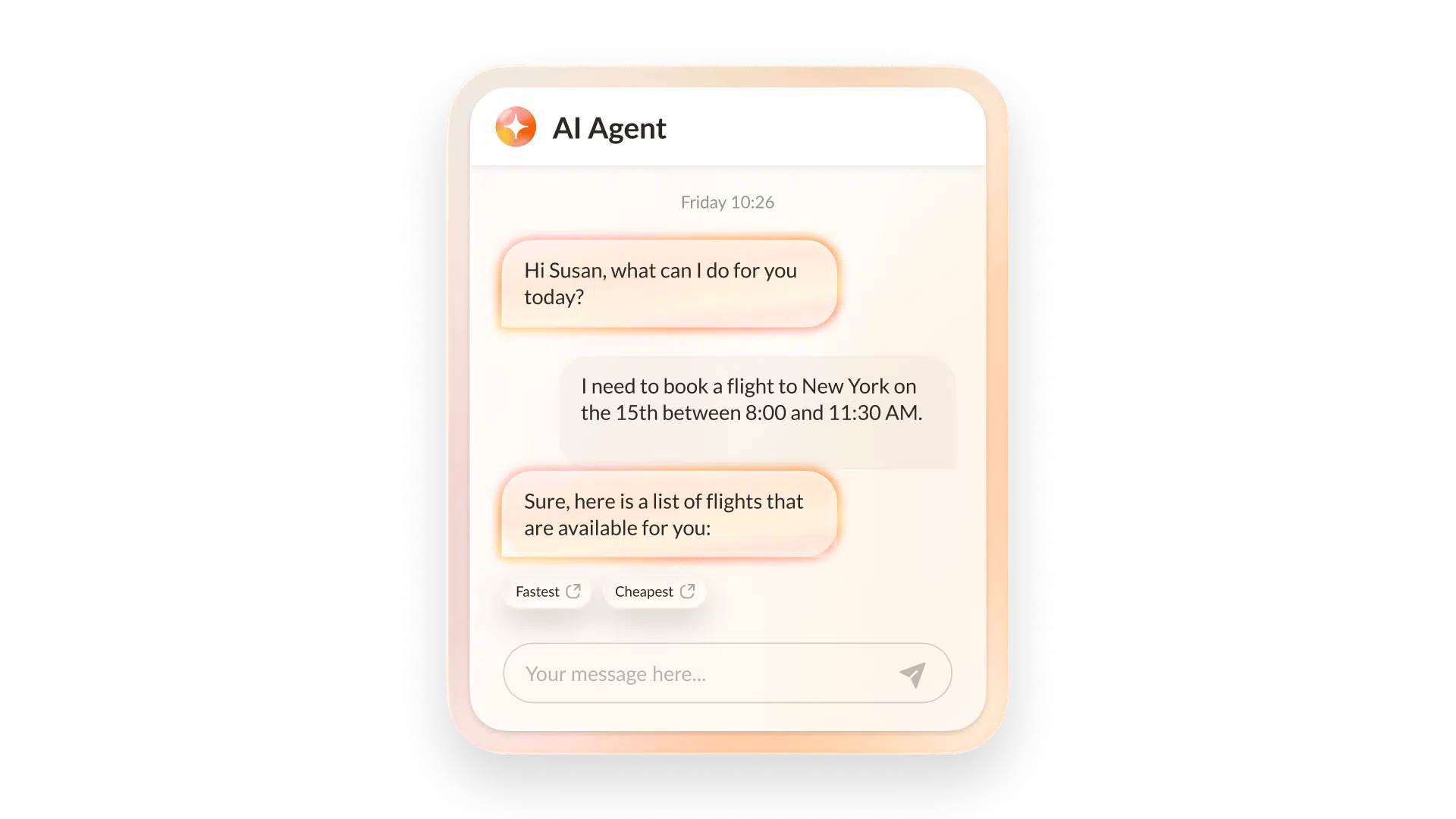
The pattern across all three guardrails is the same: automation should remove effort for the customer, not move it onto them. When a flow starts protecting your deflection rate instead of solving the problem, it’s pointed the wrong way.
How to personalize engagement automation so it doesn’t feel automated
Personalization comes from context and timing, not from dropping a first name into a template. An automated message feels human when it reflects what the customer is doing, and robotic when it ignores it. The difference is what the system knows and when it acts. Three practices close that gap.
Personalize from context, not a merge field
Start with the signals you already hold, because relevant data matters more than a personalized greeting. Draw on account history, the prior issue, the channel the customer chose, and where they are in their journey, then shape the response around those facts instead of sending everyone the same flow.
Trigger messages off what the customer just did: an unresolved ticket, a second ticket on the same issue, or a renewal date two weeks out, rather than off a fixed calendar. A message that lands while the customer is in the moment reads as attention. The same message sent on a schedule reads as a mass communication.
Segment by intent and lifecycle stage
Route customers to different automations based on why they’re reaching out and how long they’ve been with you. A first-time buyer and a renewing enterprise account can ask the same question and need different answers, so a single flow underserves both.
Map your three or four highest-volume intents first, pair each with the lifecycle stages that behave differently, and build the branches that matter before chasing edge cases. Segmentation at this level is where automation stops feeling generic, because the customer gets the version written for their situation.
Disclose the assistant and keep a person one step away
Disclosure builds trust, so tell customers up front when they’re talking to an assistant and make reaching a person a single step. A few practices keep that handoff clean:
- Disclose the assistant plainly, so no one feels misled into thinking a bot is a person
- Keep the tone conversational
- Set a clear escalation trigger so the handoff happens before frustration builds, such as after two failed attempts or a drop in sentiment
- Pass the full context to the agent so the customer doesn’t have to start over
That honesty, paired with an easy exit, reads as respect rather than evasion.
Done well, the automation is disclosed but never feels like a dead end. Customers don’t feel processed, and they notice most when the answer fits their situation.
How RingCentral automates customer engagement
Most teams want to automate routine engagement without fragmenting the experience across disconnected tools, where the chatbot doesn’t know what the IVR already asked. Keeping automation and live agents on one platform helps prevent customers from repeating themselves.
Keep self-service and live agents on one system
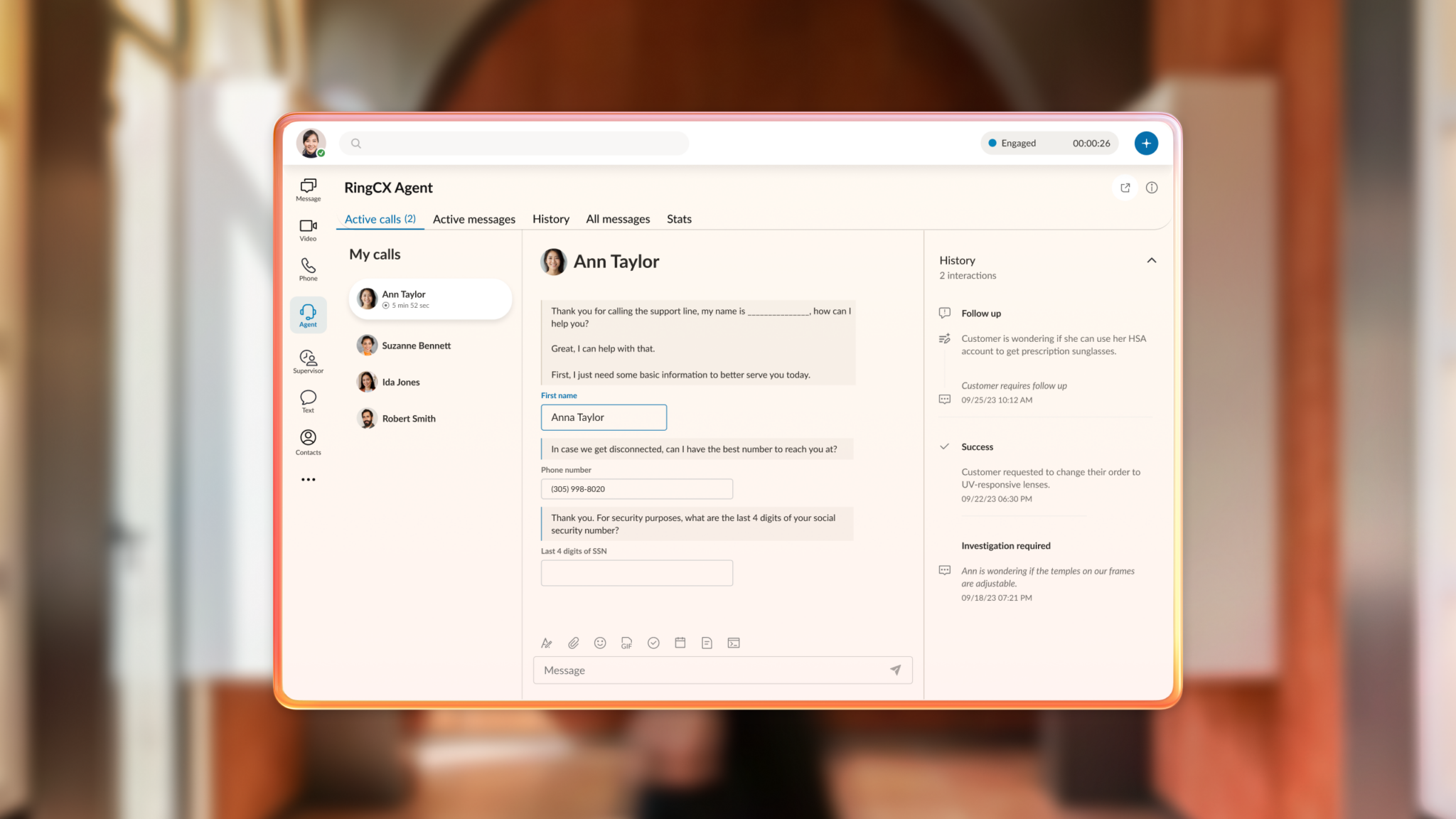
Context survives the handoff when self-service and live support run on the same platform. RingCX resolves routine requests through its intelligent virtual agent and routes requests it can’t resolve to the right agent by intent, across voice, chat, SMS, email, and social channels in one workspace.
Because self-service and live support share the same system, the account details and interaction history travel with the customer into the agent conversation instead of resetting at the handoff.
Extend the assist into the live conversation
Automation shouldn’t stop the moment a human picks up. When a conversation reaches an agent, AVA Agent Assist works in real-time, surfacing relevant knowledge and suggesting next steps so the agent resolves faster.
The support that started in self-service continues through the live interaction, which is how quality holds as volume grows.
Measure automation from one source, not three dashboards
Put self-service, routing, and agent assist on one platform and you get a single view of whether automation is resolving issues.
RingCX analytics puts AI agents in the same dashboard as humans, with first contact resolution, transfers to a human agent, and handle time, among other metrics, so automation is measured on the same terms as the team.
AI Quality Management scores AI agent interactions against the same scorecards as human agents and AI Interaction Analytics show customer sentiment, surfacing CSAT, across both AI-handles and human-handled conversations. That gives a supervisor one place to see where automation holds up and where it hands off too early, then adjust the flows.
Build an automation plan that compounds
Start narrow and prove it before you scale. Pick one high-volume, low-complexity interaction, such as order-status questions, automate it end to end, and measure whether it actually resolves the issue.
Once it performs reliably, expand to the next interaction type. Automation compounds when each win frees agent time for the next project, and it stalls when a team tries to automate everything at once.
Treat the first automation as a template. Record what you automated, how you measured it, and what you’d change, so the next projects start from a tested pattern instead of starting from scratch. Fit the rollout into your broader customer engagement strategies so the automation serves the relationship instead of just cutting costs.
Mapping your highest-volume interactions is the practical first step. See how the RingCX platform automates engagement across self-service, agent assist, and analytics in one place..
FAQs about customer engagement automation
What is the best customer engagement software?
The right software depends on your channel mix and whether your priority is service or marketing-led engagement. Service-focused teams need routing, self-service, and agent assist in one place across voice and digital channels. Marketing-led teams weigh campaign and lifecycle tools more heavily. Evaluate candidates on whether they resolve issues end to end, not on feature counts. The tool that quietly closes the most routine conversations is usually worth more than the one with the longest feature list.
What are some examples of customer engagement strategies?
Common strategies include proactive outreach that reaches customers before they have to ask, omnichannel support that lets a conversation move between channels without restarting, personalized follow-ups based on account history, and self-service options for routine questions. Automation makes each of these repeatable at scale instead of dependent on an agent remembering to do it. The through-line across all of them is reducing the effort a customer spends to get an answer.
What are examples of CX tools?
For engagement automation specifically, the CX tools that do the work are the ones that can act on an interaction:
- An intelligent virtual agent for self-service
- Routing and IVR for triage
- Agent-assist software for live conversations
- Conversation analytics to measure whether any of it resolved the issue
A customer relationship management (CRM) platform sits underneath as the context source. The distinction that matters here is whether a tool just records the interaction or actually moves it forward.
Originally published Nov 23, 2026