AI Communications









Your AI agent answers a third of your calls. Your CFO asks how it’s doing. Your report says “contained.” That only means the call ended. It doesn’t say whether the customer got what they needed or hung up and called a competitor.
AI now handles a growing share of business calls. Most companies can tell whether their AI agent finished a call. Few can tell whether it handled the call well. AI Conversation Expert (ACE) closes that gap. It analyzes AI calls the same way it analyzes human ones, with the same scorecards, trackers, and coaching criteria, so you can hold your AI agent to the standard you set for your best people.
That analysis also feeds your conversation memory. Every call, human or AI, adds to a running record of what your customers say and ask for. It’s how you catch a revenue opportunity or churn risk while there’s still time to act.
Only 24% of service leaders report positive financial returns on their AI spend (Gartner, Jul 8, 2026) and a bot that grades its own containment rate can’t show you where that return is hiding. Four new ACE capabilities fix that. They give you a memory of every conversation and one standard for grading every call, whoever handled it:
- Ask ACE: Ask your calls a question and get the recordings back as proof
- Customizable dashboards: Let each manager build the view they need
- AI call scoring and AI CSAT: See how your AI agent performs next to your team
- AI Recommendations: Write scorecard questions that measure what you meant
Context and memory: Ask any call anything
One call tells you very little. What a customer asked for three calls ago, and how they sounded each time the AI agent answered, is what turns a call into a signal. ACE keeps that context for you.
Every call is automatically scored, tagged for keytopics (such as competitors or pricing), and fully searchable with sentiment trends tracked over time. We refer to this continuous record as conversation memory.
Consider a sales manager on Monday. If three customers express pricing objections in a single week and one mentions a key competitor, conversation memory surfaces this pattern immediately rather than waiting for a quarterly review.The manager can equip the team with tailored objection handling before the next call occurs. Similarly, tracking declining sentiment across AI agent interactions allows teams to proactively address churn risks before losing accounts.
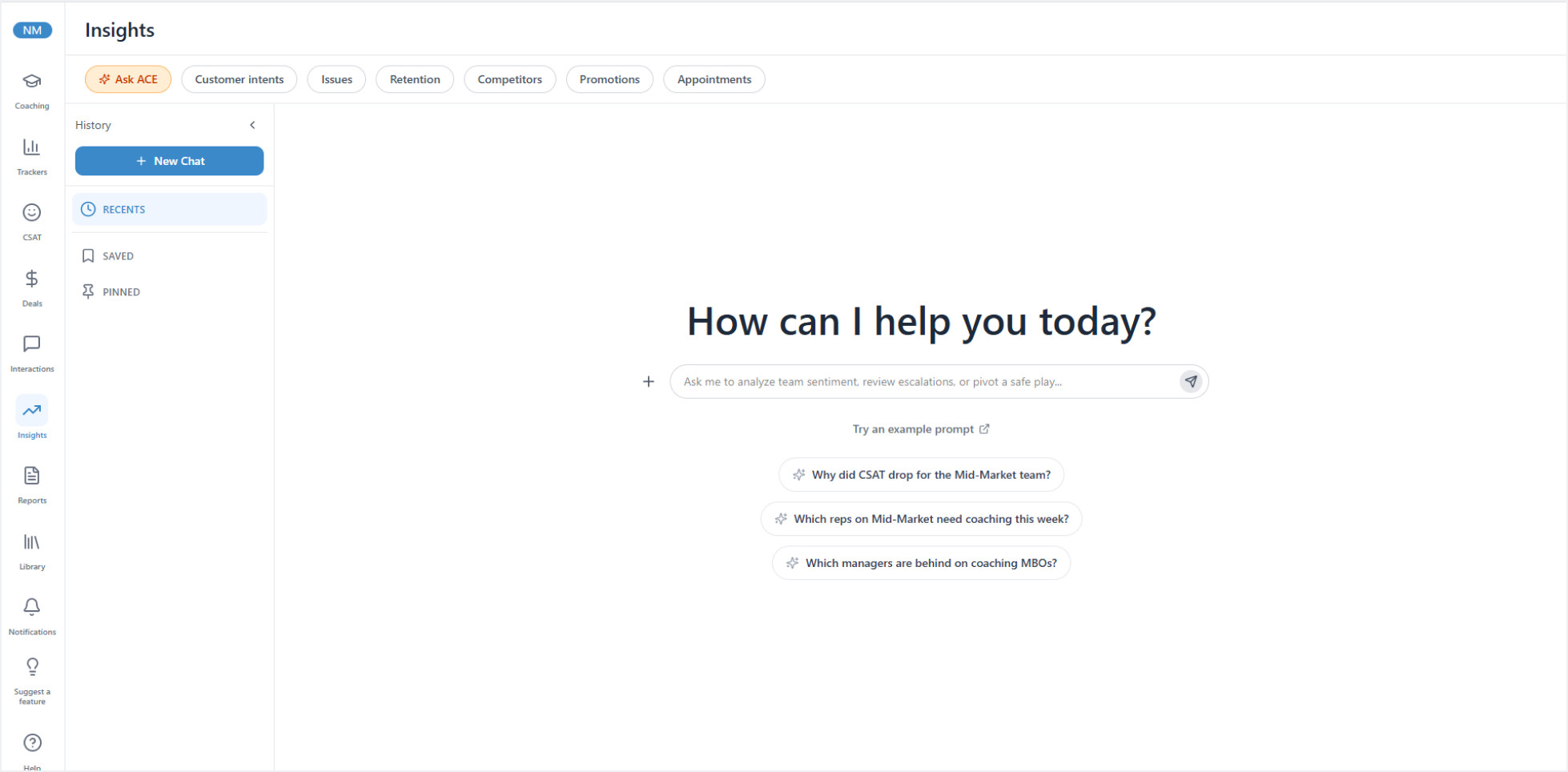
Ask ACE: Replace abstract phrases with real queries
Type a question the way you would ask a colleague. Ask ACE answers from your own call data and links the calls behind the answer, so you can check it before you act. For example:
- A sales manager asks, “Which reps had the lowest talk to listen ratio last week?”
- A quality manager asks, “Which users had the most escalations last month?”
- A team lead asks, “Is anything unusual happening in my team’s calls this week?”
Ask a follow-up and it builds on the last answer. Every answer shows what it was based on, such as the number of calls and the date range. Every conversation is saved, so a manager can start on pricing objections Monday and pick the thread up Friday. Nobody has to wait on an analyst or a report request.
Dashboards in minutes
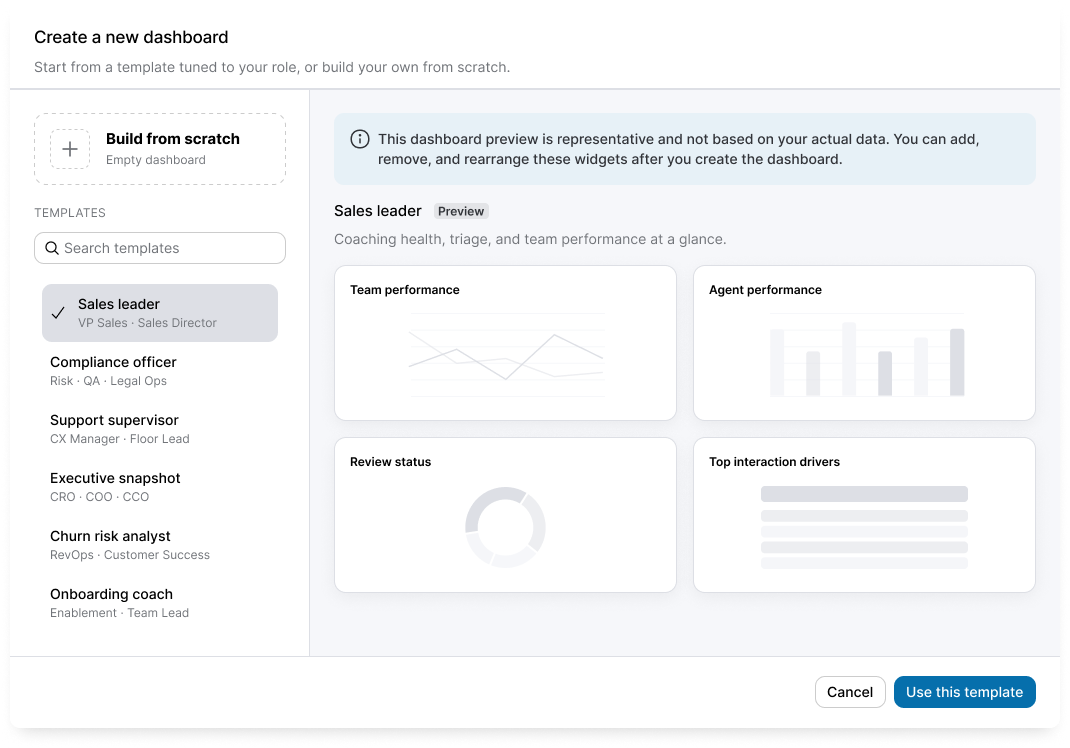
A QA manager wants escalations by team. A head of sales wants objections by rep. Context and Memory feeds both into your reports, and you no longer wait weeks for them. Start from a role-specific template, or drag KPI cards, trend charts, and data tables into your own layout. Schedule delivery daily, weekly, or monthly, and export it ready to present. Leaders get the view they need without filing a ticket.
A single scorecard to grade AI agents and humans
Scoring AI Receptionist and AIR Pro agent calls
Connect an AI Receptionist (AIR) or AIR Pro agent to ACE and every AI call gets the same treatment as a human call: scorecards, the Insights dashboard, trackers, PowerSkills, sentiment analysis, alerts, and the Engagement score. In a single view, you can benchmark AI-handled calls against your human team on the same criteria.
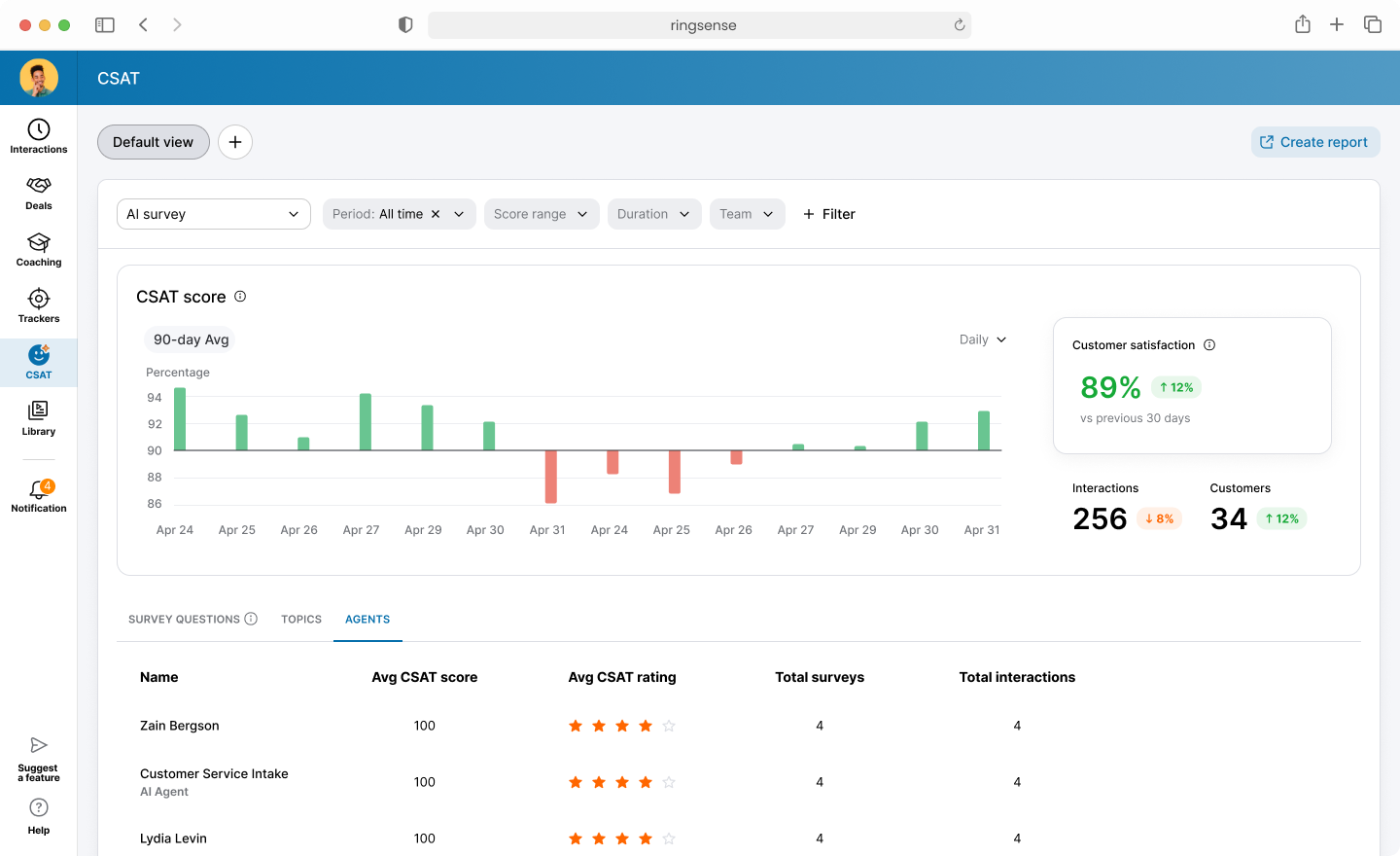
AI CSAT adds a CSAT score for AI-handled calls. ACE infers it by analyzing each conversation, so there is no post-call survey. A CX leader can read it to decide which call types the AI keeps and which go to a person. For example, the AI may handle password resets well but loses customers on billing disputes. The leader can send billing calls to a person and keep the AI on resets.
AI recommendations
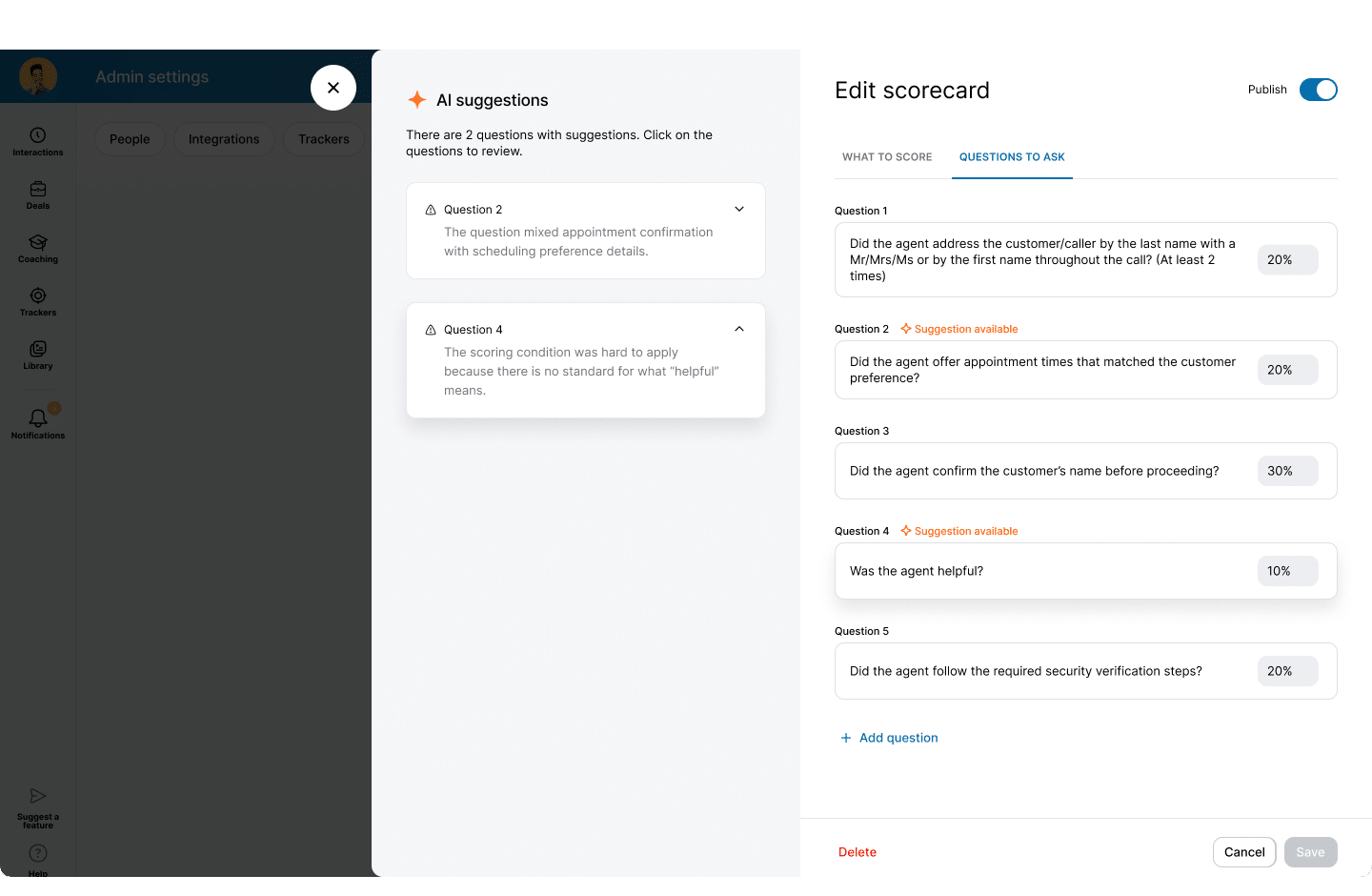
Grading is only as good as the criteria. A badly phrased scorecard question skews your data, and you often find out only after a full batch of results comes back. AI Recommendations suggests better phrasing and explains why the wording matters while you write a scorecard question or tracker, before you publish. Accept it in one click or keep your own wording. Better questions mean cleaner data and fewer scorecards to rewrite.
For example, “Was the agent helpful?” leaves every reviewer guessing. AI Recommendations suggests “Did the agent confirm the caller’s issue before offering a fix?” and explains that a specific behavior produces consistent scores.
Start with the calls you already have
If you run AI Receptionist or AIR Pro, point your existing scorecard at those calls and compare the AI’s CSAT with your team’s. Then ask ACE which call types the AI should keep and which should go to a person. Each week adds to a record of where your AI is paying off, and gives you something to show your CFO.
Availability
All four launch in Q4 with your ACE license. No new SKU, no migration. Scoring AI calls also requires an AI Receptionist or AIR Pro license. Ask ACE, customizable dashboards, and AI CSAT are in beta, available in North America and English only. AI Recommendations is generally available. ACE scores recorded calls, so confirm your call-recording consent requirements before you turn it on.
Originally published Nov 18, 2026