AI Communications









How to select and scale AI tools that reduce cost-to-serve, modernize customer conversations, and turn real-time intelligence into competitive advantage.
Leading organizations already use AI to answer calls, route customers, and make decisions. If you’re still relying on manual triage and static phone trees, you’re not just behind, you’re paying more to deliver less.
The gap isn’t about technology. It’s about strategy. Enterprise leaders who treat AI as a core operating capability instead of a side project can lower cost-to-serve, improve customer satisfaction, and free their teams to focus on high-value work. Those who wait will likely face higher operating costs and slower decision cycles.
Forward-thinking leaders focus on outcomes. The following 17 AI tools can provide the foundation you need to modernize communications, lower costs, and turn your strategy into a competitive advantage.
Key takeaways
- AI becomes a competitive advantage when embedded into core workflows
- Voice-first AI modernizes customer conversations and reduces cost-to-serve
- Focused pilots with clear KPIs accelerate enterprise-wide AI adoption
The best AI tools for business
These 17 AI tools can help you meet your organization’s demands for security, scalability, and integration while providing the actionable intelligence necessary for smarter customer communications.
AI tools for communication
1. RingCentral AI Receptionist for front-desk customer communication
RingCentral AI Receptionist (AIR) is a voice-first, agentic AI that answers and routes inbound calls. It uses natural language to understand caller intent, resolves common issues automatically, and connects callers to the right person or queue when a human is needed—all on top of RingCentral’s global cloud communications platform.
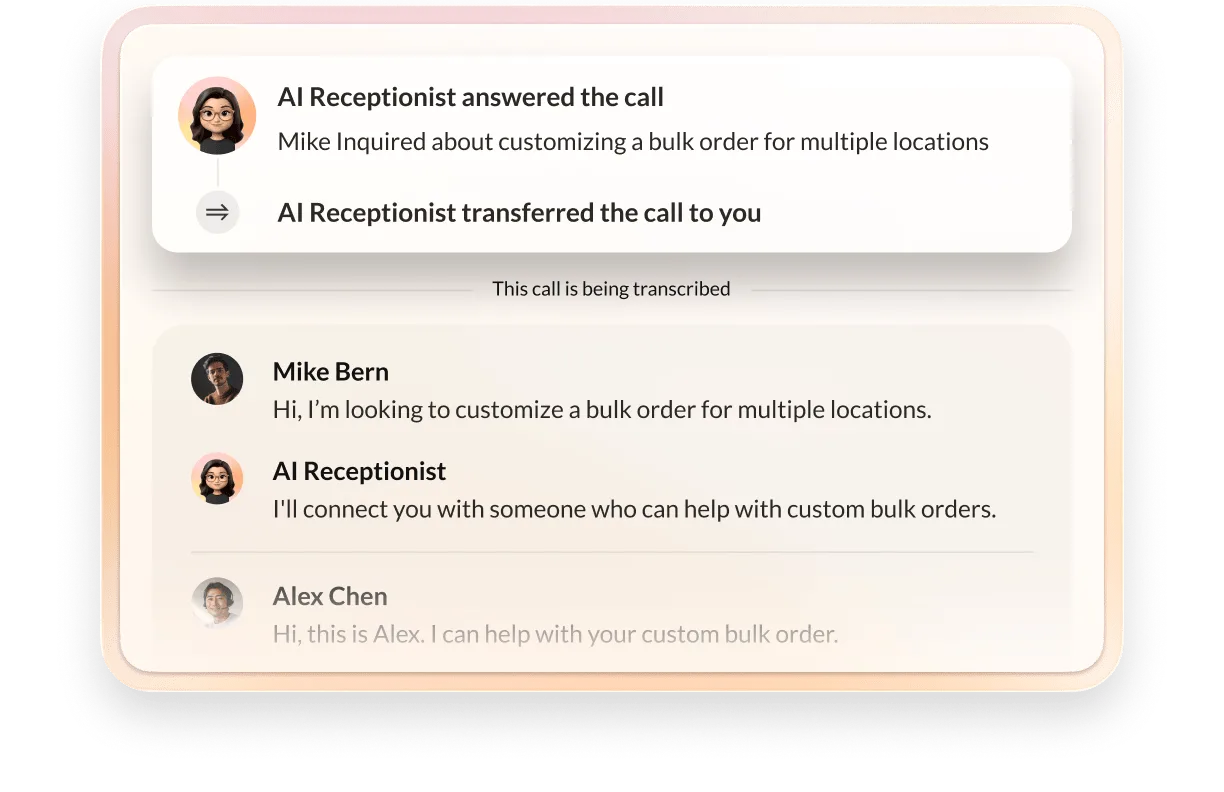
- Natural language call handling and routing: Callers speak naturally instead of navigating rigid touch-tone menus. AI Receptionist identifies intent and routes calls based on skills, departments, locations, or business rules, reducing misrouted calls and improving first-contact resolution.
- Business-aware knowledge: The AI uses your website content, frequently asked questions, and uploaded docs to answer routine questions without tying up live agents, including queries about hours, policies, or basic troubleshooting.

- Appointment and inquiry handling: AIR captures key details, initiates appointment workflows, and sends follow-up SMS confirmations to help clinics, professional services, and retail teams standardize front-desk interactions.
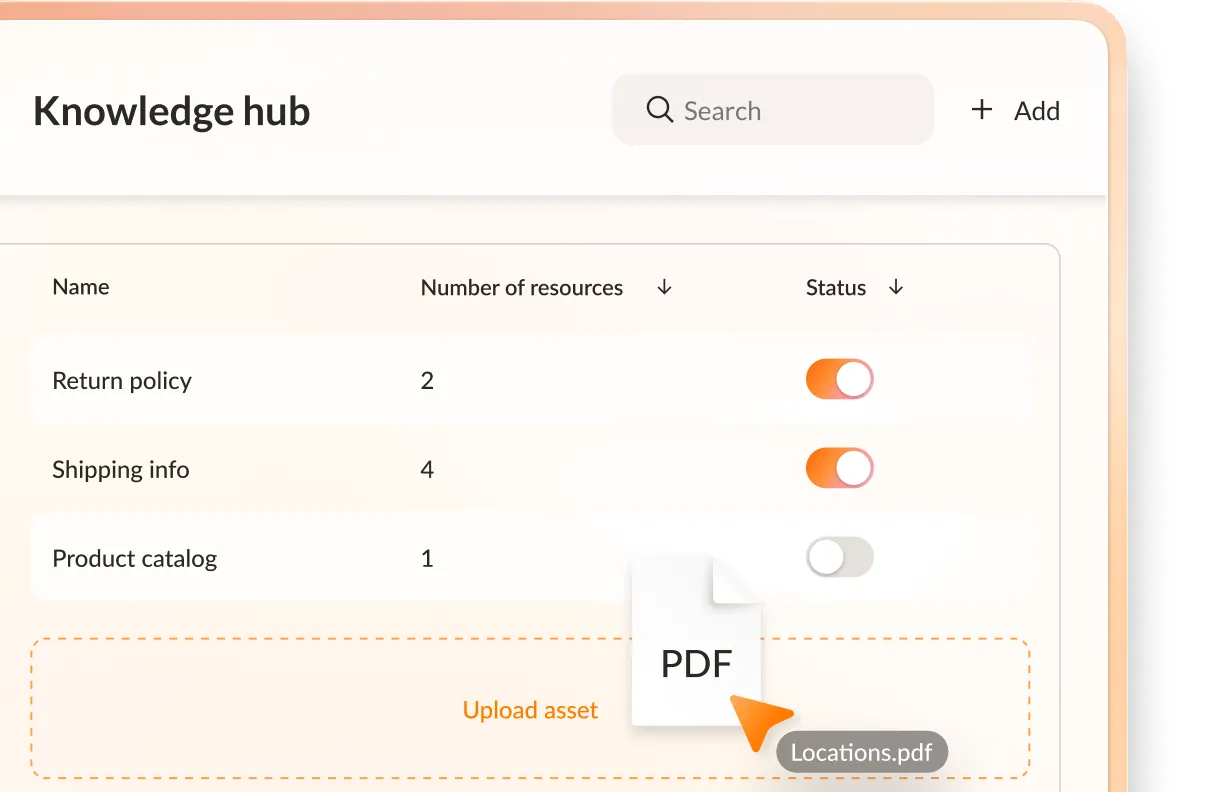
- Fast, no-code configuration: Admins can configure greetings, routing logic, and knowledge sources through a visual interface, letting operations and CX teams iterate on call flows without waiting on development resources.
- Built on a trusted communications platform: AIR runs on RingCentral’s cloud telephony infrastructure, which is designed for high availability, global coverage, and enterprise-grade security and used by hundreds of thousands of businesses worldwide.
If you’re looking to modernize your phone front door without overhauling your entire contact center, AI Receptionist offers a practical path. You keep your existing RingCentral numbers and call flows while layering in AI that reduces manual triage and missed opportunities.
2. TryEllie for automated email replies
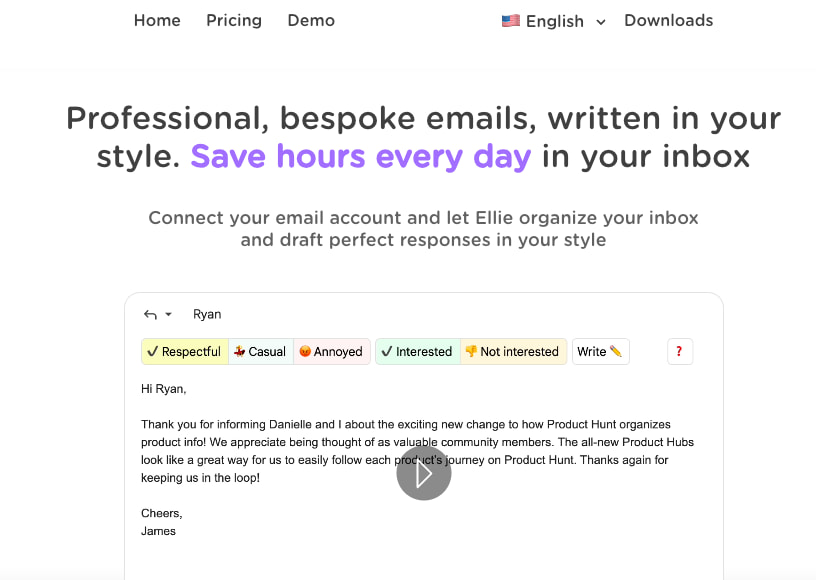
TryEllie acts as an AI email assistant that drafts replies in your voice so you can manage high email volume faster. It learns from past communications to generate context-aware responses and reduce repetitive writing. For executives, TryEllie helps protect focus time, accelerate response cycles, and maintain consistency across stakeholder communications.
Because TryEllie operates primarily within email, its impact stays narrow unless you integrate it into a broader workflow strategy. Tone and voice accuracy depends on sufficient training data, which may raise privacy or data governance concerns. At enterprise scale, you’ll also want to evaluate how it handles sensitive communications, compliance standards, and brand alignment.
3. Clay for outbound sales outreach
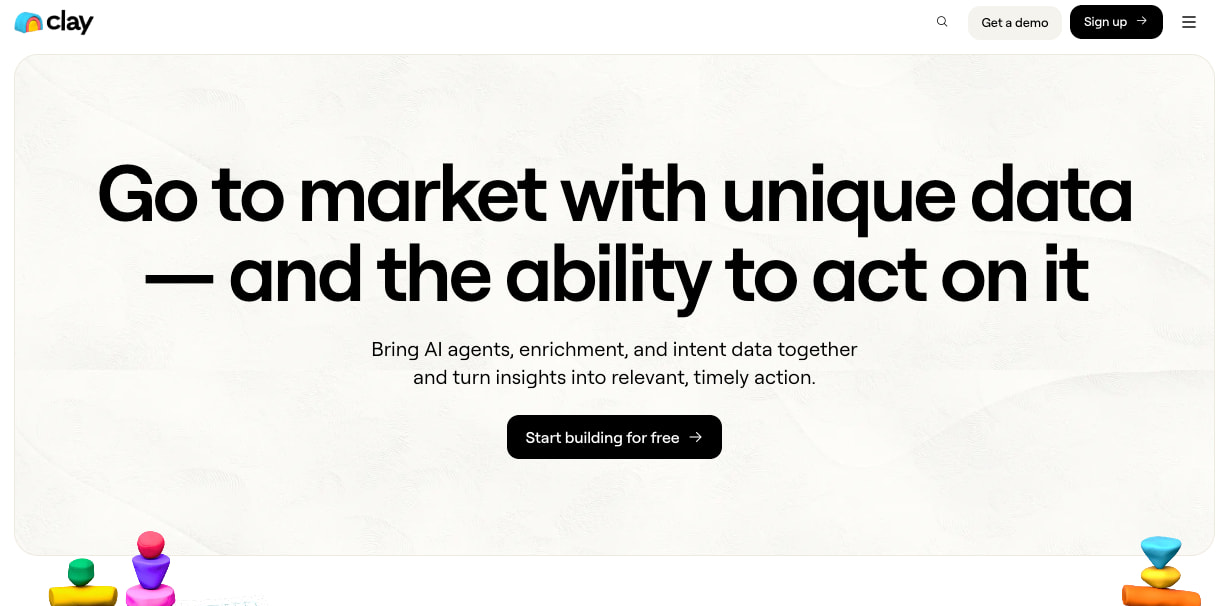
Clay blends data enrichment and AI automation to support outbound sales and go-to-market teams. It aggregates contact data, enhances prospect profiles, and automates personalized outreach at scale. For growth-focused enterprises, Clay can streamline pipeline development and improve targeting precision.
While Clay significantly speeds up data enrichment, it’s still necessary to validate data sources and avoid over-automating your sales outreach efforts to preserve authenticity.
AI assistant tools
4. RingCentral AI Virtual Assistant for enhancing productivity
RingCentral AI Virtual Assistant (AVA) is an employee- and agent-facing AI assistant that supports your teams during live calls, meetings, and messaging. It surfaces relevant company knowledge in real time, captures summaries, and helps move work forward across RingCentral’s unified communications and contact center platform.
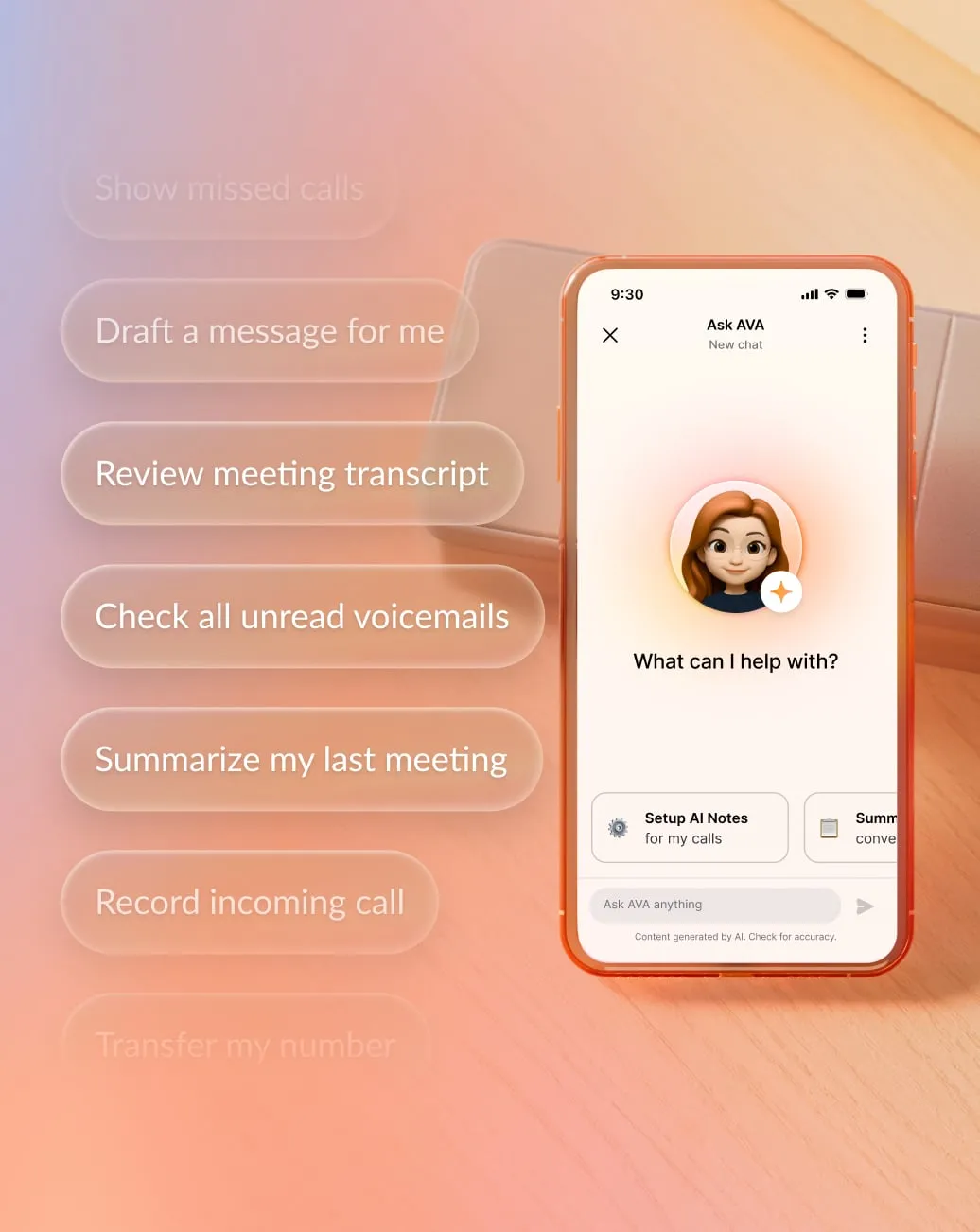
- Real-time knowledge surfacing: During live conversations, AVA pulls relevant context from your connected CRM, knowledge bases, and internal systems to display it directly within the workflow. Your teams see account history, policies, and next steps without switching tools, reducing friction and improving focus.
- In-workflow guidance and task support: AVA detects key moments in conversations and recommends actions such as updating records or scheduling follow-ups. By embedding guidance directly into daily work, it standardizes execution and reduces manual after-call tasks.
- Automated summaries and next steps: After a call or meeting, AVA generates structured summaries, highlights decisions, and extracts action items. This allows your team to focus on execution and ensures more consistent records across interactions without additional administrative overhead.
- Governed, secure integrations: Because AVA runs natively on RingCentral’s platform, it operates within your existing security, compliance, and access controls. You define which systems it connects to and what data it surfaces, helping maintain governance while enabling frontline productivity.
- Built for scalable performance: AVA supports distributed and enterprise-scale teams that need consistent execution across locations and roles. By embedding knowledge directly into conversations, it ensures your newest hires perform with the same precision as your veterans.
If you want to reduce knowledge silos and improve consistency during live conversations, RingCentral’s AI Virtual Assistant delivers in-the-moment support that strengthens employee productivity.
5. Any.do for team task management
As an AI-powered task and project management platform, Any.do combines personal productivity tools with team collaboration features. It centralizes your team’s tasks, deadlines, and reminders to help keep everyone aligned and accountable. For leadership, Any.do supports clarity around ownership and execution timelines.
Any.do originated as a personal productivity app, and while it has expanded into team functionality, it may not offer the depth of enterprise-grade reporting, workflow automation, or governance controls that larger organizations require.
6. Scribe for automating SOP creation
Scribe automatically generates step-by-step process documentation by capturing on-screen workflows. It makes it easy to create visual guides and standard operating procedures (SOPs), reducing documentation time and improving knowledge transfer.
Of course, Scribe’s auto-generated documentation may require editing for clarity, compliance, or context. However, lowering the overall effort needed to develop guidance increases the likelihood of keeping necessary documentation up to date.
AI tools for building a competitive advantage
7. Perplexity for market research

Perplexity acts as an AI-driven research assistant, helping you quickly scan emerging market trends, competitor positioning, and regulatory changes. It’s useful for pressure-testing assumptions and identifying new angles before you commit budget or resources.
As with any LLM, Perplexity relies on publicly available data and summarized sources, which may lack depth, proprietary insight, or real-time accuracy. It can streamline discovery, but it doesn’t replace primary research, customer interviews, or subscription-grade analyst intelligence.
8. Coveo for personalized digital experiences
 Coveo delivers AI-powered search and relevance across digital experiences, personalizing website content, product discovery, and support journeys based on user intent and behavioral signals. This can drive measurable competitive advantage through increased conversion rates and reduced support friction.
Coveo’s impact depends on high-quality data and thoughtful implementation. Without clean content architecture and strong analytics alignment, personalization can still fall short of expectations. To maintain relevance as products, audiences, and messaging evolve, you’ll need to invest in ongoing optimization.
9. Ahrefs for search optimization
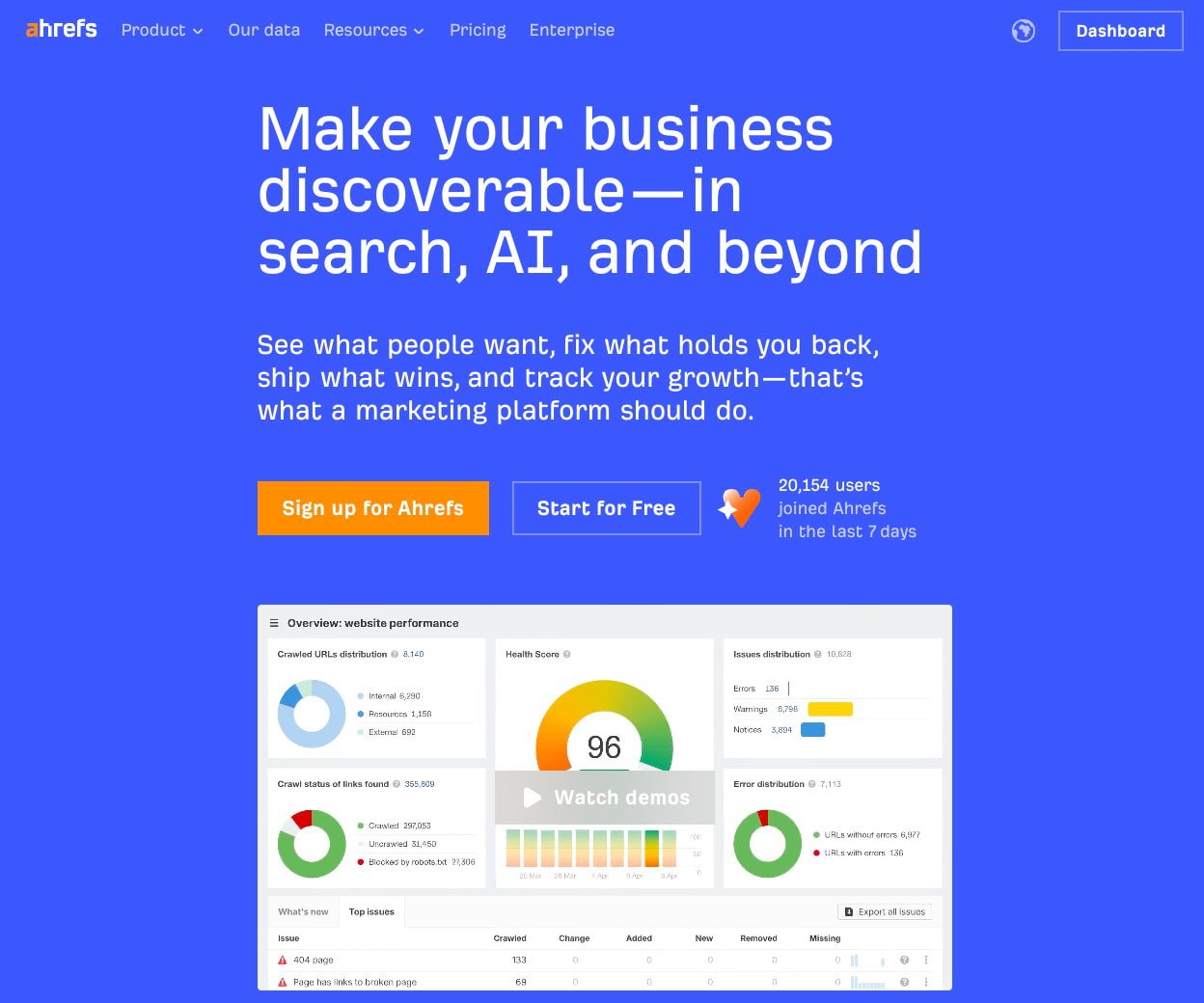
Ahrefs provides in-depth search engine optimization (SEO) intelligence, including tracking backlinks, keyword opportunities, competitor rankings, and content gaps to help you prioritize high-impact content and strengthen visibility in crowded markets. Its dashboards reveal how rivals attract traffic and where opportunities exist to capture demand.
Keep in mind that Ahrefs focuses primarily on search performance rather than full-funnel marketing attribution. Additionally, SEO gains take time to compound, so you should treat Ahrefs as a strategic intelligence tool, not a short-term growth lever.
AI enterprise tools for content and coding
10. Canva
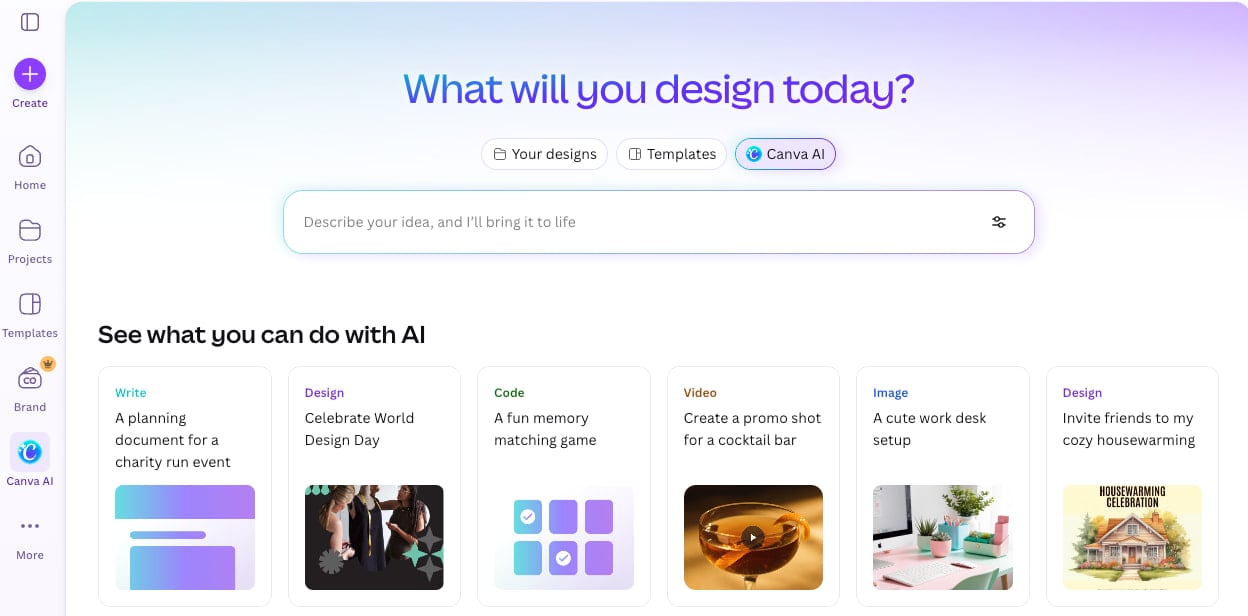
Canva simplifies visual content creation with templates, drag-and-drop design tools, and AI-powered generation features. It enables marketing, HR, and internal communications teams to produce polished graphics, presentations, and social assets without relying exclusively on design specialists. This helps accelerate content velocity and reduces production bottlenecks.
Canva also supports company brand kits to help you maintain consistency and centralized design governance.
11. Descript

Descript transforms audio and video editing into a text-based workflow, allowing you to edit media by simply modifying a transcript. You can cut filler words automatically, generate clips quickly, and delete entire scenes just by highlighting and removing text.
For communications, marketing, and training teams, Descript reduces production time and lowers the barrier to high-quality multimedia content. However, editorial oversight is still necessary for maintaining consistency, clarity, and compliance.
12. Buffer

Buffer centralizes social media scheduling, publishing, and performance tracking across channels. By planning campaigns, maintaining consistent posting cadence, and analyzing engagement metrics in one dashboard, marketing teams can strengthen brand consistency and improve visibility into social performance trends.
The platform’s AI engine analyzes audience demographics, engagement patterns, and content preferences to recommend content likely to resonate with your followers. This data-driven approach takes the guesswork out of content creation often associated with social media growth.
13. GitHub Copilot
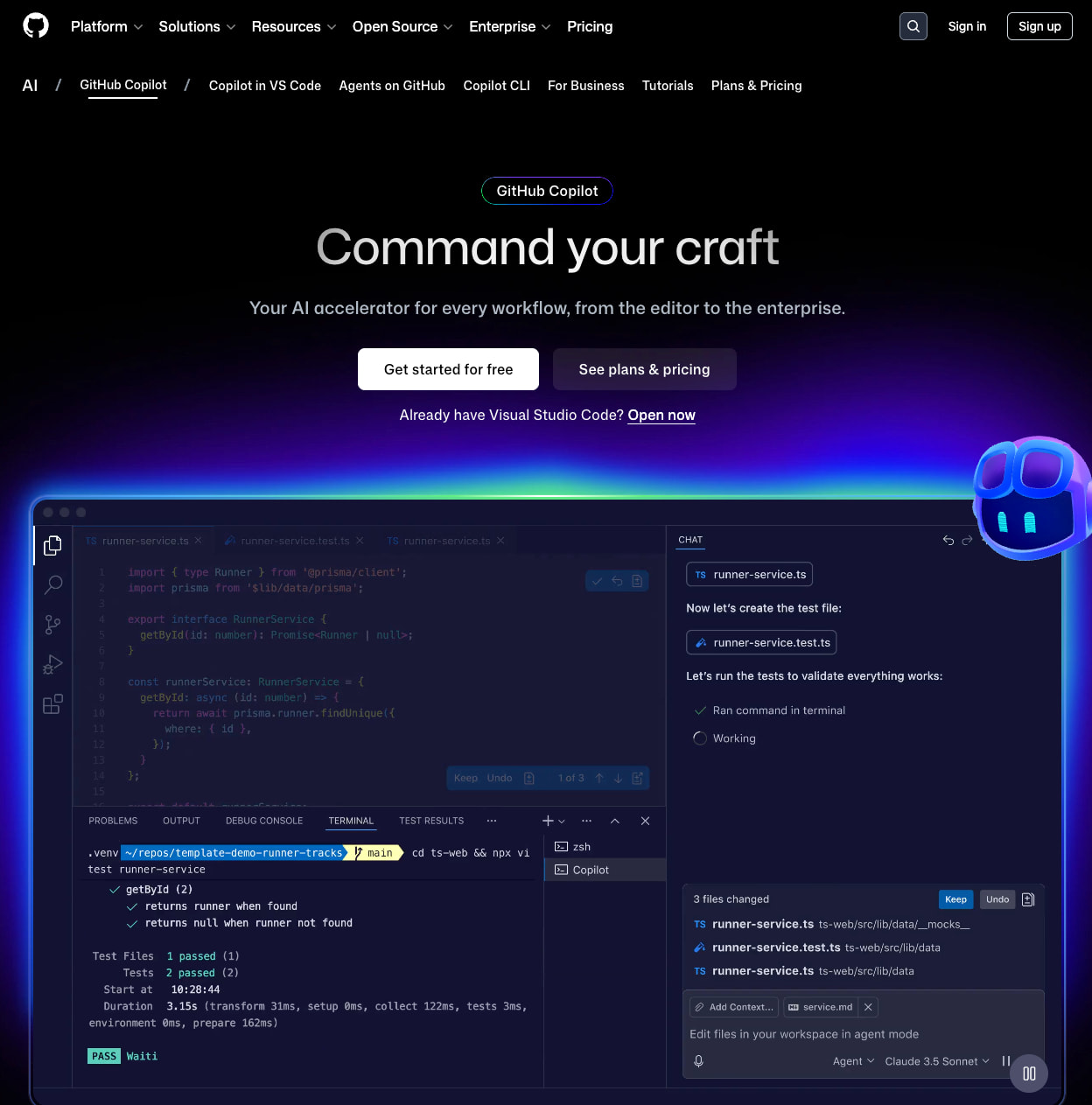
GitHub Copilot acts as an AI coding assistant, suggesting code snippets, completing functions, and accelerating development workflows inside integrated development environments. It helps engineering teams reduce repetitive tasks and prototype faster to increase output without proportionally increasing headcount.
As with any AI-powered coding tool, Copilot could introduce insecure patterns, outdated libraries, or licensing concerns if you rely on suggestions without validation.
AI business tools for data analysis
14. RingCentral AI Conversation Expert for sales conversation analysis
RingCentral AI Conversation Expert (ACE) is a conversation intelligence solution that analyzes interactions across voice and digital channels to surface insights you can act on. It reviews completed conversations, identifies patterns, and translates interaction data into operational guidance.
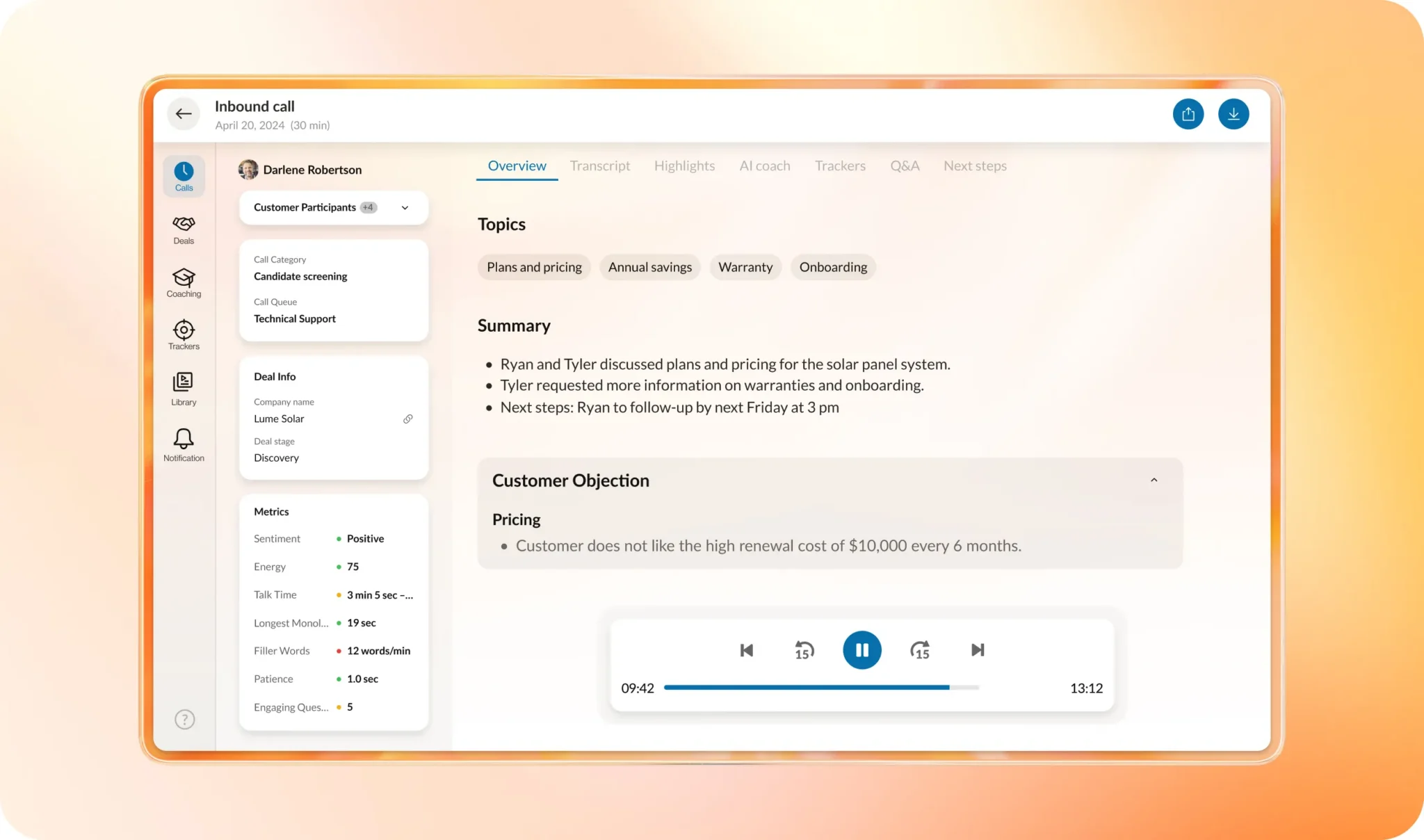
- Comprehensive interaction analysis: ACE evaluates recorded conversations to identify recurring topics, compliance signals, escalation triggers, and sentiment trends across teams and regions.
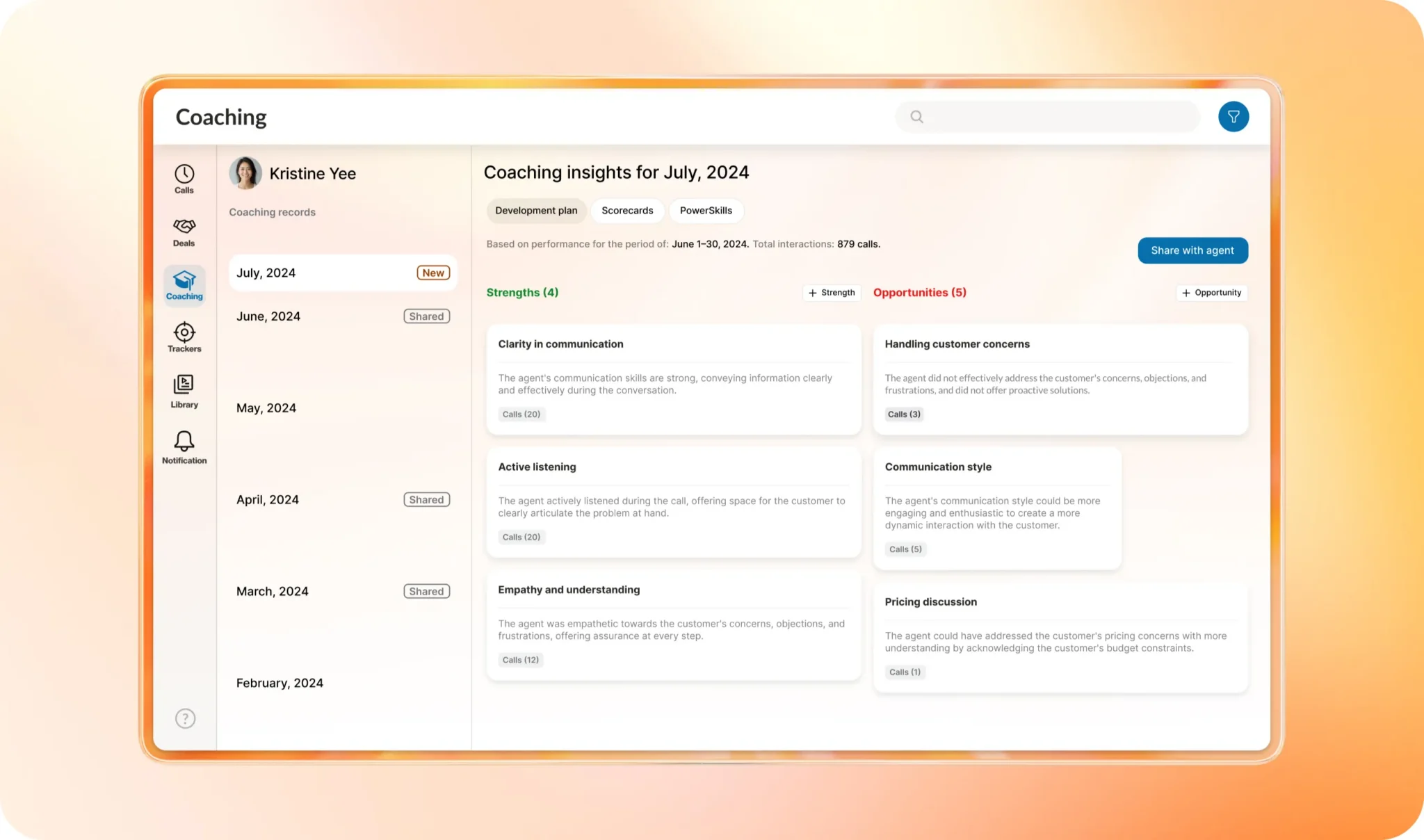
- Actionable business insights: Instead of delivering static transcripts, ACE summarizes outcomes, extracts key themes, and highlights performance gaps. This helps supervisors identify coaching opportunities and refine scripts while executives track trends that influence churn and revenue.
- Performance and compliance visibility: ACE flags policy deviations, missed disclosures, or risk signals automatically, helping regulated organizations reduce compliance exposure while maintaining service consistency at scale.
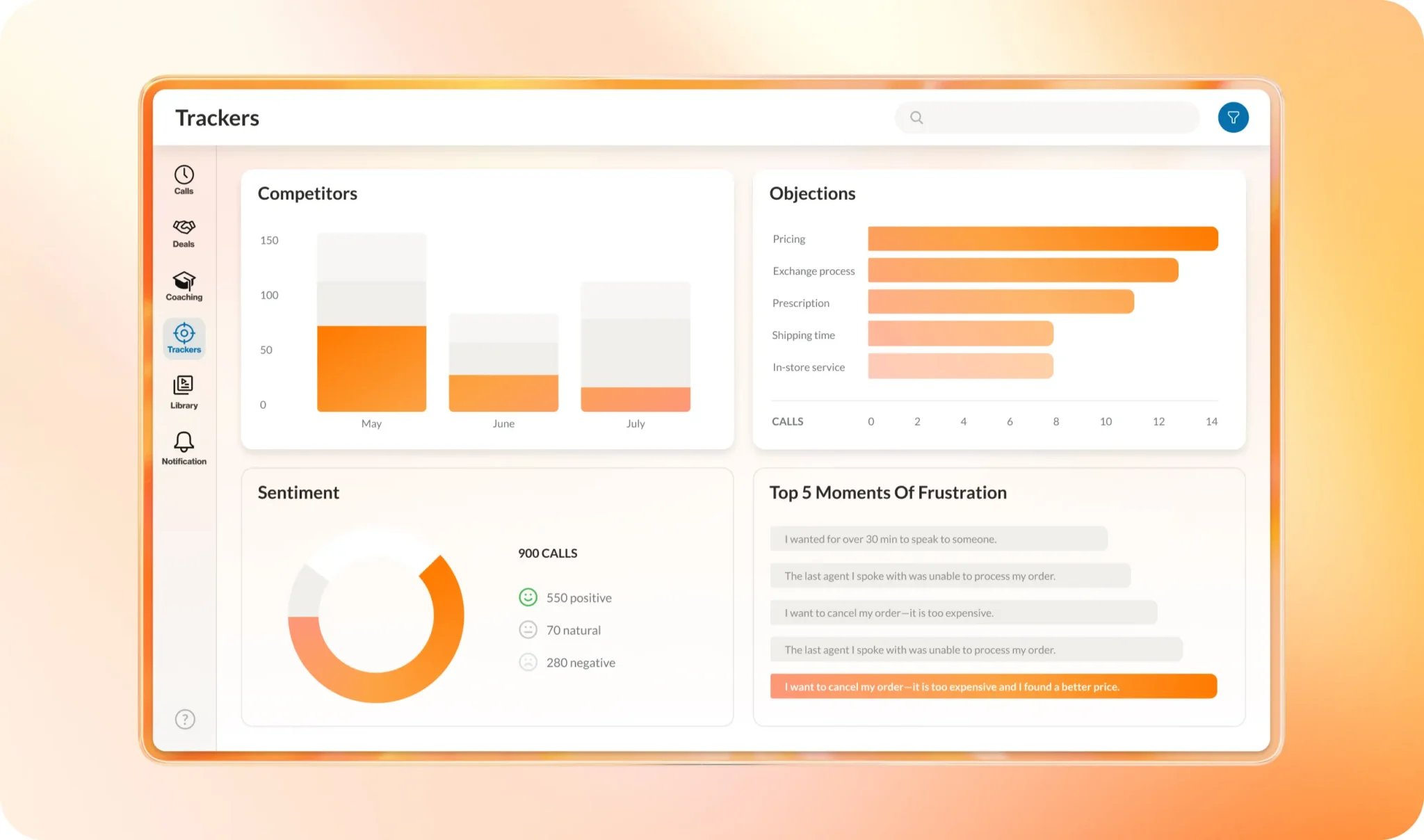
- Trend tracking and continuous improvement: Dashboards surface sentiment shifts, keyword trends, and operational bottlenecks over time so you can monitor the impact of new campaigns, product launches, or policy changes and adjust strategy quickly.
- Native to RingCentral’s communications platform: Because ACE runs on the same infrastructure as RingEX and RingCX, it analyzes conversations without requiring fragmented analytics tools. You benefit from shared data, unified governance, and a consistent innovation roadmap.
If your organization wants to move beyond anecdotal feedback and sample-based quality checks, AI Conversation Expert turns everyday conversations into measurable intelligence to help you improve performance and manage risk.
15. Salesforce Einstein for predictive sales forecasting
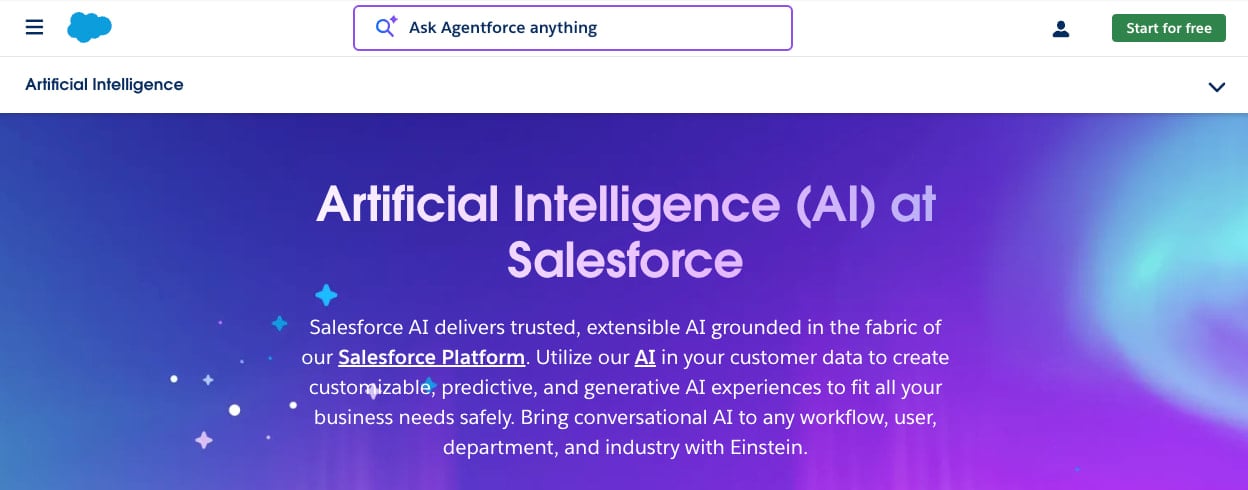
Salesforce Einstein embeds artificial intelligence directly into the Salesforce platform, bringing predictive insights, automated recommendations, and generative capabilities into sales, service, and marketing workflows. It helps revenue and customer experience leaders forecast outcomes, prioritize opportunities, and guide frontline teams with data-driven suggestions.
Since it tightly couples AI capabilities to Salesforce data and licensing, Einstein works best when Salesforce already serves as your primary system of record.
16. Microsoft Power BI with AI Insights for natural language data exploration
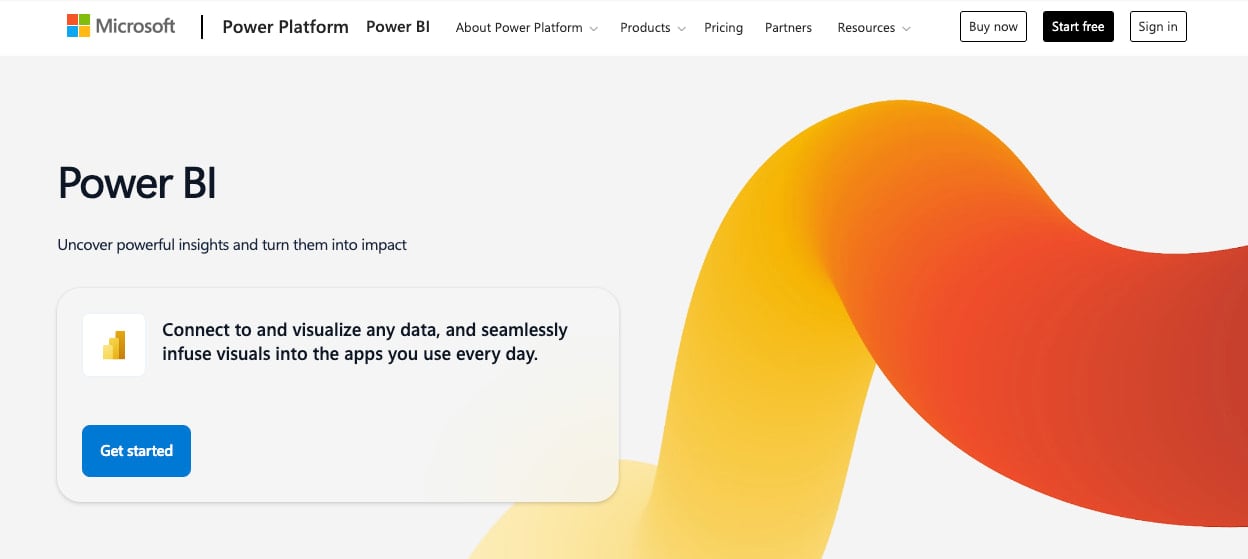
Microsoft Power BI with AI Insights combines interactive dashboards with machine learning models, natural language queries, and automated pattern detection. By allowing you to explore performance trends, identify anomalies, and generate forecasts without relying solely on technical data teams, Power BI democratizes analytics and accelerates insight across finance, operations, and customer-facing functions. This helps strengthen your competitive positioning through faster, data-backed decisions.
Power BI’s AI capabilities deliver the most value when your organization has already standardized on the Microsoft ecosystem, including Azure for advanced machine learning scenarios.
17. IBM Watson Studio for custom AI model lifecycle management
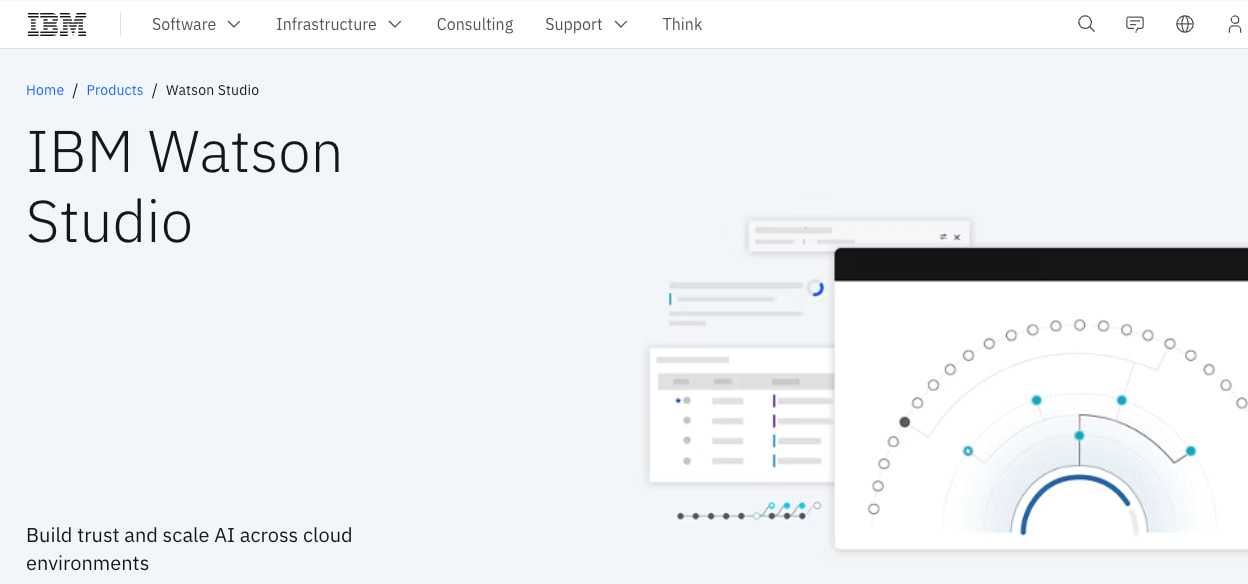
IBM Watson Studio provides a comprehensive environment for building, training, and deploying machine learning models. Within its controlled framework, data science teams can collaborate on advanced analytics projects, operationalize artificial intelligence initiatives, and manage model lifecycles. For enterprises pursuing differentiated AI capabilities—such as predictive maintenance, fraud detection, or personalized customer experiences—Watson Studio supports scalable, enterprise-grade innovation.
For Watson Studio to be effective, it’s best to already have dedicated data science and MLOps teams in place.
What are AI tools for business and why do they matter for enterprise leaders?
At the enterprise level, AI tools embed machine learning, natural language processing, and generative AI directly into existing workflows. By sitting inside critical journeys, like contact center routing, sales prioritization, or performance analysis, these tools automate work, surface patterns, and enable real-time decision-making.
Organizations that delay AI integration face a widening performance gap. A 2025 report by the Wharton School of Business found that 82% of enterprise leaders use generative AI weekly, and 88% plan to increase spending on AI tools within the year. Those still relying heavily on manual processes, disconnected systems, or delayed insights are likely dealing with higher costs and slower response times than competitors who’ve embedded AI into core operations.
Customer-facing applications add particular urgency. McKinsey’s State of AI in 2025 report shows that marketing and sales, as well as service operations, represent the functions where most organizations experiment with, pilot, or scale AI.
But RingCentral’s 2026 research found that standalone AI business tools often lead to friction in customer experiences. AI orchestration, where businesses build connected AI systems, allows humans and AI to share context and coordinate work. Orchestration allows AI systems to scale over time.
Whether it’s contact center automation, sales enablement, or service delivery, customers now expect seamless, intelligent experiences. AI tools that understand intent, integrate across systems, and augment human capabilities are moving from competitive differentiators to baseline expectations.
What are the top features to look for in AI tools for business?
The capabilities below tend to separate proof-of-concept AI tools from platforms that can reliably support mission-critical communications and operations.
Enterprise-grade security and compliance
Every AI tool you deploy touches sensitive data like customer conversations, transaction histories, internal documents, and operational metrics. Make security and compliance your first filter, not an afterthought.
Look for:
- Data protection by design: Prioritize vendors that offer end-to-end encryption in transit and at rest, fine-grained access controls, single sign-on (SSO) and multi-factor authentication (MFA) options, and detailed audit logs that track who accessed what and when.
- Independent attestations and certifications: Confirm that vendors publish current certifications and reports (SOC 2, ISO 27001, payment card industry-related controls, or healthcare-specific frameworks) through a dedicated trust or compliance portal.
- Clear data handling policies for AI: Determine whether vendors use your data to train shared models, where they store it, how long they retain it, and how to delete or anonymize it.
- Support for regulatory requirements: Ensure the platform provides data residency options and features that help you meet global obligations, including EU’s General Data Protection Regulation (GDPR), the Health Insurance Portability and Accountability Act (HIPAA) in the US, or other sector-specific guidelines.
Unified platform integration and scalability
AI delivers real value only when you wire it into the systems where work happens. Point solutions that can’t access your communications, CRM, ticketing, and data platforms stall at the pilot stage.
As you assess vendors, focus on:
- Native integrations with core systems: Out-of-the-box connectors for Salesforce, ServiceNow, Microsoft 365, and your contact center platform reduce time-to-value and lower integration risk.
- Open APIs and event frameworks: Robust, well-documented APIs and webhooks let you embed AI capabilities in custom applications and workflows without heavy custom development.
- Single platform vs. tool sprawl: A unified platform that covers calling, messaging, meetings, and AI agents simplifies architecture, governance, and vendor management.
- Global scalability and reliability: Proven uptime service-level agreements (SLAs), multi-region architecture, and the ability to handle peak volumes across time zones without latency or quality degradation are essential for global operations.
Voice-first AI capabilities
Most enterprises already use text-based AI for knowledge search and summarization. The bigger opportunity is applying AI to real-time voice: phone calls, support lines, and high-value conversations where latency and clarity matter.
For voice-centric experiences, prioritize:
- Low-latency speech recognition and response: Callers expect natural, uninterrupted dialogue. High transcription accuracy across accents and noisy environments ensures the AI understands intent.
- Telephony-native design: AI embedded in the telephony layer (rather than bolted on) controls routing, queueing, and call flows more reliably and handles failover scenarios better.
- Seamless human handoff: AI that automatically passes along full context—including caller history, intent, and completed steps—when transferring a call to a live agent prevents customers from having to repeat themselves.
- Support for complex use cases: Advanced logic that handles account verification, appointment scheduling, and intent-based routing allows you to automate sophisticated workflows across multiple brands, languages, and geographies.
Real-time analytics and actionable insights
AI that operates in a black box won’t scale or meet governance requirements. You need clear, real-time visibility to tune experiences, prove outcomes, and manage risk.
Key capabilities include:
- Operational dashboards: Real-time views of call volumes, containment rates, handle time, and queue performance across AI and human channels help you allocate staff and adjust flows quickly.
- Conversation intelligence: Transcription and AI analysis surface trending topics, contact reasons, sentiment, and product feedback that inform CX and product roadmaps.
- Journey-level reporting: Integrating reports tracks how customers move between AI and human touchpoints—and how that impacts customer satisfaction (CSAT), net promoter score (NPS), and revenue—so you can assess ROI accurately.
- Configurable alerts: Automated alerts when error rates spike, containment drops, or sentiment shifts let you intervene before issues become systemic.
Things to consider when choosing AI tools for your business
Choosing AI tools for business at the enterprise level isn’t about finding the flashiest demo. It’s about selecting a platform that proves value quickly, scales across business units, and meets your security, compliance, and change management requirements.
Structure your decision around use cases, pilots, vendor due diligence, and ROI measurement.
1. Start from business outcomes, not AI features
Define two to three high-value problems before you shortlist vendors. For example:
- Reduce inbound call volume reaching live agents by a specific percentage while maintaining or improving CSAT.
- Cut average handle time in targeted queues without increasing repeat contacts.
- Improve forecasting accuracy or sales conversion rates in specific segments.
Translate these goals into measurable KPIs and baselines to keep evaluations grounded and make it easier to compare options objectively.
2. Design focused pilot programs
Rather than rolling AI out everywhere at once, run tightly scoped pilots with clear success criteria and 60- to 90-day timeframes. Ensure each pilot has executive sponsorship, a cross-functional workspace (IT, security, CX/operations, and frontline leaders), and a documented change plan for agents and supervisors.
3. Build for adoption and change management
AI initiatives stall when teams aren’t ready for new ways of working, not because the technology fails. To drive adoption:
- Engage frontline leaders early so they see how AI supports their teams rather than replaces them.
- Update scripts, SOPs, and quality guidelines to reflect AI-assisted workflows and handoffs.
- Train supervisors and agents to interpret AI recommendations and recognize when to override them.
4. Establish governance and continuous improvement frameworks
Even user-friendly AI tools require ongoing oversight to maintain performance, security, and alignment with business goals. Build governance structures that ensure you monitor, refine, and scale responsibly:
- Cross-functional steering committees: Bring together IT, security, legal, CX, and business unit leaders to review AI performance, approve expansions, and address emerging risks or compliance requirements.
- Model monitoring and quality assurance: Track accuracy, bias, and drift in real time. Set thresholds that trigger reviews when AI behavior deviates from expected patterns or when customer feedback signals issues.
- Feedback loops from frontline teams: Create structured channels for the agents and supervisors that interact with AI daily to report edge cases, suggest improvements, and validate when recommendations align with customer needs.
Regular governance reviews and continuous tuning help you catch issues before they escalate, maintaining trust across stakeholders and ensuring AI evolves alongside your business priorities.
How to maximize business value with strategic AI tool adoption
The organizations realizing the most value from their AI initiatives are those moving from isolated experiments to a unified strategy. By aligning technology with clear outcomes and standardizing use on platforms that integrate across communications and CX, you can build a scalable foundation for long-term growth.
To maximize your investment:
- Prioritize a small set of high-impact, measurable use cases, such as deflecting simple support inquiries or equipping agents with real-time guidance.
- Standardize on a unified communications and CX platform with native AI to avoid stitching together multiple vendors for voice, messaging, meetings, and contact center.
- Run structured pilots with clear baselines and success metrics, then expand in phases based on proven outcomes and feedback from customers and frontline teams.
- Invest in governance, security, and data quality so AI becomes a trusted part of your operating model, not a shadow IT project.
RingCentral supports a unified approach by embedding AI directly into your existing communication workflows. For example, RingCentral RingEX handles business communications, RingCX manages customer engagement, and RingCentral AI Agents (AI Receptionist, AI Virtual Assistant, and AI Conversation Expert) work within RingEX and RingCX to deliver voice-first AI across your organization from a single platform.
Turn AI into a competitive advantage with RingCentral
The window for AI experimentation is closing. The question is no longer whether to adopt AI, but how quickly you deploy it across the workflows that matter most.
RingCentral delivers a unified platform where communications, customer engagement, and AI work together from day one:
- AI Receptionist modernizes inbound call handling.
- AI Virtual Assistant supports employees and teams by surfacing knowledge and assisting with workflow automation.
- AI Conversation Expert surfaces deeper intelligence across interactions to support supervisors, quality teams, and business leaders.
Because these capabilities run on the same cloud infrastructure, you avoid the integration gaps and inconsistent experiences that fragmented tools create.
Embed RingCentral AI solutions into your voice-first communications platform to reduce cost-to-serve, elevate customer experiences, and keep pace with competitors who’ve turned every inbound call into an intelligent asset. Chat with one of our experts to learn how RingCentral AI Agents can enhance your enterprise.
Updated Mar 02, 2026