Enhance Collaboration: RingCentral's Seamless Microsoft Teams Integration
Integrate reliable cloud telephony solution from RingCentral and discover true unifed communications with your Microsoft Teams experience

The Microsoft Teams integration with RingCentral brings enterprise cloud telephony to your working environment. You and your team can enjoy RingCentral’s powerful communications capabilities, from business SMS to international calls, straight from the Microsoft Teams app.
This native integration eliminates the need to hop from one application to another. Your teams can maintain their existing Microsoft processes while tapping into RingCentral’s advanced communication tools.
Let’s see how RingCentral powers Microsoft Teams for your business.
What is Microsoft Teams phone system integration with RingCentral
How to integrate RingCentral with Microsoft Teams
- Learning how to integrate RingCentral with Microsoft Teams is simpler than you might think, with no need for expensive licensing. To begin, you’ll need a RingCentral subscription—the Microsoft Teams integration is available to users on any of the three RingCentral RingEX plans—and the latest version of your chosen web browser.
- Integration setup steps:
- Download and install the latest version of your browser (if necessary)
- Install RingCentral for Microsoft Teams on the Teams app store
- Log in to Microsoft Teams using your browser
- Turn off the pop-up blocker on the Microsoft Teams site
- Install the RingCentral Desktop application
- Log into RingCentral Desktop with your account credentials
- Sign in to RingCentral for Microsoft Teams with the same account
That’s all there is to it. It’s so much simpler than the Microsoft Teams direct routing method of integrating telephony features, which has numerous licensing, infrastructure, and other considerations.
What are the benefits of Microsoft Teams integration with RingCentral
For a deeper look at RingCentral’s features within Microsoft Teams, visit our RingCentral for Microsoft Teams page
More Microsoft Teams integration features
Microsoft Teams integration FAQs
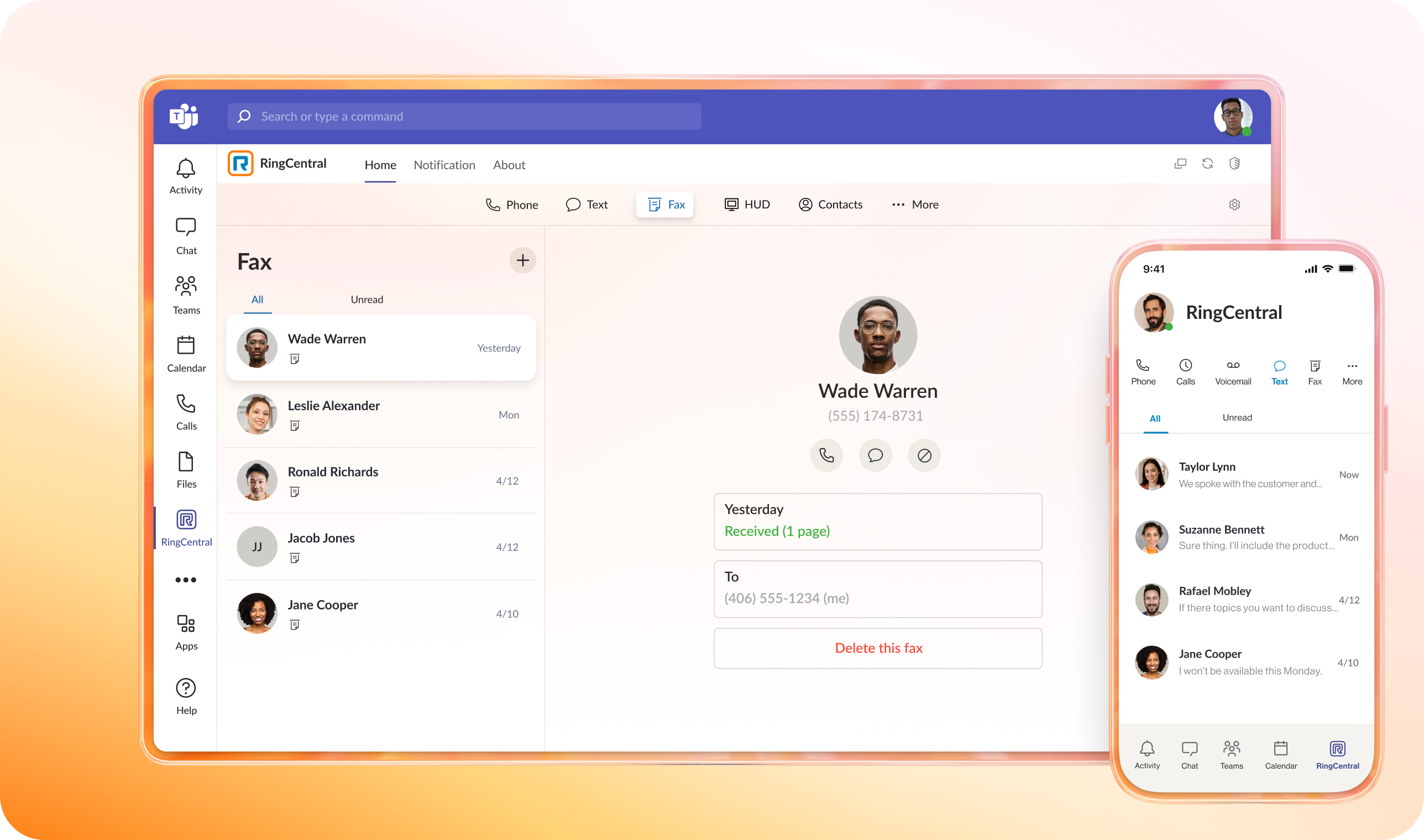
- Microsoft Teams doesn’t have key business communication channels. This integration, however, adds SMS and fax tools to your Teams dashboard without requiring standalone apps or incurring technology costs.
- Teams’ default calling capabilities provide only limited operational visibility. RingCentral expands your communications toolkit with advanced PBX capabilities—from heads-up displays to advanced call routing options.
- Traditional Teams analytics are not adequate for enterprise needs. This integration delivers 360-degree views of every channel, allowing managers to detect patterns and address issues more quickly.
- Combine Teams with your critical business applications. The integration embeds communications capabilities into your CRM and other tools, automating your teams’ workflows.