HubSpot dialer & communications integration
Communicate directly from your CRM with a HubSpot dialer and more communications capabilities
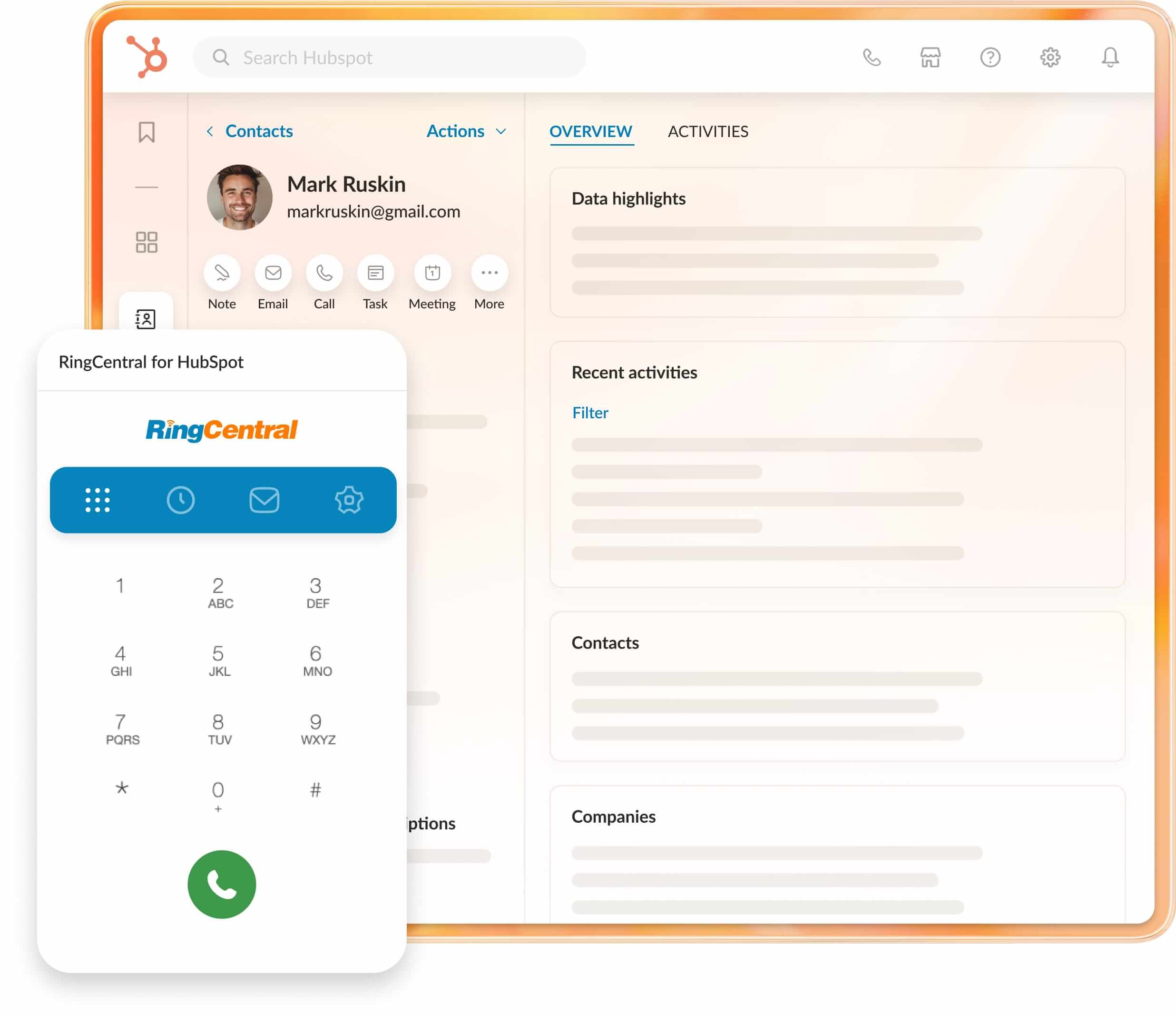
More than a HubSpot dialer integration
The RingCentral for HubSpot integration gives you all the essential calling features of a dialer, but it’s designed to do much more, too.
Embedding RingCentral’s capabilities within your HubSpot CRM lets you and your teams make calls, send texts, manage communication logs, and get valuable call analysis directly from within HubSpot. You’ll get a unified communications experience that minimizes app-switching and maximizes productivity.
So, what makes it a top-tier dialer? You get:
- Powerful call controls: You can answer inbound calls and make outbound calls without ever leaving HubSpot. Clicking on a HubSpot contact’s phone number lets you instantly connect via RingCentral.
- Click-to-call and click-to-SMS: Easily initiate calls or send texts from HubSpot phone entries using our Hubspot auto dialer, whether through your browser or the RingCentral Chrome extension.
- Instant screen pop: When an incoming call arrives, RingCentral for HubSpot will match the caller with their HubSpot record, helping your team respond with context. If it’s a new contact, you can create a record on the spot.
But the integration doesn’t stop there. With RingCentral for HubSpot, you’ll also gain:
- A message hub: View all RingCentral text messages, voicemails, and faxes in a single place, so you can manage multiple communication types with ease.
- Association call logging: Choose to log calls automatically or manually under contacts, companies, active deals, or tickets.
- Server-side text logging: Log messages as activities under specific associations in HubSpot, even when you’re offline.
- Detailed analytics: View RingCentral data in HubSpot to create custom reports and gain info about your teams’ performance.
Beyond simply enabling calls, the RingCentral for HubSpot integration creates a workspace that’s organized and adaptable.
How to set up your HubSpot dialer integration with RingCentral
Getting started with RingCentral’s dialer HubSpot integration is simple. That’s because it’s an easy-to-use RingCentral Chrome extension. Here’s a step-by-step guide to help you install and set up your HubSpot dialer integration:
- Install the Chrome extension
- Go to the Google Chrome Web Store.
- Click Add to Chrome on the RingCentral for HubSpot extension page, then confirm by clicking Add Extension on the pop-up.
- Sign in to RingCentral for HubSpot
- Once installed, open the RingCentral for HubSpot extension in Chrome and select Sign In.
- Enter your login credentials and confirm your emergency address when prompted.
- Choose your HubSpot account
- Select the HubSpot account you’d like to integrate with RingCentral, then click Accept to grant permissions.
Note: Make sure that the email you use to sign in to RingCentral matches your HubSpot login. You should also verify that you have access to the HubSpot account you’re trying to connect.
If you experience issues, such as a missing authenticated HubSpot account, you may need your HubSpot admin’s assistance to set up the account connection.
4. Complete the setup
- First-time users will see a few welcome pages introducing the integration’s HubSpot dialer features and other calling functionality. Click Next to navigate through these, then you’ll be redirected to the Settings page to finalize any additional preferences.
Troubleshooting tip: If you see a ‘Web Phone Unavailable’ error, make sure that your Chrome browser has permission to access your microphone. You can dismiss this error by clicking the spinning icon on the top right corner.

Benefits of a HubSpot dialer app integration
Integrating RingCentral with HubSpot does more than add calling capabilities to your CRM; it’ll change the ways your teams communicate and work. Here’s how:
1. More streamlined workflows
2. Improved customer experience
3. Time and cost savings
4. Supports scalability
The best HubSpot dialer features & a whole lot more
The RingCentral for HubSpot integration goes beyond simple calling. Using our dialer with Hubspot brings with it an entire toolkit to supercharge your customer interactions.
From effortless dialing to comprehensive analytics, here’s what makes this integration essential for high-performing teams:
Improve your business communications and your productivity outside of HubSpot, too
While the RingCentral for HubSpot call integration enhances your CRM’s capabilities, RingCentral offers much more to support your business communications on a larger scale. Here’s what else you get with RingCentral RingEX: