Small Business
Enterprise
Developers
Talk to an expert:(800) 574 5290
Support
Plans & Pricing
Company
  1. What is contact center analytics?
  2. Why contact center analytics matters
  3. 6 types of contact center analytics
  4. Contact center analytics vs. KPIs: What's the difference?
  5. Key contact center analytics metrics and KPIs
  6. How to measure and act on conversation data
  7. What to look for in contact center analytics software
  8. RingCX contact center analytics: Native, comprehensive capabilities
  9. RingCX contact center analytics: Key capabilities
  1. Home
  2. Features
  3. Contact Center Analytics

What is contact center analytics? A complete guide for CX and operations teams

With contact center analytics software features built right into RingCentral RingCX, you can have complete visibility of your customer journey and keep satisfaction high.
  • Deliver effortless customer experience
  • Drive better data-driven decision making
Contact salesPlans & pricing

TABLE OF CONTENTS

  1. What is contact center analytics?
  2. Why contact center analytics matters
  3. 6 types of contact center analytics
  4. Contact center analytics vs. KPIs: What's the difference?
  5. Key contact center analytics metrics and KPIs
  6. How to measure and act on conversation data
  7. What to look for in contact center analytics software
  8. RingCX contact center analytics: Native, comprehensive capabilities
  9. RingCX contact center analytics: Key capabilities

Most contact center platforms hand you endless sheets of numbers. Raw operational data isn't the same thing as clear operational intelligence. Real contact center analytics shouldn't just count incoming calls or tally agent talk times — it should uncover the "why" behind customer frustration, process bottlenecks, and quality drift.

In this guide, you'll learn what contact center analytics actually means, the crucial difference between simple metrics and analytics, the six types of analytics every contact center should know, and how analyzing 100% of customer conversations (instead of the 1-2% most teams sample) closes coaching and compliance blind spots for good.

What is contact center analytics?

Contact center analytics is the collection, measurement, and analysis of data from customer interactions across voice, chat, email, and social to improve agent performance, operational efficiency, and customer experience. It covers both real-time monitoring during live interactions and historical analysis of completed conversations, giving teams the insight they need to reduce handle times, improve first-contact resolution, and catch systemic issues before they compound.

See RingCX in action

The best contact center analytics software doesn't have to mean adding another standalone tool to your stack. RingCX brings analytics, AI quality management, AI interaction analytics, AI Workforce Management together on one platform, so your team gets a full view of every customer conversation without switching tools. See RingCX plans and pricing to find the tier that fits your team's needs.

Products

  • RingEX
  • Team Chat
  • AI Meetings
  • Business Phone
  • Fax
  • SMS
  • RingCX
  • Webinars & Events
  • Features
  • Phones and headsets

Partners

  • Global service providers
  • Channel partners
  • ISV partners
  • Hardware partners
  • Connectivity partners
  • Affiliate partners
  • Strategic alliances

Open Ecosystem

  • Developer platform
  • APIs
  • App gallery
  • LLM Plugins & MCPs

Learning

  • What's new
  • Resource center
  • Blog
  • Customer stories
  • Newsroom
  • Events & Webinars

Company

  • About Us
  • Leadership
  • Investor relations
  • Ventures
  • Trust Center
  • Corporate Responsibility
  • Careers

Help & Support

  • RingCentral app login
  • Admin portal login
  • Customer support
  • Download app
  • View demo
  • Contact sales

How can we help? Contact us

LegalPrivacyCookie NoticeSite MapAccessibilityContact UsCookie PreferencesDo not sell or share my personal data
© 2026 RingCentral, Inc. All rights reserved.
Understand and capitalize on customer trends

Put simply: analytics turns raw conversation data into decisions your team can act on.

Why contact center analytics matters

Every interaction left unanalyzed is a missed opportunity to identify a compliance gap, improve first-contact resolution, or shorten average handle time. That's a real cost, not a hypothetical one.

Traditional quality assurance relies on manual sampling, and most teams review only 1%-2% of their total interaction volume this way. That leaves 98-99% of what actually happens between agents and customers completely unreviewed. Issues can develop and repeat for weeks before anyone notices a pattern. Similarly, traditional voice of the customer (VOC) programs rely on customers to provide feedback manually. Response rates sit between 10 and 20%, and the insights they provide can be questionable; typically, customers respond only if they are very happy or very unhappy with the experience.

AI-driven analytics platforms close that gap by analyzing every interaction automatically, not just a sampled slice of them. That shift from spot-checking to full coverage is where most of the performance gains show up. Teams that adopt AI automation to drive contact center scalability tend to catch coaching opportunities and retention risks weeks earlier than teams still relying on sampled review.

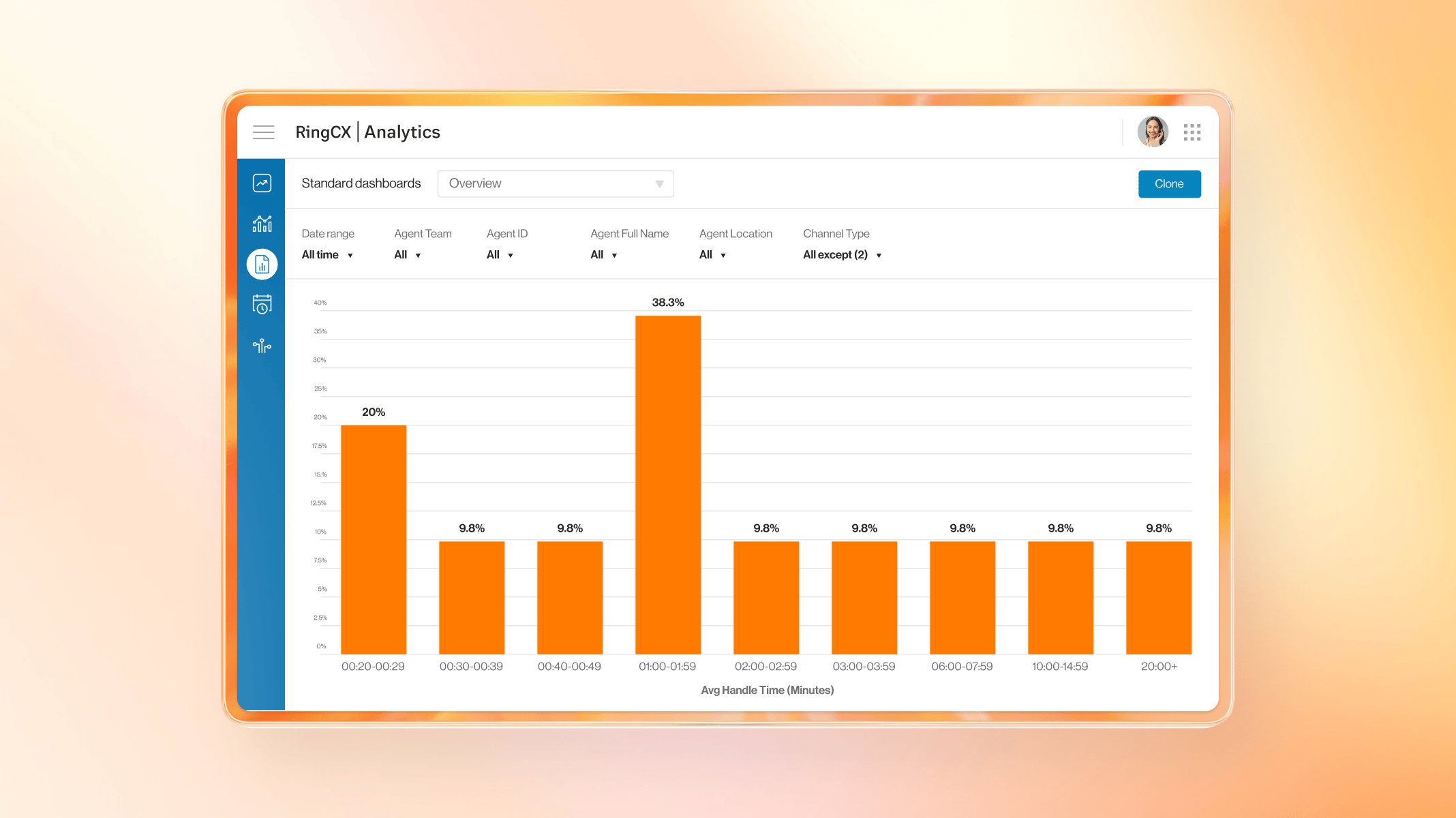
Standard Dashboard for AHT in RingCentral Analytics

6 types of contact center analytics

Contact centers generate many kinds of data, and each type of analytics answers a different question. Here's how the six break down.

1. Interaction analytics

Interaction analytics looks at the full content of a customer conversation, including what was said, which topics came up, the sentiment behind it, and how the interaction ended. It covers both voice transcription and text from digital channels, giving you a single, consistent view of a conversation regardless of which channel it occurred on. It can provide valuable insights into customer satisfaction, spot potential churn risks, and identify the root causes of why customers reach out.

2. Speech and text analytics

Speech analytics converts spoken conversations into searchable text, then looks for patterns: recurring complaints, compliance language, competitor mentions, or shifts in sentiment partway through a call. Text analytics applies the same lens to written channels such as chat, email, and social messaging.

3. Predictive analytics

Predictive analytics uses historical data to forecast future events, such as call volume spikes, churn risk, and staffing needs. It's what allows a workforce management team to schedule appropriately for a seasonal surge instead of reacting to it after the queue backs up.

4. Real-time analytics

Real-time analytics monitors interactions as they're happening, not after the fact. It surfaces alerts, sentiment shifts, and coaching prompts for supervisors while a call or chat is still live, enabling early intervention before an interaction goes wrong.

5. Self-service analytics

Self-service analytics measures how well your IVR and virtual agents deflect or resolve issues without an agent. Containment rate, abandonment rate, and escalation triggers all fall under this category, and together they indicate whether your self-service investment is actually reducing agent workload.

6. Workforce analytics

Workforce analytics tracks how well your staffing aligns with demand, including scheduling adherence, agent utilization, and forecast accuracy. It's the analytics layer that feeds directly into workforce management decisions.

Contact center analytics vs. KPIs: What's the difference?

These two terms get used interchangeably, but they're not the same thing.

Analytics is the process of collecting and analyzing interaction data to understand what's happening in your contact center and why.

KPIs are the outputs or the specific metrics you choose to measure performance against a goal, like a target AHT or a CSAT benchmark.

Analytics drives your KPIs (it's how you calculate and understand them), and KPIs define what your analytics effort should focus on in the first place. You need both: analytics without KPIs is data with no direction, and KPIs without analytics are just numbers with no context behind them.

Key contact center analytics metrics and KPIs

There are dozens of metrics available in most contact center platforms, but not all of them deserve equal attention. Here are ten of the most common ones, along with what each is actually telling you.


Metric

Definition

Why it matters

Benchmark

First Contact Resolution (FCR)

The percentage of issues resolved in a single interaction, with no follow-up needed

High FCR usually signals better customer satisfaction and lower repeat-contact costs

70-79% is typical; 80%+ is considered strong

Average Handle Time (AHT)

The average total time spent on an interaction, including hold, talk, and after-call work

Balances efficiency against resolution quality — lower isn't always better

6-8 minutes for voice (varies heavily by industry)

After-Call Work (ACW)

The time an agent spends on an interaction after the customer disconnects

High ACW often points to manual data entry or documentation that could be automated

Under 2 minutes is a common target

Customer Satisfaction (CSAT)

A direct rating of how satisfied a customer was with an interaction, typically via a post-contact survey or AI-predicted sentiment

The most direct read on experience quality you can get

75-85% (varies by industry and scale)

Net Promoter Score (NPS)

Measures how likely a customer is to recommend your business

A longer-horizon loyalty signal, distinct from single-interaction satisfaction

Above 0 is positive; 50+ is considered excellent

Customer Effort Score (CES)

How much effort a customer felt they had to put in to get their issue resolved

Low effort correlates strongly with retention, often more than CSAT does

Lower scores are better; benchmarks vary by scale used

Abandon Rate

The percentage of contacts that disconnect or exit before reaching an agent

High abandonment usually points to queue length or self-service gaps

Under 5-8% is a common target

Occupancy Rate

The percentage of logged-in time an agent spends actively handling interactions

Helps balance workload against burnout risk

80-85% is a healthy range for most operations

Agent Utilization

The percentage of an agent's total paid time spent on productive interaction-related work

A staffing-efficiency metric — too high often precedes burnout and attrition

70-85%, depending on channel mix

Service Level

The percentage of contacts answered within a defined time threshold

A core measure of whether staffing matches demand

80% of calls answered in 20 seconds is a common target


Analytics vs. KPIs, in practice: none of the metrics above tell you anything on their own. A rising AHT is just a number until analytics shows you it's tied to agents fielding confused questions about a new product feature, at which point it becomes a training gap you can actually fix. The KPI tells you something has changed. Analytics tells you why.

For a deeper breakdown of how to calculate and benchmark these metrics day to day, see key contact center analytics you should be tracking.

A closer look at four metrics worth understanding in depth

Average Speed of Answer (ASA). Before agent performance even enters the picture, there's the question of how long you keep customers waiting. ASA is the time a caller spends in your IVR and queue before reaching an agent. Longer waits generally mean lower satisfaction, so this metric is often the first lever teams pull, whether that means hiring more agents, expanding self-service options, or adjusting routing rules.

Call abandonment rate. Closely related to ASA, abandonment rate tracks the share of contacts that hang up before ever reaching an agent. Long queues, lack of visibility into wait times, and overly complex IVR menus are the three most common causes. Keeping this rate low means fewer customers giving up on you mid-attempt.

Average Handle Time (AHT). AHT is the more holistic of the two. It covers queue time, talk time, hold time, transfers, and after-call work. Lower is usually better, but not always: an agent who rushes a call to protect their AHT score may leave the customer's actual problem half-solved. In many cases, a slightly higher AHT can be the right trade-off if it means a customer doesn't have to call back. The part of AHT most worth optimizing is after-call work, since AI-powered summarization and CRM integration can now handle much of that note-taking automatically.

First Contact Resolution (FCR). FCR tells you how often an issue gets solved on the first attempt, with no repeat contact required. High FCR is generally good, but treating it as the only goal can backfire if agents refuse to transfer or escalate complex issues or spend unnecessary time double-checking minor details on simple issues to protect their FCR rating.

How to measure and act on conversation data

Collecting data is the easy part. Turning it into action is where most teams get stuck. Here's a five-step approach:

Step 1: Define what to measure. Before touching any data, align on which metrics actually map to your business goals. Tracking everything is the same as tracking nothing.

Step 2: Collect and centralize data. Bring voice and digital channel data into one view instead of siloing them by channel. A customer's journey rarely stays inside a single channel, and your analytics shouldn't either.

Step 3: Analyze and identify patterns. Use AI to surface trends across all your interactions, not just a sampled slice. Patterns that only show up in 5% of calls are easy to miss with manual review and easy to catch with full-coverage analysis.

Step 4: Act on the insight. This is the step that's easiest to skip. Whether it's agent coaching, a routing change, a process update, or a self-service improvement, insight without action doesn't move any of your metrics.

Step 5: Measure the impact and recalibrate. Set 30/60/90-day comparison points after any change. What worked for one quarter's call patterns may need adjusting the next.

What to look for in contact center analytics software

Not all contact center analytics platforms are built the same way. When evaluating options, look for:

  • 100% interaction analysis, not just sampled QA or CSAT covering a fraction of your volume
  • Real-time and historical data in one platform, so you're not switching tools to see the full picture
  • Omnichannel coverage for voice and digital channels is analyzed in the same view, not separately
  • Pre-built dashboards plus custom reporting so you're not stuck waiting on a BI team for every new question
  • Integration with CRM and workforce engagement tools because analytics that stay siloed from your other systems lose most of their value
  • AI-powered coaching insights and a platform that surfaces what to do next, not just a data export

RingCX contact center analytics: Native, comprehensive capabilities

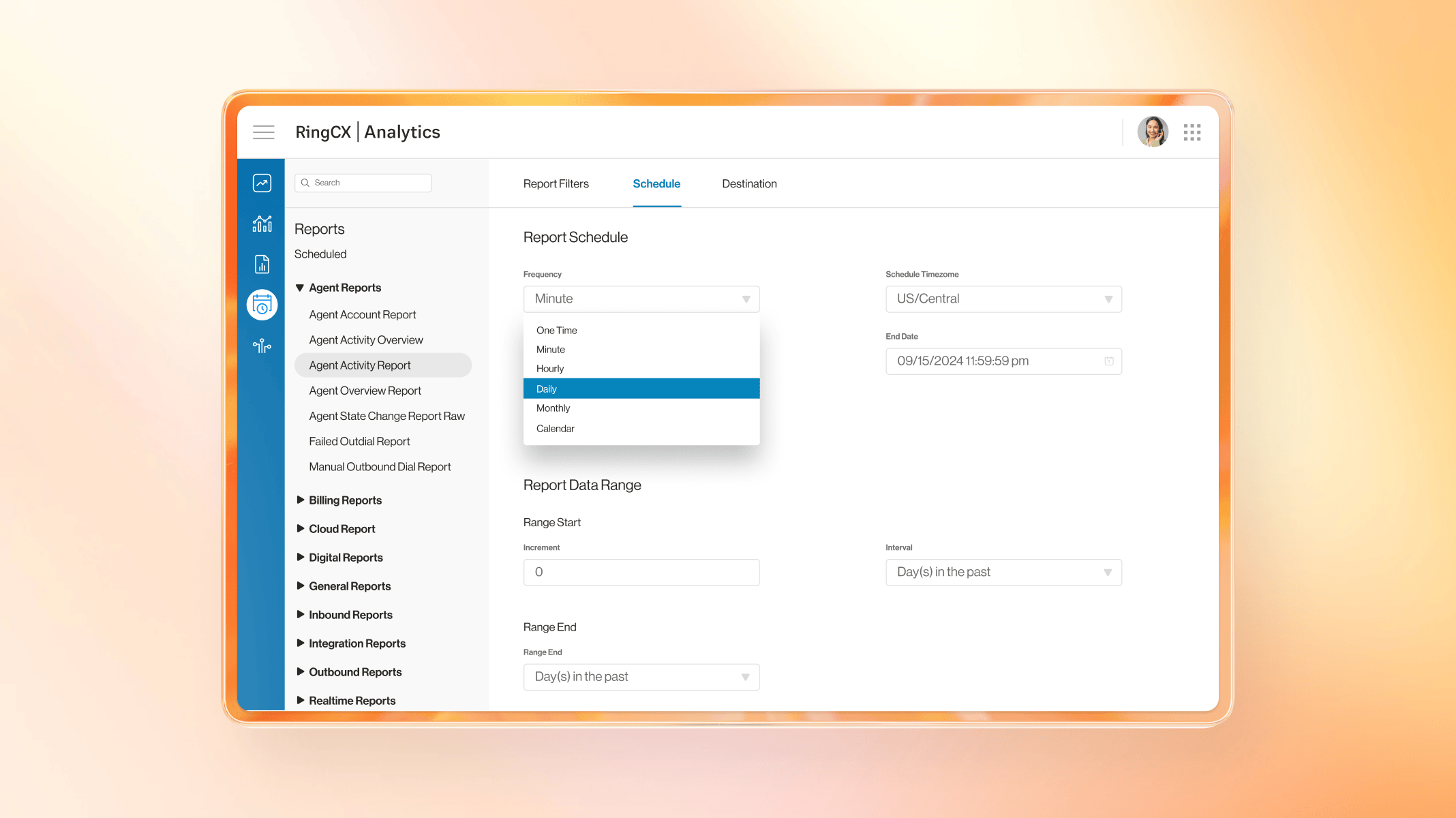
Report Filters tab of RingCX Analytics

RingCentral RingCX bakes contact center analytics directly into the platform, rather than treating it as a bolt-on. A few of the capabilities that set it apart:

  • RingCX Analytics: A comprehensive suite of over 250 out-of-the-box real-time dashboards and historical reports, with customizable widgets, pre-built and custom visualization frames, and threshold-based alerting—available across every RingCX plan.
  • AI Quality Management: Scores compliance and customer intent automatically across 100% of voice and digital interactions, and not just sampled QA—available on Professional plans and above or as an add-on. AI Interaction Analytics: Delivers AI-powered customer satisfaction insights from every call, without relying on manual post-interaction surveys—available on Elite plans and above or as an add-on. Learn more about AI interaction analytics for smarter decisions across the contact center.
  • AI Workforce Management: Provides insights into schedule adherence, labor costs, and forecast accuracy—available on Elite plans and above or as an add-on.

RingCX contact center analytics: Key capabilities

RingCX gives your team a full suite of contact center analytics features and functions, right inside the platform you already use:

Contact center reporting

Track KPIs like AHT and ASA with built-in contact center reporting, displayed as charts, graphs, and tables. Choose from over 200 pre-built reports or build custom ones for your organization's specific needs, and monitor trends in real time with customizable dashboards.

AI Quality Management

Analyze 100% of interactions—every call, every chat, every email—instead of a manually sampled percentage. RingCX Analytics complements this with pre-built reports and custom dashboards, so there's no need for a dedicated BI team, and it brings live and historical data together on a single platform.

AI Interaction Analytics

Understand customer sentiment without relying on manual, post-contact surveys. Drill into the root causes of customer frustration and transform your customer experiences.

AI Workforce Management

Monitor real-time queue metrics against projections and reallocate agent resources when volume spikes. Identify absenteeism or burnout indicators before they cause staffing shortages that impact CSAT.

FAQs about contact center analytics

What are contact center analytics tools?

Contact center analytics tools are software platforms that collect, process, and visualize data from customer interactions, covering everything from call recordings and chat transcripts to real-time dashboards and historical reporting. They help teams track KPIs, identify trends, and improve both agent performance and customer experience.


What are the main benefits of using speech analytics in a contact center?

Speech analytics turns voice conversations into searchable, analyzable text, enabling you to spot recurring complaints, monitor compliance language, track competitor mentions, and detect shifts in customer sentiment all at a scale that manual call review can't match.


How do analytics improve agent coaching workflows?

Analytics can surface specific moments in a conversation like a missed compliance step, a frustrated customer response, a strong objection-handling save, and route that context directly into coaching workflows. Instead of a supervisor guessing which calls to review, analytics points them to the interactions and patterns that matter most.


What is the difference between contact center analytics and call center analytics?

The terms are largely used interchangeably today, though there's a technical distinction: call center analytics historically referred to voice-only data, while contact center analytics covers all channels, including voice, chat, email, and social. Since most operations are omnichannel now, the two terms have effectively converged.


How does AI improve contact center analytics?

AI makes it possible to analyze 100% of interactions instead of a manually sampling, and to do it in real time rather than after the fact. It also surfaces patterns such as sentiment shifts, emerging complaint themes, and compliance risks that would be difficult or impossible to detect through manual review alone.


What are the different RingCX contact center analytics features and products?

RingCX includes RingCX Analytics (built-in dashboards and reporting, available on every plan), AI Quality Management (100% interaction scoring, available on Professional plans and above, or as an add-on), AI Interaction Analytics (AI-powered CSAT insights, available on Elite plans and above or as an add-on), and AI Workforce Management (AI-powered forecasting and operational insights available on Elite plans and above or as an add-on).

Country

By clicking the button, you consent to receiving calls and emails from RingCentral. Calls may be made using automated technology.

Privacy Policy
*Required fields