Cloud PBX that keeps your business connected anywhere
AI-powered voice, fax, text, conferencing, and HD video meetings—all on your business phone.

A legacy on-site private branch exchange (PBX) asks for significant upfront investment and dedicated IT resources, and the costs don't stop at install. Expensive on-premises hardware needs constant upkeep and a specialist whenever something breaks. Scaling across locations means duplicating equipment in each one, and every extension stays tied to a desk phone, so anyone who travels or works from home gets left behind. For a distributed team, the bill for keeping it all running rarely matches what it delivers.
Moving your phone system to the cloud changes that. It operates entirely over the internet, hosted in secure data centers and managed by your service provider, so your team can make and receive calls from any device: desk phones, smartphones, or computers. This guide covers what cloud PBX is, how it works, how it compares to a traditional system and to broader unified communications platforms, and how to make the switch without disrupting your team.
What is cloud PBX?
Cloud PBX is a business phone system hosted in the cloud and delivered over the internet. It runs from the provider's data centers rather than hardware in your building.
A cloud PBX system provides the same, and even more advanced, call routing and management features as an on-premises PBX without the need for expensive hardware. It's hosted in secure, remote data centers, so calls, extensions, and admin controls all run over your internet connection instead of a wiring closet. That makes it a fit for any business that wants to add users or sites without buying and racking new equipment each time.
For a growing company, it turns the phone system from a capital project into a service that scales with headcount.
How does a cloud-based PBX system work?
A cloud PBX routes your calls over the internet through a hosted provider rather than over traditional phone lines. The core infrastructure and all telephony functions are hosted in the cloud, managed by a third-party service provider like RingCentral.
Users connect through a combination of voice over internet protocol (VoIP) technology and a mobile or desktop app. That removes most of the physical hardware and the maintenance that comes with a PBX. You can still forward calls, set up auto attendants, and run the features you rely on. Admins manage users, numbers, and routing from a browser, so a change that once needed a technician now takes a few clicks.
Because it lives in the cloud, people make and receive calls from anywhere with an internet connection, on any device. The provider runs the infrastructure across redundant data centers, so a problem at one location doesn't take your phone lines down. Updates and new features arrive automatically, without an engineer visiting a phone closet.

Traditional PBX vs. cloud-based PBX
The core difference between cloud PBX and traditional PBX comes down to where the system lives. A traditional PBX runs on hardware you buy and house on-site, while a cloud PBX runs on infrastructure your provider hosts and maintains over the internet. That one distinction drives everything else, from what you pay up front to how fast you can open a new location.
| Traditional (on-premises) PBX | Cloud PBX | |
|---|---|---|
| Upfront cost | On-site hardware is paid up-front, complex implementations are costly | On-site hardware not necessary, fast implementation is free |
| Contracts and fees | Contracts are required and include early termination fees | No monthly contracts |
| Maintenance | Maintenance requires expert IT technicians | System can be managed on your own using any smart device |
| Feature updates | Additional fees for service and hardware upgrades | New features and upgrades are updated automatically and for free |
| Support | Premium technical support? Even more additional fees | Customer support available 24/7 |
| Scaling | New lines require added hardware and setup | Add or repurpose lines as needed, easily scaled to accommodate off-site extensions |
| Uptime and disaster recovery | Tied to local hardware and power, an outage can take lines down | Redundant data centers keep calls up when a site loses power or internet |
| Remote and mobile access | Extensions are tied to on-site desk phones | Managed from any smart device, with off-site extensions supported |
Cost is the clearest divide. A traditional PBX is a capital expense: you buy the servers, handsets, and licenses, then absorb the install and the depreciation. A cloud PBX shifts that to a predictable operating expense, a per-user subscription with no equipment to purchase or refresh.
Scaling separates the two just as sharply. Adding capacity to an on-site system means buying and provisioning hardware, and every new location tends to need its own box and its own upkeep. A cloud system scales in software. You add users in an admin console, and one platform covers every site from the start.
Maintenance is where the day-to-day burden lands. On-premises hardware relies on in-house IT or scheduled vendor visits for patches, fixes, and upgrades. With a cloud PBX, your provider handles updates and security remotely, so improvements arrive in the background instead of as a service ticket.
Cloud PBX vs. unified communications as a service (UCaaS)
A cloud PBX runs your calling, while a unified communications as a service (UCaaS) platform runs your calling, messaging, meetings, and video together in one system. The two terms describe different scopes, and knowing which one you need shapes the platform you buy.
On its own, a cloud PBX is the cloud-based telephony layer of a business phone system. It handles the mechanics of calling, from routing and extensions to voicemail and auto-attendants, hosted by a provider and delivered over the internet. Its job is voice.
UCaaS is a single cloud platform that combines that calling with team messaging, video meetings, and file sharing under one login, one admin console, and one bill. The cloud PBX is its voice foundation, and the rest of the platform builds on top.
So the choice between them is really a question of scope. If you need to replace an aging phone system and nothing more, a cloud PBX covers it. If your team also lives in chat and video and you'd rather not stitch three vendors together, a UCaaS platform folds voice into the same environment your people already work in.
That distinction shapes how the market gets evaluated. Gartner tracks the unified category through its Magic Quadrant for UCaaS, where RingCentral was named a Leader in the 2025 report for the 11th consecutive year. The recognition measures how well a provider delivers calling, messaging, and meetings as one platform rather than a set of point tools. It's the same consolidation buyers weigh when they move off legacy hardware.
Cloud PBX benefits for employees and customers
A cloud PBX pays off in two directions at once. Employees get a phone system that follows them to any device, and customers get faster, more reliable ways to reach the right person.
Cloud PBX benefits start with cost savings
Businesses of all sizes can now experience using an advanced internet-powered communications system through a simple subscription. Compared to the traditional PBX, a cloud hosted PBX is much less costly, thanks to its use of Voice over Internet Protocol, or VoIP, technology.
Because VoIP calls are transmitted over the internet, businesses can bypass international calling fees imposed by carriers to significantly cut back on operational costs.
What else can you expect from reputable hosted PBX providers?
- Centralized communication: Making the switch to the cloud allows for seamless communication across different times and locations, regardless of device used. For starters, you can get a centralized business number for all your office locations and apply extensions to different departments as you deem fit.
- Enhanced call flows: A highly customizable automated attendant can instantly forward incoming calls to the intended party. When configured to do so, you can also use advanced call forwarding features to route calls directly to voicemail or through your mobile device, making sure that employees receive important messages even during the holidays or while traveling.
- Increased accessibility: Customers don’t have to memorize multiple phone numbers or extensions. Nor do you have to give out your personal mobile number just so someone can reach you when you’re out of the office.
- Simplified maintenance and troubleshooting: With a traditional phone service, you need to have a dedicated staff to handle infrastructure and hardware. But with the cloud, the provider manages upkeep in an offsite location with the promise of better security and uptime.
- Reduced downtime: Your communications system doesn’t have to be taken offline for repairs or updates. Plus, you can resolve technical issues and glitches by alerting your provider who would usually offer 24/7 technical assistance or customer care services.
- Increased scalability: You can grow your cloud PBX phone system as your business expands. Just contact your provider when you need additional phone lines in your subscription. You can also add and remove extensions via your online dashboard. Every setting can be adjusted to accommodate the changing needs of your business.
Cloud PBX features that matter
When you evaluate a cloud PBX, a handful of capabilities carry the most weight: interactive voice response (IVR) and call routing, analytics, integrations, and mobility across devices and sites. Here's what to look for, grouped by what each set does for your team.
Interactive voice response
A responsive menu allows callers to use their telephone keypad or voice responses to navigate and perform actions automatically.
Auto call recording
Record all inbound and outbound calls for individuals and playback and download recordings whenever needed.
Visual voicemail
Access and manage voicemails across devices—online, desktop, and mobile. Preview messages, listen, forward, or return calls with ease.
Real-time quality of service analytics
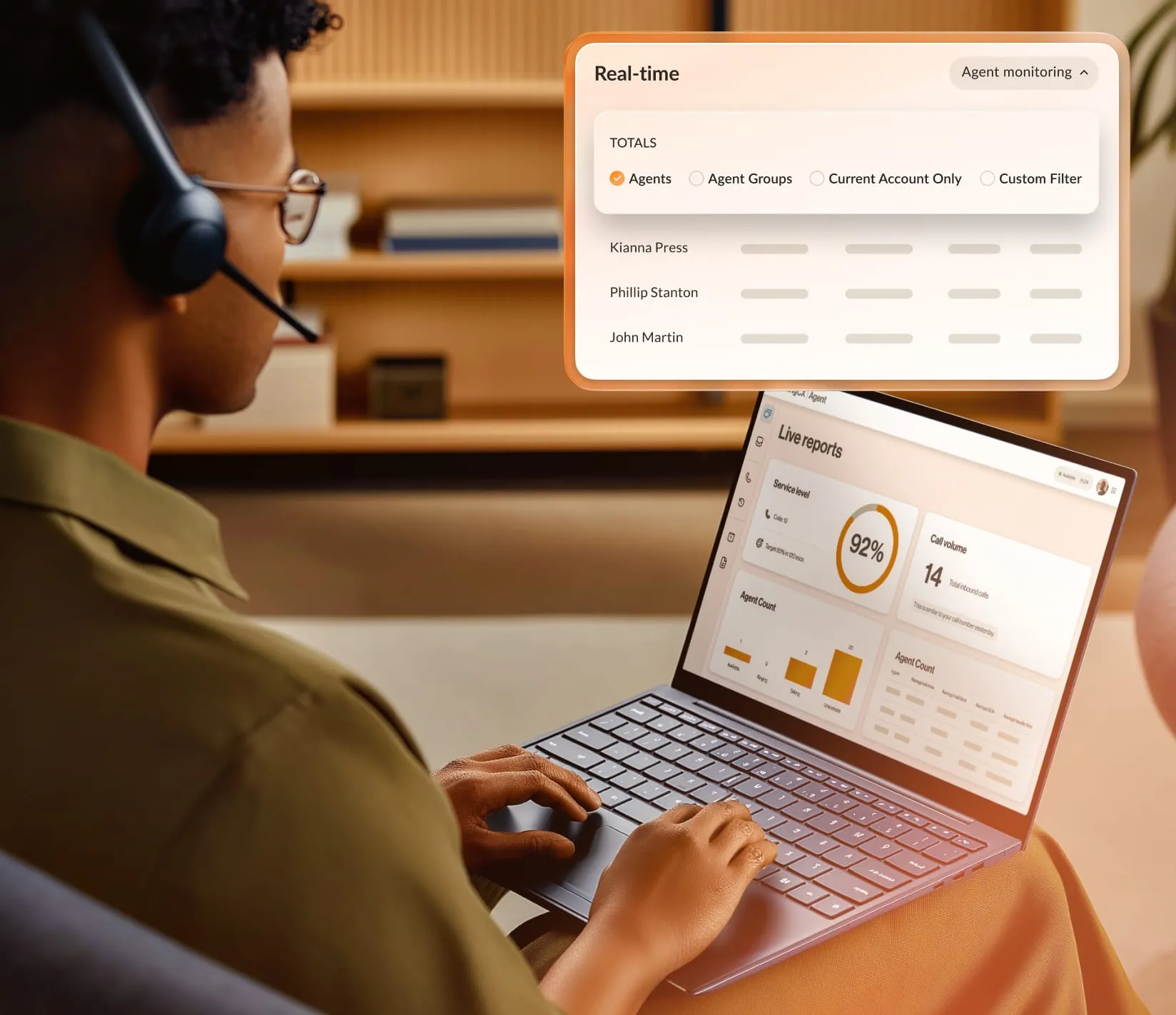
Monitor your system's performance with powerful QoS reports, detailed call logs, and audit trails.
Integrations
Integrate popular apps like your CRM, or build custom workflows and applications with our open APIs, SDKs, and widgets.
AI-powered video meetings

Run AI-powered HD video meetings with screen sharing, collaborative notes, whiteboarding, in-meeting public and private chat capabilities.
AI meeting transcripts
Save time with auto-generated meeting summaries and highlights, including keywords, live transcriptions, and note taking.
Internet fax
Send and receive compliant faxes online—no extra hardware needed. Fax worldwide to any machine.
Multi-site management
Efficiently manage multiple sites from one account and set site-specific features to streamline operations at each location.
Cloud PBX for hybrid and distributed teams
A cloud PBX replaces on-site PBX hardware for hybrid teams by delivering the full phone system to any device over the internet. Employees keep one business number whether they're at the office, at home, or on a mobile phone, and admins run every location from a single console.
That flexibility now describes how most office work happens. As of 2025, 51% of remote-capable U.S. employees work in a hybrid model, according to Gallup. A phone system built for a room full of desks can't keep up with a workforce that splits its week across locations.
Legacy PBX ties each extension to a physical desk phone wired into on-site hardware. When people work from home, that model forces workarounds: forwarding calls to personal cells, patching in remote-access tools, or letting the office number go unanswered. Every new site needs its own box and its own maintenance, so a growing, spread-out company ends up managing a patchwork of disconnected systems.

A cloud PBX removes the tie between the number and the desk. The same extension rings through a softphone on a laptop and a mobile app on a phone, so a call to someone's business line reaches them wherever they're working. There's one number to publish, one voicemail box across devices, and one admin console that manages users, call flows, and site-specific settings for every location at once. Adding a remote hire or a new office happens in software instead of through a hardware order.
Replacing a distributed phone system doesn't mean ripping everything out at once. Most moves run in phases: port your numbers, roll the apps out to one team or site, then expand once the flow is proven, keeping the old lines live until the cutover is complete. The next section walks through how to make that switch without disrupting your team.
How to move to cloud PBX without disrupting your team
Cloud PBX is the cost-effective replacement for your old business phone system, letting you communicate seamlessly across all your office locations using multiple devices.
If you’re tired of settling for expensive legacy phone solutions that consume much of your IT resources, then it’s time to move your communications to the cloud. The service is delivered over the internet, so it’s much more flexible, efficient, and inexpensive.
Making that move doesn't have to disrupt your team. The switch runs in phases, and your provider's onboarding support handles most of the work.
Step 1: Map what you have
Start by taking stock of your phone numbers, users, sites, and the call flows that route callers today. This is where a provider's onboarding support earns its keep, helping you scope the move and flag anything that needs to carry over. Your old system keeps running while you plan, so nothing goes offline.
Step 2: Port your numbers
Number portability lets you transfer your existing business lines to the new provider, so customers keep dialing the same numbers and you don't reprint a card or update a listing. Your provider coordinates the transfer with your old carrier and sets a porting date, so you control when each number moves.
Step 3: Build it in the console
With the numbers in motion, you set the system up in the admin console: create users and extensions, set business hours, and configure IVR menus and call routing, all without installing hardware. Employees get there by signing into a desktop or mobile app, and any desk phones you keep register over the internet.
Step 4: Roll out in phases
Move one team or one site first, confirm the call flows behave, then expand from there. Training stays light because the apps work like the tools your team already uses, and the legacy lines stay live until each group is fully switched over.
Step 5: Cut over and lean on support
Once every group is running on the new system, you retire the old hardware and complete the port. After that, changes are self-service: add a user, adjust a call flow, or open a new location from the same console, with provider support on hand when you need it.
Run your cloud PBX on RingCentral
Legacy phone solutions that have been in use in offices for decades lack the flexibility, mobility, and cost-efficiency that cloud phone systems offer. For some, transitioning from traditional PBX to the cloud might seem like a giant step. You have to think about the cost of migrating and the usability of your new system for employees accustomed to legacy ones.
RingCentral delivers cloud PBX through RingEX, its cloud business phone system. RingEX runs your phone system in the cloud with 99.999% uptime and 500+ integrations, so teams stay connected across sites without on-site hardware. The platform works with your existing hardware and with the mobile devices professionals prefer these days, which makes the shift easy for everyone.
To leave desk phones behind entirely, your team can use the dedicated desktop app on a computer or laptop, or install it on iOS and Android phones to carry a business line anywhere.
A cloud PBX subscription from RingCentral also gives your team the professional features that keep employee and customer conversations moving:
- Use one business number for all of your office locations and add virtual extensions as needed.
- Configure your system to forward calls to various departments, to voicemail, or to a mobile device so you never miss out on a transaction.
- Get notifications for incoming messages through business SMS, email, and your online dashboard.
RingEX integrates with some of the most used business tools in the modern workplace, such as Salesforce, Microsoft Teams, and Google Workspace. This keeps processes consistent across the organization.
When you're ready to put numbers to it, compare RingEX plans and pricing to match a subscription to your team's size and locations.