VoIP for small business
Get a VoIP phone system with advanced features but a small business price tag

Benefits of VoIP for small businesses
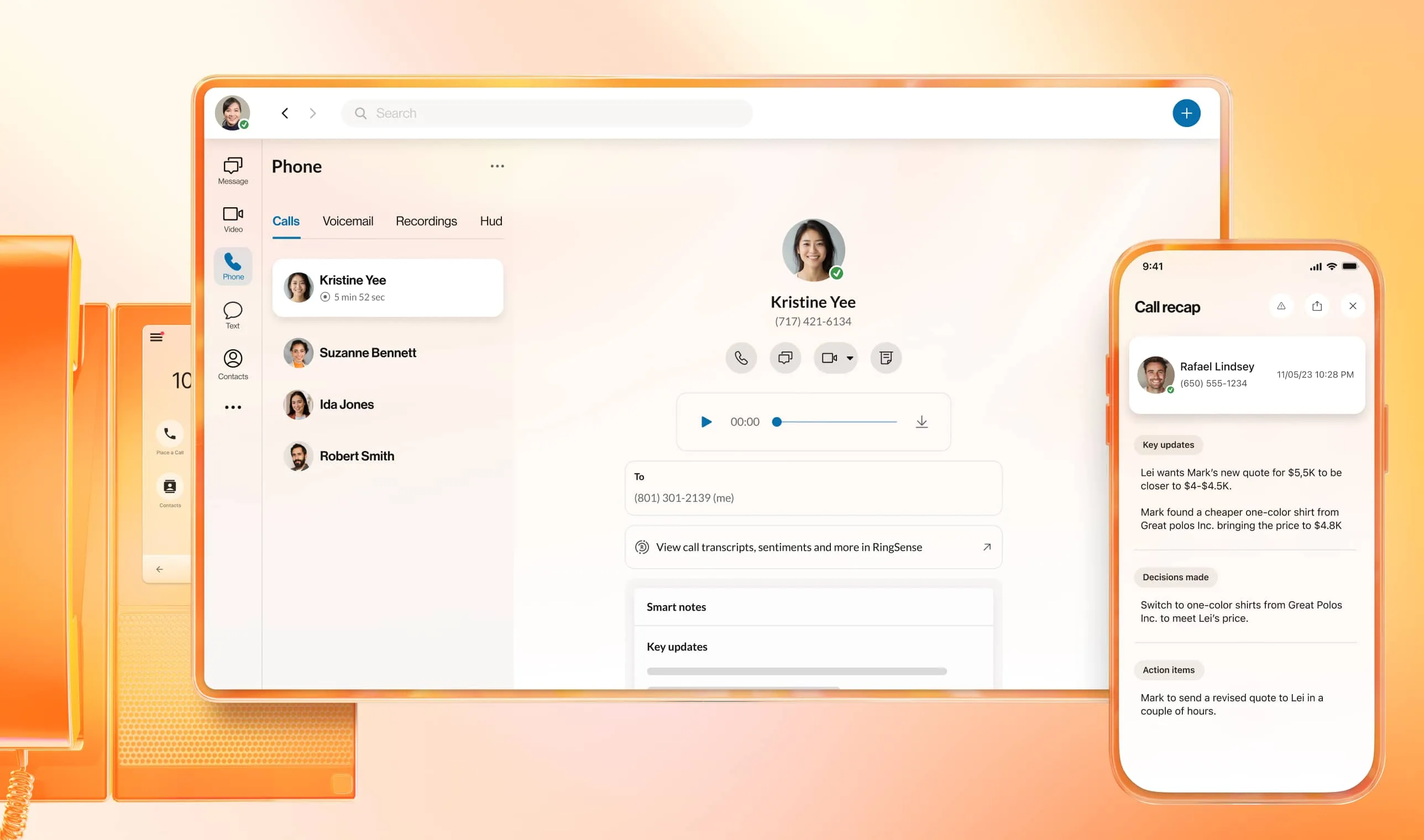
Small business VoIP vs traditional landlines
For a small business, it can be tempting to stick with whatever system you’ve got rather than invest in something new. When it comes to your phone system, that may mean sticking with traditional landlines.
However, when you look at landlines and VoIP options for small businesses side-by-side, you’ll see that it’s often a false economy:
Traditional landlines
VoIP systems
Why customers choose RingCentral
Created for business
Complete mobility
Easy setup and usage
High-level security and reliability
Unrivaled customer support
Best value for money
Understand the cost of VoIP for small businesses: Choose the plan to suit you
RingCentral business communications plans for your small business
Small business VoIP services help smaller firms stay competitive
Why choose a VoIP phone system for small business?
Business VoIP systems are clearly becoming the go-to communications solution for smaller companies. What used to be an alternative to expensive on-premises phone systems is now the go-to communications suite of organizations of all sizes.
Choosing the best VoIP phone systems for small businesses can go a long way towards making your enterprise more competitive in an economy where every company, big or small, needs every edge it can get.
RingCentral uses the latest in cloud technology to provide subscribers with more than just powerful VoIP telephone systems for small businesses. Instead, you get truly unified communications solutions that not only address your office communication needs, but also give you an advantage over your competition.
RingCentral RingEX gives you a full-featured virtual phone system, with all the features and functionalities you’d expect:
- Virtual phone numbers—local area codes and toll-free numbers
- Unlimited calling in the USA and Canada
- Multi-level auto attendant and IVR
- Call recording and transcriptions
- High-definition (HD) voice and AI noise cancellation
VoIP systems for small businesses like RingEX, though, also bring your other communications channels onto the same platform. In the same easy-to-use solution, you also get:
- Enhanced business SMS
- Team messaging and file sharing
- Video meetings
- Integrations with your other favorite business tools.
Is it any wonder that VoIP phones for small businesses are increasingly more popular than traditional landlines?
Further advantages of a VoIP phone service for small business
As if the fact that VoIP phone services for small business can help you close the gap on larger rivals wasn’t enough, there are also further advantages.
Alongside giving you features and functions previously only affordable for enterprises, VoIP solutions for small business also excel when it comes to:
Affordability
VoIP systems remain attractive to small businesses because of their lower costs. Thanks to using the internet for calls rather than the traditional landline network, call costs are often significantly reduced. Long-distance rates with a VoIP service for small business, in particular, are typically lower compared to traditional long-distance phone calls.
In addition, VoIP services for small businesses are hosted over the internet, reducing the need for expensive hardware such as bulky servers or physical PBX boxes.
Mobility
A small business VoIP system like RingCentral RingEX allows users to communicate even outside the office. Users can enjoy calling features like advanced call forwarding to route calls to several numbers simultaneously, use virtual extensions from any PC by downloading the free softphone, and take calls anywhere through downloading free calling apps for mobile phones and devices.
Scalability
A good IP phone system for a small business grows as the organization grows. RingCentral’s solutions, for example, can easily adjust to any office communication needs. Adding more employees? Simply add virtual extensions. No need for cables and wiring. Need to open a small office in another state? This small business VoIP service can connect multiple offices under a single phone number; there’s no need for a separate VoIP provider at each location.
Ease of use
With a traditional on-premises system, company owners would need dedicated manpower to manage and maintain the hardware. This isn’t a problem with a VoIP phone service for business, since everything can be managed via an easy-to-use web interface accessible on any internet-enabled device, like a PC or a tablet.
Once logged in, users already have full command of the system, giving their existing phones features they never had before. Operating hours can even be set based on whether or not personnel are available to take calls at any given time. Also, to maximize accessibility, providers such as RingCentral offer physical plug-and-play VoIP phones for small businesses, available for lease or purchase. These phones are similar to regular landlines, but designed for VoIP calls.
Affordability, mobility, scalability, and ease of use are just some of the benefits one can get by subscribing to the best small business VoIP solution from RingCentral.
RingCentral RingEX is a flexible business VoIP phone solution
Achieve greater flexibility with business VoIP solutions from RingCentral
IP phone systems for small businesses offer flexible solutions that adjust to varying communications and collaboration needs.
What sets a VoIP phone system for small business apart from other office phone solutions is its ability to stretch itself according to the needs of a business. Whether the company is expanding due to growth or contracting due to streamlining, this modern internet-hosted solution can easily adjust to the demands of the situation.
With traditional on-premises systems, business owners are likely stuck with what’s already in place. Adding new phone extensions would require installing new cables, and opening a new branch or office would require new telephone numbers and a separate communications system. This is not to mention that over time, these offices will be stuck with phone equipment with depreciated value, such as PBX boxes and desk phones.
When a small business invests in a solution like RingCentral RingEX, they’re getting flexibility and customization baked in. It simply couldn’t be easier to adjust the system to a company’s needs.
Small business VoIP phone systems that adjust to a company’s needs
This is why many companies realized that taking the cloud route for business communications is the way to go. With RingCentral RingEX, businesses gain these advantages (among others):
Virtual phone lines
As we’ve mentioned at length, instead of relying on the Public Switched Telephone Network (PSTN), RingCentral uses Voice over Internet Protocol (VoIP) for internet calls. That means your phone lines are no longer physical copper wires snaking into your premises.
RingCentral gives each subscriber a virtual telephone number (local or toll-free) that can be used to call other virtual phone numbers and traditional phone lines. You can use it from any device with an internet connection and access to your RingCentral software. Adding new numbers is also a breeze with an existing account.
Virtual extensions
Easily add or delete extensions for employees and departments through an intuitive interface. No new hardware or cable setup needed.
With RingCentral VoIP for business, admins can simply add extensions for new hires, or delete them as needed. Also, while you can use VoIP phones for your extension line, physical business phones are not a requirement. You can connect your virtual extension to a computer or mobile device through the RingCentral App.
Cloud PBX
Advanced business phone features that were once only found on expensive traditional systems, like auto-attendant, call forwarding, voicemail and more are also readily available thanks to systems like RingEX.
Unlike on-premises systems, a VoIP phone system for business is hosted in remote data centers that feature multiple primary and backup servers. Since the system is accessed over the web, it can be used from any location with an internet connection. As a result, employees stay connected no matter where they are through a single communications system.
No Contracts
RingCentral does not require subscribers to commit to any contracts. Users are allowed to test the service for a period to see if it’s a great fit. No commitments necessary.
How to set up VoIP for a small business?
We hear you asking, How can I start enjoying the benefits of VoIP for a small business?” Fortunately, getting started with a solution like RingCentral RingEX is quick and easy.
Once you’ve signed up for one of the RingEX pricing plans, you’ll get to choose a virtual phone number and then get started deploying and customizing your VoIP phone system.
You can easily add new users, numbers, teams, and more from a simple interface, and get things rolling in a matter of minutes. If you do have any issues or need more support, RingCentral experts will be there every step of the way to help.
Upgrade to VoIP made for small businesses
RingCentral is trusted by over 500,000 businesses worldwide. Speak with our sales team to learn how RingEX delivers powerful VoIP features designed to scale with your business.